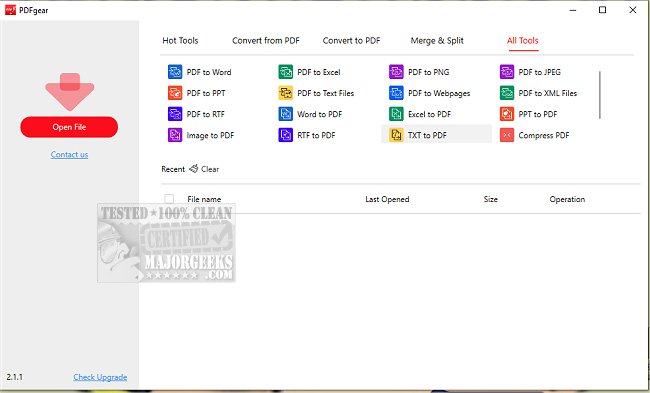
PDFgear has recently released version 2.1.15, enhancing its capabilities as a comprehensive desktop PDF editor. This powerful tool enables users to manage their PDF files effectively, offering features such as editing, converting, merging, splitting, organizing, signing, and annotating—all without any cost or registration requirements.
One of the standout functionalities of PDFgear is its intuitive text editing feature, which allows users to modify PDF content similarly to how one would in Microsoft Word. This includes changing text, replacing images, or deleting sections of text without losing formatting integrity. In addition, PDFgear supports conversion among over 60 different image and document formats, facilitating quick and accurate transformations of Word, Excel, PowerPoint, and e-book files, among others. The inclusion of batch conversion further optimizes productivity by enabling users to convert multiple files simultaneously.
A notable enhancement in this version is the introduction of PDFgear Copilot, which allows for natural language interaction with the software. Users can send messages to the tool and receive streamlined responses, thus improving their PDF management workflows. Moreover, PDFgear is equipped with AI capabilities powered by GPT 3.5, making it one of the leading PDF editors in the market. This feature allows users to summarize lengthy research documents, extract vital information, proofread, revise, and even engage in conversational exchanges with their PDF files.
Additionally, PDFgear includes a robust OCR (Optical Character Recognition) PDF converter, which enables users to edit scanned documents and convert them into editable Microsoft Word formats, facilitating the extraction of information from scanned files.
Best of all, PDFgear remains entirely free, making it an accessible choice for anyone needing reliable PDF management tools.
In summary, PDFgear version 2.1.15 not only simplifies PDF editing and management but also enhances user interaction through natural language processing and AI integration, positioning itself as an essential tool for both personal and professional use. With its continuous updates and feature expansions, PDFgear is set to remain a popular choice for users looking for efficient and versatile PDF solutions
One of the standout functionalities of PDFgear is its intuitive text editing feature, which allows users to modify PDF content similarly to how one would in Microsoft Word. This includes changing text, replacing images, or deleting sections of text without losing formatting integrity. In addition, PDFgear supports conversion among over 60 different image and document formats, facilitating quick and accurate transformations of Word, Excel, PowerPoint, and e-book files, among others. The inclusion of batch conversion further optimizes productivity by enabling users to convert multiple files simultaneously.
A notable enhancement in this version is the introduction of PDFgear Copilot, which allows for natural language interaction with the software. Users can send messages to the tool and receive streamlined responses, thus improving their PDF management workflows. Moreover, PDFgear is equipped with AI capabilities powered by GPT 3.5, making it one of the leading PDF editors in the market. This feature allows users to summarize lengthy research documents, extract vital information, proofread, revise, and even engage in conversational exchanges with their PDF files.
Additionally, PDFgear includes a robust OCR (Optical Character Recognition) PDF converter, which enables users to edit scanned documents and convert them into editable Microsoft Word formats, facilitating the extraction of information from scanned files.
Best of all, PDFgear remains entirely free, making it an accessible choice for anyone needing reliable PDF management tools.
In summary, PDFgear version 2.1.15 not only simplifies PDF editing and management but also enhances user interaction through natural language processing and AI integration, positioning itself as an essential tool for both personal and professional use. With its continuous updates and feature expansions, PDFgear is set to remain a popular choice for users looking for efficient and versatile PDF solutions
PDFgear 2.1.15 released
PDFgear provides a comprehensive desktop PDF editor that allows you to convert, edit, merge, split, organize, sign, annotate, and more.