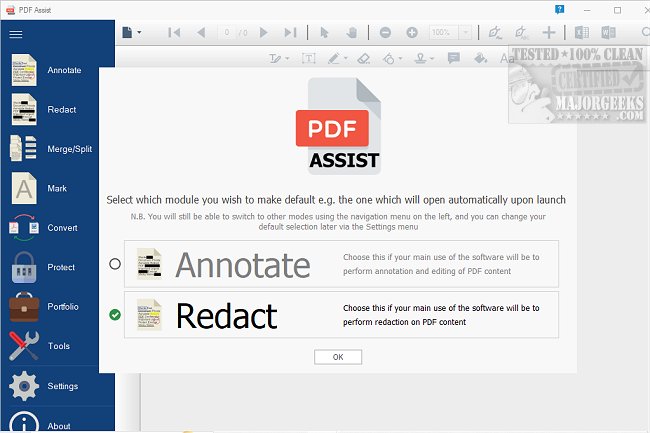
PDF Assist 3.1.4 has been released as a robust PDF management tool designed to handle various tasks efficiently. It offers a user-friendly interface that allows users to securely redact sensitive content from PDF files, automatically identifying common areas such as NI numbers, UTR tax references, phone numbers, and dates. Unlike other tools that merely mask content, PDF Assist completely removes the selected information.
The software also provides a range of annotation features, including highlighting, underlining, strikethroughs, and freehand drawing. Users can add shapes, stamps, sticky notes, and text and ink signatures for enhanced document interaction.
PDF Assist simplifies the processes of merging and splitting PDF documents, making it easy to manage lengthy files or combine multiple documents into a single cohesive PDF. This is achieved through a streamlined interface that requires minimal effort from the user.
Security is another vital aspect of PDF Assist; it allows users to encrypt and password-protect their files, controlling access and permissions effectively. Additionally, users can remove protection from already secured PDFs for easier access when needed.
To enhance professionalism, users can add custom or pre-existing watermarks to their documents, providing both identification and an additional layer of security.
Overall, PDF Assist stands out as a valuable tool for anyone managing substantial volumes of PDF documents, despite not being freeware. The investment in a perpetual license is justified for those who frequently handle PDFs, ensuring they have access to all the necessary features for effective document management.
In summary, PDF Assist 3.1.4 proves to be an essential tool for both individual users and businesses alike, with its comprehensive features designed for efficient PDF management. Users can expect continuous improvements and updates to maintain security and functionality, making it a worthwhile choice for enhancing productivity in handling PDF documents
The software also provides a range of annotation features, including highlighting, underlining, strikethroughs, and freehand drawing. Users can add shapes, stamps, sticky notes, and text and ink signatures for enhanced document interaction.
PDF Assist simplifies the processes of merging and splitting PDF documents, making it easy to manage lengthy files or combine multiple documents into a single cohesive PDF. This is achieved through a streamlined interface that requires minimal effort from the user.
Security is another vital aspect of PDF Assist; it allows users to encrypt and password-protect their files, controlling access and permissions effectively. Additionally, users can remove protection from already secured PDFs for easier access when needed.
To enhance professionalism, users can add custom or pre-existing watermarks to their documents, providing both identification and an additional layer of security.
Overall, PDF Assist stands out as a valuable tool for anyone managing substantial volumes of PDF documents, despite not being freeware. The investment in a perpetual license is justified for those who frequently handle PDFs, ensuring they have access to all the necessary features for effective document management.
In summary, PDF Assist 3.1.4 proves to be an essential tool for both individual users and businesses alike, with its comprehensive features designed for efficient PDF management. Users can expect continuous improvements and updates to maintain security and functionality, making it a worthwhile choice for enhancing productivity in handling PDF documents
PDF Assist 3.1.4 released
PDF Assist is a comprehensive PDF tool that enables you to perform various tasks on your PDF files.