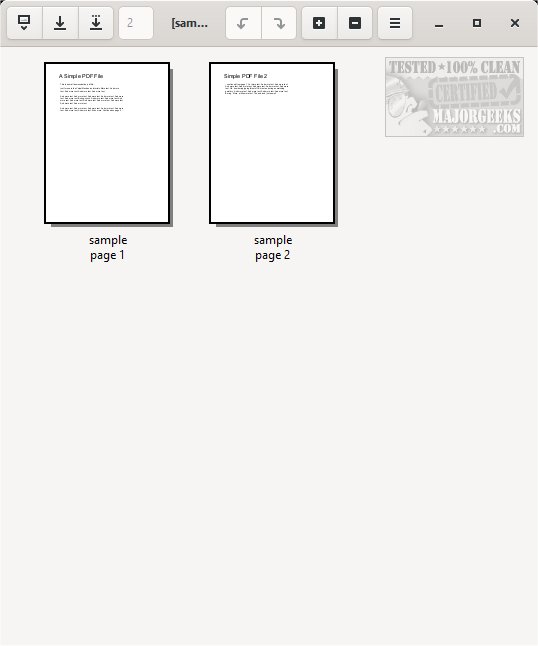
PDF Arranger has released version 1.13.0 of its open-source application designed for managing and modifying PDF files. The application boasts a user-friendly interface characterized by a clean gray and white color scheme. Users can easily open PDF files either through the menu or by drag-and-drop functionality.
The app offers a variety of features accessible through menus and icons, including options to zoom in or out, rotate pages, crop content, duplicate pages, split documents, and edit file properties. While PDF Arranger may seem simple, it provides several functionalities that are often missing in other PDF management applications. It is important to note that PDF Arranger is not a full-fledged editor; its primary focus is on making specific modifications to PDF files.
The source code and Linux builds for PDF Arranger are available on the author's website, allowing developers and users to contribute to its development or customize it for their needs.
In addition to PDF Arranger, users might find the following related topics useful:
- How to Create a PDF in Windows
- How to Convert a PDF to various image formats in Windows 10 & 11
- How to Manage Microsoft Print to PDF feature
- Understanding Adobe Acrobat Update Service
- Adding or removing the XPS Viewer app in Windows 10
As the application continues to evolve, users can expect ongoing updates that enhance its functionality and usability, keeping it relevant in the ever-changing landscape of PDF management tools
The app offers a variety of features accessible through menus and icons, including options to zoom in or out, rotate pages, crop content, duplicate pages, split documents, and edit file properties. While PDF Arranger may seem simple, it provides several functionalities that are often missing in other PDF management applications. It is important to note that PDF Arranger is not a full-fledged editor; its primary focus is on making specific modifications to PDF files.
The source code and Linux builds for PDF Arranger are available on the author's website, allowing developers and users to contribute to its development or customize it for their needs.
In addition to PDF Arranger, users might find the following related topics useful:
- How to Create a PDF in Windows
- How to Convert a PDF to various image formats in Windows 10 & 11
- How to Manage Microsoft Print to PDF feature
- Understanding Adobe Acrobat Update Service
- Adding or removing the XPS Viewer app in Windows 10
As the application continues to evolve, users can expect ongoing updates that enhance its functionality and usability, keeping it relevant in the ever-changing landscape of PDF management tools
PDF Arranger 1.13.0 released
PDF Arranger is an Open Source app to manage and modify PDF files.