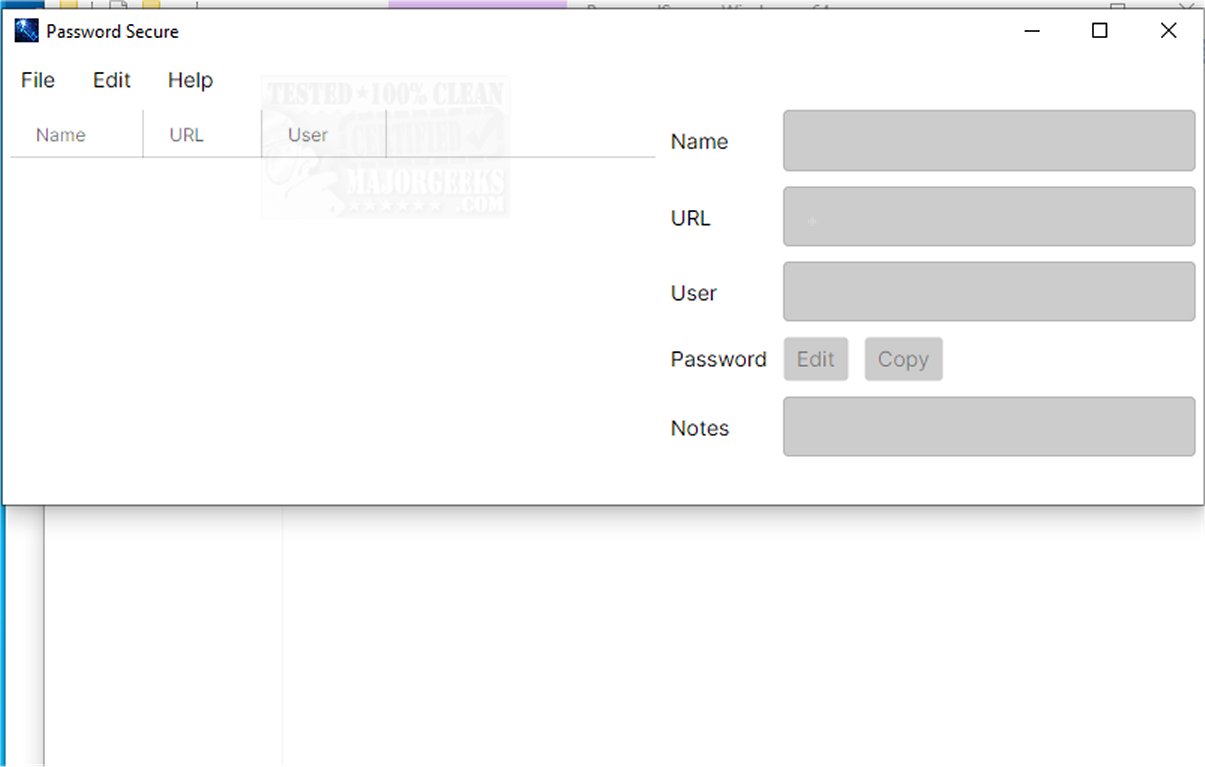
Password Secure is a cross-platform password manager recently updated to version 1.2026.04.10. This portable application is designed to help users securely store and manage their credentials while operating offline to mitigate security risks associated with cloud storage. Unlike many other password managers, Password Secure keeps sensitive information solely on the user's device, providing an additional layer of protection against potential breaches.
Core Functionality and Design
The primary purpose of Password Secure is to offer a user-friendly interface that caters to individuals, regardless of their technical expertise. Its intuitive navigation ensures that users can easily manage their sensitive data without feeling overwhelmed. The application employs advanced AES-256 encryption techniques, which are recognized as industry standards for securing data against unauthorized access. This means that users can trust that their passwords and personal information are well protected.
Key Features
Password Secure includes several specialized features aimed at facilitating straightforward and secure storage of login credentials:
- AES-256 Encryption: Ensures high-level security for all stored information.
- Offline Storage: Data is kept in portable files, eliminating reliance on cloud services.
- Automatic Backup Creation: Before any data update, backups are automatically created to prevent loss.
- Secure Copying and Editing: Users can modify passwords without exposing them during the process.
- Automatic Clipboard Clearing: This feature ensures that sensitive information is removed from the clipboard once the application is closed.
User Experience and Recommendations
The interface is designed to promote effective password management, making it easy for users to create and organize their passwords securely. Whether you need to safeguard existing login information or generate new credentials, Password Secure offers a reliable solution for enhancing online security. Its capabilities make it suitable for both personal and professional use, appealing to anyone looking to improve their digital safety.
Conclusion and Future Perspectives
Password Secure is a highly functional password manager that prioritizes user security and convenience. With its latest release, it continues to evolve, potentially incorporating feedback from users and adapting to the changing landscape of cybersecurity threats. As online security becomes increasingly critical, tools like Password Secure will remain essential for individuals seeking to protect their personal and professional information effectively.
Related Topics for Further Exploration
- How to Show Hidden or Masked Passwords Behind Asterisks
- How to Find Your Wi-Fi Password
- How to View, Edit, and Manage Your Google Chrome Passwords
- Password Management Strategies for the Everyday Use
Core Functionality and Design
The primary purpose of Password Secure is to offer a user-friendly interface that caters to individuals, regardless of their technical expertise. Its intuitive navigation ensures that users can easily manage their sensitive data without feeling overwhelmed. The application employs advanced AES-256 encryption techniques, which are recognized as industry standards for securing data against unauthorized access. This means that users can trust that their passwords and personal information are well protected.
Key Features
Password Secure includes several specialized features aimed at facilitating straightforward and secure storage of login credentials:
- AES-256 Encryption: Ensures high-level security for all stored information.
- Offline Storage: Data is kept in portable files, eliminating reliance on cloud services.
- Automatic Backup Creation: Before any data update, backups are automatically created to prevent loss.
- Secure Copying and Editing: Users can modify passwords without exposing them during the process.
- Automatic Clipboard Clearing: This feature ensures that sensitive information is removed from the clipboard once the application is closed.
User Experience and Recommendations
The interface is designed to promote effective password management, making it easy for users to create and organize their passwords securely. Whether you need to safeguard existing login information or generate new credentials, Password Secure offers a reliable solution for enhancing online security. Its capabilities make it suitable for both personal and professional use, appealing to anyone looking to improve their digital safety.
Conclusion and Future Perspectives
Password Secure is a highly functional password manager that prioritizes user security and convenience. With its latest release, it continues to evolve, potentially incorporating feedback from users and adapting to the changing landscape of cybersecurity threats. As online security becomes increasingly critical, tools like Password Secure will remain essential for individuals seeking to protect their personal and professional information effectively.
Related Topics for Further Exploration
- How to Show Hidden or Masked Passwords Behind Asterisks
- How to Find Your Wi-Fi Password
- How to View, Edit, and Manage Your Google Chrome Passwords
- Password Management Strategies for the Everyday Use
Password Secure 1.2026.04.10 released
Password Secure is a portable, cross-platform password manager designed to help you securely store and manage your credentials. It operates offline, ensuring that sensitive information remains on your device rather than being stored in the cloud, which can pose security risks.