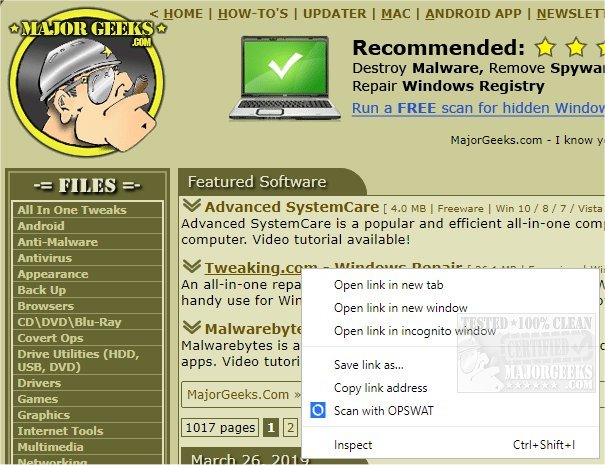
OPSWAT has released version 4.9.0 of its File Security tool for Chrome, which enhances in-browser protection by providing advanced malware scanning for downloads. This tool allows users to scan every file downloaded from the Chrome browser using more than 30 anti-malware engines, as well as state-of-the-art vulnerability scanning technology. OPSWAT File Security is user-friendly and operates via the MetaDefender Cloud, ensuring thorough examination of all downloads.
Key features of the tool include a comprehensive file hash database, rapid multi-scanning capabilities, patented vulnerability scanning, and effective data sanitization (Content Disarm and Reconstruction, CDR). These features work together to identify and neutralize potential threats in files and applications before they are downloaded. Additionally, the tool logs all scanned downloads for user reference, enhancing security and accountability.
For users looking to bolster their browsing security, OPSWAT File Security for Chrome is an invaluable tool that not only protects against malware but also improves overall digital hygiene. This release aligns with various other resources aimed at enhancing user experience with Chrome, such as guides on using the Chrome malware scanner, disabling the software reporter tool, and tips for resetting or repairing the browser. As cybersecurity threats continue to evolve, tools like OPSWAT File Security are crucial for maintaining safe browsing practices
Key features of the tool include a comprehensive file hash database, rapid multi-scanning capabilities, patented vulnerability scanning, and effective data sanitization (Content Disarm and Reconstruction, CDR). These features work together to identify and neutralize potential threats in files and applications before they are downloaded. Additionally, the tool logs all scanned downloads for user reference, enhancing security and accountability.
For users looking to bolster their browsing security, OPSWAT File Security for Chrome is an invaluable tool that not only protects against malware but also improves overall digital hygiene. This release aligns with various other resources aimed at enhancing user experience with Chrome, such as guides on using the Chrome malware scanner, disabling the software reporter tool, and tips for resetting or repairing the browser. As cybersecurity threats continue to evolve, tools like OPSWAT File Security are crucial for maintaining safe browsing practices
OPSWAT File Security for Chrome 4.9.0 released
OPSWAT File Security for Chrome provides advanced in-browser malware scanning for your downloads.