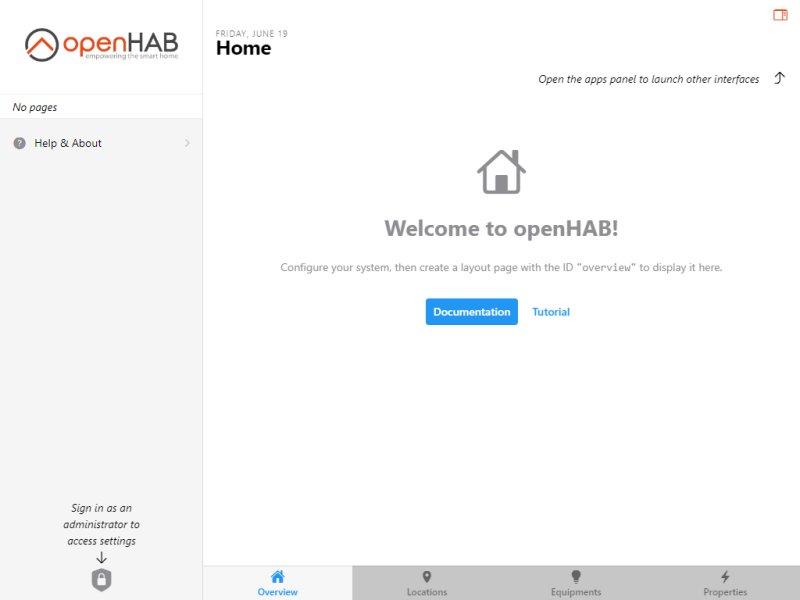
openHAB, which stands for Open Home Automation Bus, is an open-source home automation platform that empowers users to integrate and manage a variety of smart devices and gadgets. This highly flexible system allows users to escape the constraints of specific ecosystems and supports a wide array of devices, making it suitable for both casual users and tech enthusiasts alike. With openHAB, you can automate numerous home functions, such as dimming lights at a specific time, watering your lawn, brewing coffee, sounding alarms, and even warming up your car, all from a centralized control hub.
To get started with openHAB, users will need a computer or server (such as a PC, laptop, or Raspberry Pi) to run the software, along with Java installed on the device. The platform supports a vast range of smart devices, including smart plugs, Zigbee and Z-Wave devices, smart bulbs like Philips Hue, multi-sensors, smart thermostats, and various smart cameras. This extensibility allows users to start with a few devices and gradually expand into a comprehensive home automation system.
One of the standout features of openHAB is its commitment to privacy. Unlike many smart home systems that rely on cloud connectivity, openHAB operates locally, ensuring that your data remains within your home. While it can connect to cloud apps, your usage and authorization details are kept private. This privacy-centric approach, coupled with its cross-platform capabilities (supporting Windows, macOS, Linux, and Raspberry Pi), makes openHAB a strong choice for users concerned about data security.
Setting up openHAB requires following specific installation instructions depending on the operating system. For Windows, users need to download the software, unzip it, place add-ons in the appropriate folder, and use the start.bat file to run the program. Similar steps apply for macOS, with the exception of using start.sh. For Linux and Raspberry Pi, users are encouraged to consult the official documentation for tailored guidance. openHAB supports hundreds of devices and major brands, facilitating seamless integration with various protocols like Zigbee, Z-Wave, MQTT, KNX, and more.
To enhance its functionality, openHAB utilizes plugins, known as bindings, which are modular add-ons that facilitate integration with diverse devices and services. Each binding acts as a bridge between openHAB and specific hardware or software, enabling seamless control and automation. For instance, a Philips Hue binding allows users to manage their Hue lights through the platform.
The Geek Verdict
openHAB stands out as a robust solution for smart home enthusiasts who value privacy, flexibility, and extensive control over their home automation systems. With support for over 300 bindings, users can tailor their home automation experience to meet their specific needs. Although it is free and backed by an active community, openHAB does come with a steeper learning curve compared to more user-friendly applications and requires some technical know-how, particularly with Java. However, for those who enjoy tinkering and customizing their smart home, openHAB offers an incredible opportunity to create a scalable and personalized automation system.
Future Considerations
As smart home technology continues to evolve, users can expect ongoing updates and enhancements to openHAB. Future versions may introduce new bindings, improved user interfaces, and even more intuitive automation features, making it an exciting platform to watch. Additionally, as privacy concerns grow, openHAB’s focus on local control will likely resonate even more with users seeking secure smart home solutions. Ultimately, openHAB remains an excellent choice for anyone looking to dive deep into the world of home automation while maintaining control over their data
To get started with openHAB, users will need a computer or server (such as a PC, laptop, or Raspberry Pi) to run the software, along with Java installed on the device. The platform supports a vast range of smart devices, including smart plugs, Zigbee and Z-Wave devices, smart bulbs like Philips Hue, multi-sensors, smart thermostats, and various smart cameras. This extensibility allows users to start with a few devices and gradually expand into a comprehensive home automation system.
One of the standout features of openHAB is its commitment to privacy. Unlike many smart home systems that rely on cloud connectivity, openHAB operates locally, ensuring that your data remains within your home. While it can connect to cloud apps, your usage and authorization details are kept private. This privacy-centric approach, coupled with its cross-platform capabilities (supporting Windows, macOS, Linux, and Raspberry Pi), makes openHAB a strong choice for users concerned about data security.
Setting up openHAB requires following specific installation instructions depending on the operating system. For Windows, users need to download the software, unzip it, place add-ons in the appropriate folder, and use the start.bat file to run the program. Similar steps apply for macOS, with the exception of using start.sh. For Linux and Raspberry Pi, users are encouraged to consult the official documentation for tailored guidance. openHAB supports hundreds of devices and major brands, facilitating seamless integration with various protocols like Zigbee, Z-Wave, MQTT, KNX, and more.
To enhance its functionality, openHAB utilizes plugins, known as bindings, which are modular add-ons that facilitate integration with diverse devices and services. Each binding acts as a bridge between openHAB and specific hardware or software, enabling seamless control and automation. For instance, a Philips Hue binding allows users to manage their Hue lights through the platform.
The Geek Verdict
openHAB stands out as a robust solution for smart home enthusiasts who value privacy, flexibility, and extensive control over their home automation systems. With support for over 300 bindings, users can tailor their home automation experience to meet their specific needs. Although it is free and backed by an active community, openHAB does come with a steeper learning curve compared to more user-friendly applications and requires some technical know-how, particularly with Java. However, for those who enjoy tinkering and customizing their smart home, openHAB offers an incredible opportunity to create a scalable and personalized automation system.
Future Considerations
As smart home technology continues to evolve, users can expect ongoing updates and enhancements to openHAB. Future versions may introduce new bindings, improved user interfaces, and even more intuitive automation features, making it an exciting platform to watch. Additionally, as privacy concerns grow, openHAB’s focus on local control will likely resonate even more with users seeking secure smart home solutions. Ultimately, openHAB remains an excellent choice for anyone looking to dive deep into the world of home automation while maintaining control over their data
openHAB 5.1.0 released
openHAB is an Open-Source home automation platform that lets you unify and control various smart devices and gadgets.