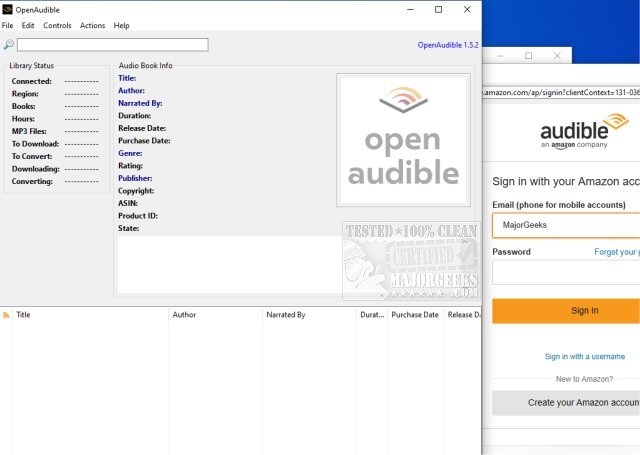
OpenAudible 4.8 has been released, enhancing its capabilities as an open-source, cross-platform manager for Audible audiobooks. This application allows users to efficiently download, view, convert Audible content to MP3 format, and manage their entire Audible library in one centralized location. With features designed for convenience, OpenAudible automatically organizes your collection into an HTML library for easy access.
To start using OpenAudible, users simply need to open the browser window (Ctrl-B from the Controls menu), log into their Audible account, and navigate to their purchased books list. It’s advisable to set the working or output directory to a location with ample disk space or to a network storage device before connecting to Audible, as this will facilitate a smoother experience when importing library details without the need to download files initially.
Once connected, users can browse their purchased titles and download any book by clicking the designated download link. The application supports various features including:
- Importing Audible books directly from your account
- Converting files to MP3 while retaining all metadata tags
- Dragging and dropping AAX files directly into the application
- Displaying books in a searchable user interface
- Exporting a webpage or JavaScript file that lists all your books
OpenAudible continues to evolve, making it a valuable tool for audiobook enthusiasts looking to manage their content effectively and enjoy their audiobooks in a format that suits their preferences. The latest update emphasizes user-friendly navigation and robust file management, ensuring that users can make the most of their Audible purchases. Future updates may further expand on these features, enhancing compatibility and user experience
To start using OpenAudible, users simply need to open the browser window (Ctrl-B from the Controls menu), log into their Audible account, and navigate to their purchased books list. It’s advisable to set the working or output directory to a location with ample disk space or to a network storage device before connecting to Audible, as this will facilitate a smoother experience when importing library details without the need to download files initially.
Once connected, users can browse their purchased titles and download any book by clicking the designated download link. The application supports various features including:
- Importing Audible books directly from your account
- Converting files to MP3 while retaining all metadata tags
- Dragging and dropping AAX files directly into the application
- Displaying books in a searchable user interface
- Exporting a webpage or JavaScript file that lists all your books
OpenAudible continues to evolve, making it a valuable tool for audiobook enthusiasts looking to manage their content effectively and enjoy their audiobooks in a format that suits their preferences. The latest update emphasizes user-friendly navigation and robust file management, ensuring that users can make the most of their Audible purchases. Future updates may further expand on these features, enhancing compatibility and user experience
OpenAudible 4.8 released
OpenAudible is an Open Source cross-platform Audible audiobook manager.