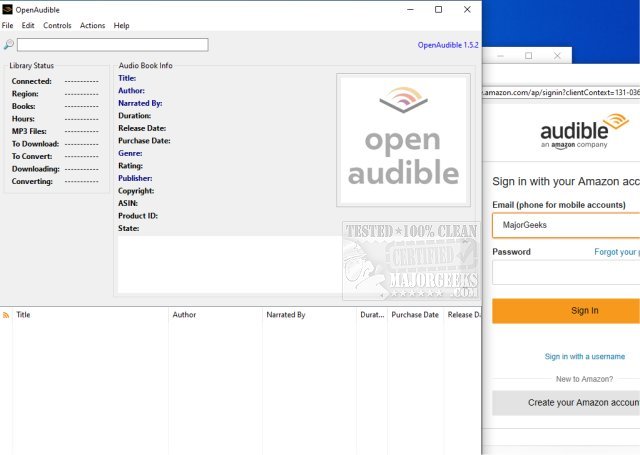
OpenAudible 4.7.2 has been released, enhancing the functionality of this open-source, cross-platform audiobook manager designed specifically for managing Audible content. This software allows users to download, view, convert Audible audiobooks to MP3 format, and organize their entire Audible library efficiently.
With OpenAudible, users can view all their Audible books in a centralized location and automatically organize them into a structured HTML library. To get started, users need to open the Browser window (using Ctrl-B from the Controls menu), log into their Audible account, and navigate to their purchased books list. It is recommended to set the output directory to a drive with adequate space or a network storage device before connecting to Audible to facilitate the import of library details without downloading any files initially.
Once connected, users can browse their purchased titles and easily download audiobooks by clicking on the download links.
Key features of OpenAudible include:
- Importing Audible books directly from the user’s account
- Conversion of audiobooks to MP3 format with complete metadata tagging
- The ability to import AAX files by dragging and dropping them into the application
- A user-friendly interface that allows for easy searching of books
- Export options for creating a web page or JavaScript file that contains all the books in the library
In summary, OpenAudible 4.7.2 serves as a comprehensive tool for audiobook enthusiasts, offering robust features to enhance the management and accessibility of Audible content. Future updates could potentially include additional features such as enhanced file format support, improved user interface customization options, or integration with other audiobook platforms to broaden its usability
With OpenAudible, users can view all their Audible books in a centralized location and automatically organize them into a structured HTML library. To get started, users need to open the Browser window (using Ctrl-B from the Controls menu), log into their Audible account, and navigate to their purchased books list. It is recommended to set the output directory to a drive with adequate space or a network storage device before connecting to Audible to facilitate the import of library details without downloading any files initially.
Once connected, users can browse their purchased titles and easily download audiobooks by clicking on the download links.
Key features of OpenAudible include:
- Importing Audible books directly from the user’s account
- Conversion of audiobooks to MP3 format with complete metadata tagging
- The ability to import AAX files by dragging and dropping them into the application
- A user-friendly interface that allows for easy searching of books
- Export options for creating a web page or JavaScript file that contains all the books in the library
In summary, OpenAudible 4.7.2 serves as a comprehensive tool for audiobook enthusiasts, offering robust features to enhance the management and accessibility of Audible content. Future updates could potentially include additional features such as enhanced file format support, improved user interface customization options, or integration with other audiobook platforms to broaden its usability
OpenAudible 4.7.2 released
OpenAudible is an Open Source cross-platform Audible audiobook manager.