The Oobabooga Text Generation Web UI has released version 3.23, providing a locally hosted and customizable interface for interacting with large language models (LLMs). This tool allows users to create a ChatGPT-like experience without the need to send data to cloud services, ensuring privacy and control. Built with the Gradio library, it offers an easy-to-use web interface for chatting and text generation, making it ideal for developers, researchers, and hobbyists interested in AI experimentation.
The Oobabooga interface supports various backends, including Hugging Face Transformers, llama.cpp, ExLlamaV2, and NVIDIA's TensorRT-LLM via Docker, allowing users to load models, fine-tune them using LoRA, and access OpenAI-compatible APIs all in one environment. Its built-in extension support enhances functionality, enabling features like multimodal tasks and streaming capabilities. Users can run models locally without internet access, switch models easily, save chat histories, and adjust advanced output settings.
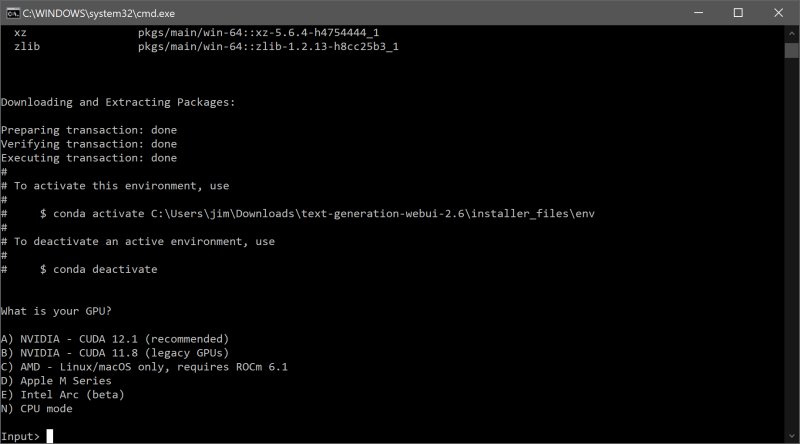
To install and run Oobabooga, users need to download the application, ensure sufficient storage space, and follow a few straightforward steps to set it up on their operating system (Windows, macOS, or Linux). After installation, users can download LLMs from Hugging Face or similar platforms, and the Web UI will allow them to load and run these models seamlessly.
Pros of using Oobabooga include its fully local and private environment, multiple backend support, and easy model swapping, making it suitable for testing and development. However, it can be resource-intensive depending on the models used, and the manual setup may pose a learning curve for some users.
In summary, Oobabooga Text Generation Web UI stands out as an excellent tool for AI enthusiasts looking to explore and utilize LLMs locally, fostering creativity and innovation without the constraints of cloud dependencies. The user-friendly setup and robust capabilities make it a valuable addition to any AI developer's toolkit. For those interested in AI, having sufficient hardware resources will enhance the experience, providing a comprehensive and customizable AI playground right on their personal machines. As AI technology continues to evolve, tools like Oobabooga will likely expand, offering even more features and integrations for users to experiment with
The Oobabooga interface supports various backends, including Hugging Face Transformers, llama.cpp, ExLlamaV2, and NVIDIA's TensorRT-LLM via Docker, allowing users to load models, fine-tune them using LoRA, and access OpenAI-compatible APIs all in one environment. Its built-in extension support enhances functionality, enabling features like multimodal tasks and streaming capabilities. Users can run models locally without internet access, switch models easily, save chat histories, and adjust advanced output settings.
To install and run Oobabooga, users need to download the application, ensure sufficient storage space, and follow a few straightforward steps to set it up on their operating system (Windows, macOS, or Linux). After installation, users can download LLMs from Hugging Face or similar platforms, and the Web UI will allow them to load and run these models seamlessly.
Pros of using Oobabooga include its fully local and private environment, multiple backend support, and easy model swapping, making it suitable for testing and development. However, it can be resource-intensive depending on the models used, and the manual setup may pose a learning curve for some users.
In summary, Oobabooga Text Generation Web UI stands out as an excellent tool for AI enthusiasts looking to explore and utilize LLMs locally, fostering creativity and innovation without the constraints of cloud dependencies. The user-friendly setup and robust capabilities make it a valuable addition to any AI developer's toolkit. For those interested in AI, having sufficient hardware resources will enhance the experience, providing a comprehensive and customizable AI playground right on their personal machines. As AI technology continues to evolve, tools like Oobabooga will likely expand, offering even more features and integrations for users to experiment with
Oobabooga Text Generation Web UI 3.23 released
Oobabooga Text Generation Web UI is a locally hosted, customizable interface designed for working with large language models (LLMs).