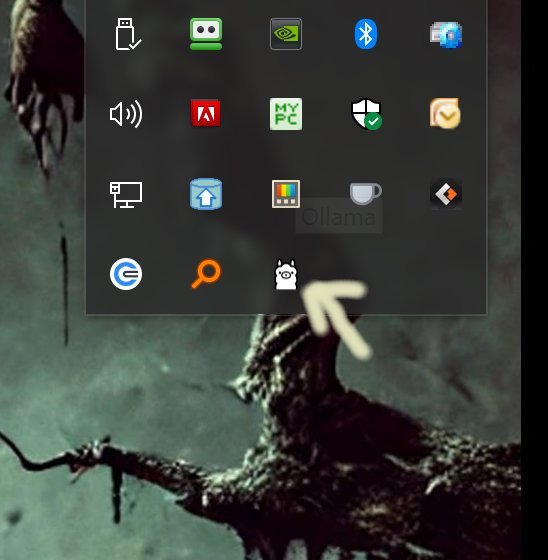
Ollama is a local-first platform designed to bring large language models (LLMs) directly to your desktop, allowing users to harness advanced AI capabilities without relying on cloud services or accounts. With the new version 0.18.3, Ollama continues to offer a variety of top-tier models such as LLaMA 3.3, Phi-4, Mistral, and DeepSeek, all of which can be run entirely offline. This makes it particularly appealing for developers, hobbyists, and privacy-conscious users who prefer not to share data online.
Key Features
- Local Execution: All operations occur on your device, ensuring quick responses and complete data control without cloud dependencies.
- Cross-Platform Compatibility: Ollama supports Windows, macOS, and Linux, making it accessible regardless of your operating system.
- Command-Line Interface: The platform is optimized for a command-line environment, offering users a powerful CLI for executing commands, customizing models, and scripting interactions.
- Model Customization: Users can import models in various formats (GGUF, Safetensors), adjust prompts, and create personalized assistants using Modelfiles.
- Developer-Friendly: Built-in libraries for Python and JavaScript allow easy integration into applications.
Usage Insights
Ollama is particularly effective when used as a command-line tool. Although it can be accessed through other interfaces like OLamma and Web UI, utilizing the CLI grants users access to full functionality and control. Customization is a significant aspect of Ollama; users can define specific behaviors and settings for models through Modelfiles, which can be easily managed via the terminal.
Example Commands
- To download a model: `ollama pull llama3`
- To run a model interactively: `ollama run llama3`
- To ask a one-time question: `ollama run llama3 --prompt "Explain quantum computing in simple terms"`
- To list installed models: `ollama list`
- To remove a model: `ollama remove llama3`
- To switch between models: `ollama run gemma`
Conclusion
Ollama 0.18.3 stands out for its speed, efficiency, and local execution capabilities, providing users with a powerful tool for working with LLMs without the constraints of cloud computing. While the command-line interface may deter some users who prefer graphical interfaces, those comfortable with the terminal will find Ollama to be an invaluable resource for AI experimentation and development. With its robust documentation and community support, Ollama continues to be an excellent choice for anyone looking to leverage LLM technology on their personal machine.
Future Enhancements
Looking ahead, Ollama could benefit from developing a more user-friendly graphical interface to attract a broader audience. Additionally, enhancing community engagement through tutorials, user forums, and collaborative projects could further enrich the Ollama ecosystem and foster innovation among its user base
Key Features
- Local Execution: All operations occur on your device, ensuring quick responses and complete data control without cloud dependencies.
- Cross-Platform Compatibility: Ollama supports Windows, macOS, and Linux, making it accessible regardless of your operating system.
- Command-Line Interface: The platform is optimized for a command-line environment, offering users a powerful CLI for executing commands, customizing models, and scripting interactions.
- Model Customization: Users can import models in various formats (GGUF, Safetensors), adjust prompts, and create personalized assistants using Modelfiles.
- Developer-Friendly: Built-in libraries for Python and JavaScript allow easy integration into applications.
Usage Insights
Ollama is particularly effective when used as a command-line tool. Although it can be accessed through other interfaces like OLamma and Web UI, utilizing the CLI grants users access to full functionality and control. Customization is a significant aspect of Ollama; users can define specific behaviors and settings for models through Modelfiles, which can be easily managed via the terminal.
Example Commands
- To download a model: `ollama pull llama3`
- To run a model interactively: `ollama run llama3`
- To ask a one-time question: `ollama run llama3 --prompt "Explain quantum computing in simple terms"`
- To list installed models: `ollama list`
- To remove a model: `ollama remove llama3`
- To switch between models: `ollama run gemma`
Conclusion
Ollama 0.18.3 stands out for its speed, efficiency, and local execution capabilities, providing users with a powerful tool for working with LLMs without the constraints of cloud computing. While the command-line interface may deter some users who prefer graphical interfaces, those comfortable with the terminal will find Ollama to be an invaluable resource for AI experimentation and development. With its robust documentation and community support, Ollama continues to be an excellent choice for anyone looking to leverage LLM technology on their personal machine.
Future Enhancements
Looking ahead, Ollama could benefit from developing a more user-friendly graphical interface to attract a broader audience. Additionally, enhancing community engagement through tutorials, user forums, and collaborative projects could further enrich the Ollama ecosystem and foster innovation among its user base
Ollama 0.18.3 released
Ollama is the local-first platform that brings large language models (LLMs) right to your desktop.