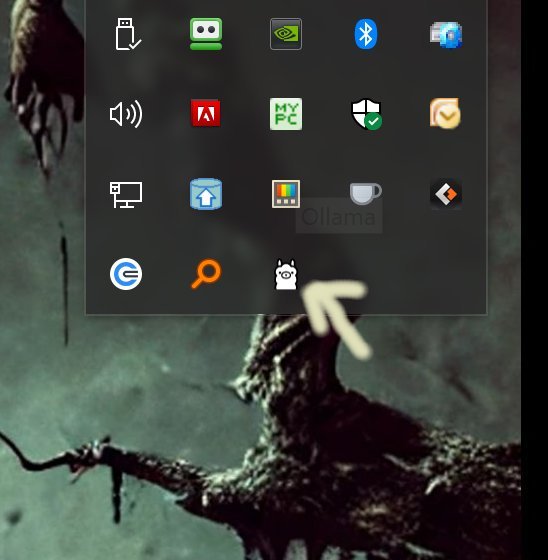
Ollama is a groundbreaking platform that enables users to run large language models (LLMs) directly on their desktops, offering a local-first approach without reliance on cloud services, accounts, or internet connectivity. The latest version, Ollama 0.16.2, enhances this experience by providing a seamless way to utilize powerful models such as LLaMA 3.3, Phi-4, Mistral, and DeepSeek—all while maintaining privacy since everything operates offline.
Key Features of Ollama:
- Local Execution: All processes are conducted on the user's device, ensuring faster responses and complete data control without external interference.
- Cross-Platform Support: Ollama is compatible with Windows, macOS, and Linux, making it accessible for a variety of users.
- Command-Line Interface (CLI): The tool offers a robust CLI, allowing for customized model interactions and the ability to script commands for automation.
- Modelfile Customization: Users can import different model formats (like GGUF and Safetensors), adjust prompts, and create unique AI assistants tailored to specific requirements.
- Developer-Friendly: Ollama includes libraries for Python and JavaScript, providing developers with the flexibility to integrate LLM capabilities into their applications.
User Experience and Documentation:
Ollama shines as a command-line tool, designed for those comfortable with typing commands. While alternative interfaces exist, they may limit access to certain commands. The CLI allows users to define system instructions, default prompts, and customize models directly from the terminal. Comprehensive documentation is available, covering everything from basic commands to advanced Modelfile setups, with useful references for model management and command usage.
Example Commands:
1. Download a Model: `ollama pull llama3`
2. Run a Model Interactively: `ollama run llama3`
3. Ask a One-Time Question: `ollama run llama3 --prompt "Explain quantum computing in simple terms"`
4. List Installed Models: `ollama list`
5. Remove a Model: `ollama remove llama3`
6. Run a Different Model: `ollama run gemma`
Conclusion:
Ollama stands out for its speed, efficiency, and local execution capabilities—eliminating server delays and ensuring user data remains private. While it excels in CLI usage, the absence of a built-in graphical user interface (GUI) may deter some users who prefer more visual interaction. Nevertheless, Ollama is ideal for tech-savvy individuals seeking powerful LLM functionality at their fingertips, emphasizing the importance of a local and privacy-conscious AI experience.
Future Extensions:
As Ollama continues to evolve, potential updates could include enhanced GUI support for broader accessibility, integration with more model formats, and improved community-contributed interfaces. Additionally, expanding the range of built-in libraries and developing user-friendly tutorials may attract a wider audience, including those less familiar with command-line operations. By fostering a community around Ollama, the platform could also benefit from user feedback, enabling iterative improvements and feature enhancements based on real-world usage
Key Features of Ollama:
- Local Execution: All processes are conducted on the user's device, ensuring faster responses and complete data control without external interference.
- Cross-Platform Support: Ollama is compatible with Windows, macOS, and Linux, making it accessible for a variety of users.
- Command-Line Interface (CLI): The tool offers a robust CLI, allowing for customized model interactions and the ability to script commands for automation.
- Modelfile Customization: Users can import different model formats (like GGUF and Safetensors), adjust prompts, and create unique AI assistants tailored to specific requirements.
- Developer-Friendly: Ollama includes libraries for Python and JavaScript, providing developers with the flexibility to integrate LLM capabilities into their applications.
User Experience and Documentation:
Ollama shines as a command-line tool, designed for those comfortable with typing commands. While alternative interfaces exist, they may limit access to certain commands. The CLI allows users to define system instructions, default prompts, and customize models directly from the terminal. Comprehensive documentation is available, covering everything from basic commands to advanced Modelfile setups, with useful references for model management and command usage.
Example Commands:
1. Download a Model: `ollama pull llama3`
2. Run a Model Interactively: `ollama run llama3`
3. Ask a One-Time Question: `ollama run llama3 --prompt "Explain quantum computing in simple terms"`
4. List Installed Models: `ollama list`
5. Remove a Model: `ollama remove llama3`
6. Run a Different Model: `ollama run gemma`
Conclusion:
Ollama stands out for its speed, efficiency, and local execution capabilities—eliminating server delays and ensuring user data remains private. While it excels in CLI usage, the absence of a built-in graphical user interface (GUI) may deter some users who prefer more visual interaction. Nevertheless, Ollama is ideal for tech-savvy individuals seeking powerful LLM functionality at their fingertips, emphasizing the importance of a local and privacy-conscious AI experience.
Future Extensions:
As Ollama continues to evolve, potential updates could include enhanced GUI support for broader accessibility, integration with more model formats, and improved community-contributed interfaces. Additionally, expanding the range of built-in libraries and developing user-friendly tutorials may attract a wider audience, including those less familiar with command-line operations. By fostering a community around Ollama, the platform could also benefit from user feedback, enabling iterative improvements and feature enhancements based on real-world usage
Ollama 0.16.2 released
Ollama is the local-first platform that brings large language models (LLMs) right to your desktop.