Ollama 0.14.0 has been released, showcasing its local-first platform that allows users to run large language models (LLMs) directly on their desktops without relying on the cloud or requiring any accounts. This setup provides users—ranging from developers to privacy advocates—with the ability to utilize powerful models such as LLaMA 3.3, Phi-4, Mistral, and DeepSeek entirely offline.
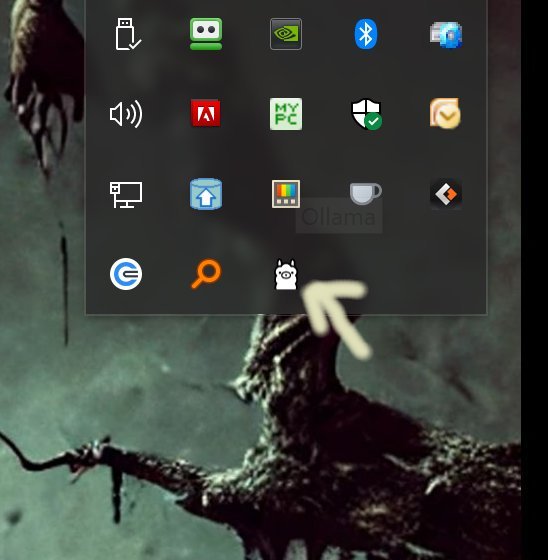
Installation is straightforward; users simply download the version and install it. Once Ollama is running, it can be accessed through the Command Prompt or PowerShell, where users can utilize its command-line interface (CLI) for various tasks. The platform is designed to be cross-compatible across Windows, macOS, and Linux, ensuring that users can operate it on their preferred systems without any complexity.
Ollama is particularly appealing for those who appreciate a command-line interface, offering a fast and efficient means to interact with models. Users can engage with the models directly, switch between them, or even create custom models using simple commands or Modelfiles. Its offline nature guarantees privacy, as there are no cloud calls, data logging, or leaks involved. Developers benefit from integrated support for Python and JavaScript, simplifying the process of connecting Ollama to applications.
Despite its strengths, Ollama is primarily tailored for users comfortable with command-line interactions. While alternatives like OLamma and Web UI exist, they may limit some functionalities. Ollama's CLI provides extensive customization options, allowing users to define system instructions and manage model imports seamlessly. The platform comes equipped with comprehensive documentation, including a library of available models and guides on usage and Modelfile customization.
Ollama's efficiency and local execution make it an attractive choice for those seeking a reliable AI tool without the drawbacks of cloud dependency. However, its lack of a built-in graphical user interface (GUI) may deter some users who prefer a more visual interaction. Community-developed web interfaces may provide some relief, but for those adept in CLI environments, Ollama stands out as a robust solution for accessing LLM capabilities directly from their devices.
In summary, Ollama 0.14.0 is an exceptional tool for anyone looking to leverage the power of LLMs while maintaining control over their data and privacy. As the platform continues to evolve, it may incorporate additional features to bridge the gap for users who favor GUI-based interactions, potentially opening up its capabilities to a broader audience
Installation is straightforward; users simply download the version and install it. Once Ollama is running, it can be accessed through the Command Prompt or PowerShell, where users can utilize its command-line interface (CLI) for various tasks. The platform is designed to be cross-compatible across Windows, macOS, and Linux, ensuring that users can operate it on their preferred systems without any complexity.
Ollama is particularly appealing for those who appreciate a command-line interface, offering a fast and efficient means to interact with models. Users can engage with the models directly, switch between them, or even create custom models using simple commands or Modelfiles. Its offline nature guarantees privacy, as there are no cloud calls, data logging, or leaks involved. Developers benefit from integrated support for Python and JavaScript, simplifying the process of connecting Ollama to applications.
Despite its strengths, Ollama is primarily tailored for users comfortable with command-line interactions. While alternatives like OLamma and Web UI exist, they may limit some functionalities. Ollama's CLI provides extensive customization options, allowing users to define system instructions and manage model imports seamlessly. The platform comes equipped with comprehensive documentation, including a library of available models and guides on usage and Modelfile customization.
Ollama's efficiency and local execution make it an attractive choice for those seeking a reliable AI tool without the drawbacks of cloud dependency. However, its lack of a built-in graphical user interface (GUI) may deter some users who prefer a more visual interaction. Community-developed web interfaces may provide some relief, but for those adept in CLI environments, Ollama stands out as a robust solution for accessing LLM capabilities directly from their devices.
In summary, Ollama 0.14.0 is an exceptional tool for anyone looking to leverage the power of LLMs while maintaining control over their data and privacy. As the platform continues to evolve, it may incorporate additional features to bridge the gap for users who favor GUI-based interactions, potentially opening up its capabilities to a broader audience
Ollama 0.14.0 released
Ollama is the local-first platform that brings large language models (LLMs) right to your desktop.