OLED Sleeper 1.2.4 has been released, designed to enhance desktop usability by transitioning selected monitors to a black screen after a set period of inactivity. This innovative feature not only conserves energy but also protects OLED screens from burn-in, a common issue with static images on these displays.
Purpose of OLED Sleeper
The primary aim of OLED Sleeper is to improve your desktop environment by eliminating distractions and reducing potential damage to your screens. When the designated monitor remains inactive for a user-defined amount of time, it can either display a pure black screen or dim its brightness, depending on the selected setting. Users can easily resume their tasks by simply moving the mouse, which instantly reactivates the monitor.
Functionality
OLED Sleeper operates by monitoring user activity and can be customized to fit individual needs:
- Per-Monitor Control: Users can select which monitors to manage.
- Adjustable Idle Timer: Customize the duration before a monitor enters sleep mode.
- Idle Modes: Choose between full blackout or brightness dimming, offering flexibility based on user preference.
- Automatic Startup: Once configured, the tool runs automatically each time Windows is logged into.
- Resilient State Saving: The tool remembers settings even after unexpected shutdowns.
- Instant Wake-Up: Monitors reactivate immediately upon detecting user activity.
- Lightweight Design: Consumes minimal system resources.
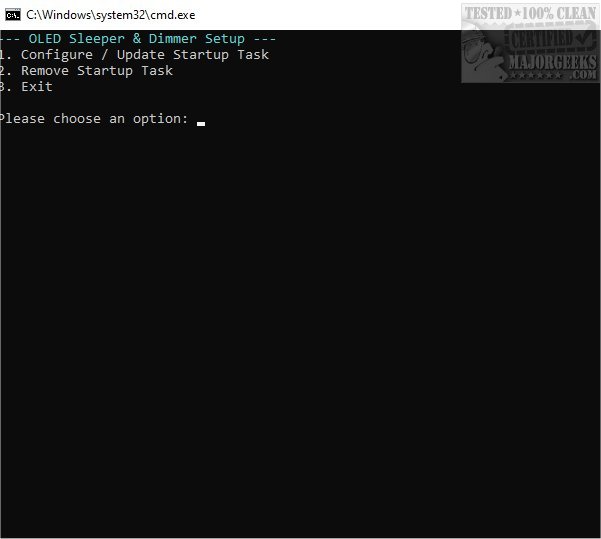
- Simple Setup: A command-line wizard assists with initial setup and adjustments.
Additional Benefits for LCD Users
Beyond OLED users, OLED Sleeper is also beneficial for LCD users, providing options to turn off side monitors for a focused work or gaming experience.
Hardware Protection and User Focus
By extending the life of OLED screens and reducing distractions in multi-monitor setups, OLED Sleeper quietly runs in the background, ensuring that your workspace remains efficient and your screens protected.
Requirements
To utilize OLED Sleeper, users need AutoHotkey and a monitor that supports DDC/CI brightness control for the dimming feature.
Conclusion
In summary, OLED Sleeper is an essential tool for Windows users looking to maintain their screen's integrity while fostering a more focused work environment. With its seamless automation and easy setup, it combines functionality with peace of mind, allowing users to concentrate on their tasks without the worry of screen burn-in or unnecessary distractions.
Further Reading
For additional resources, users may find interest in guides on enabling adaptive brightness in Windows, turning off monitors on demand, and addressing stuck or dead pixels on LCD screens
Purpose of OLED Sleeper
The primary aim of OLED Sleeper is to improve your desktop environment by eliminating distractions and reducing potential damage to your screens. When the designated monitor remains inactive for a user-defined amount of time, it can either display a pure black screen or dim its brightness, depending on the selected setting. Users can easily resume their tasks by simply moving the mouse, which instantly reactivates the monitor.
Functionality
OLED Sleeper operates by monitoring user activity and can be customized to fit individual needs:
- Per-Monitor Control: Users can select which monitors to manage.
- Adjustable Idle Timer: Customize the duration before a monitor enters sleep mode.
- Idle Modes: Choose between full blackout or brightness dimming, offering flexibility based on user preference.
- Automatic Startup: Once configured, the tool runs automatically each time Windows is logged into.
- Resilient State Saving: The tool remembers settings even after unexpected shutdowns.
- Instant Wake-Up: Monitors reactivate immediately upon detecting user activity.
- Lightweight Design: Consumes minimal system resources.
- Simple Setup: A command-line wizard assists with initial setup and adjustments.
Additional Benefits for LCD Users
Beyond OLED users, OLED Sleeper is also beneficial for LCD users, providing options to turn off side monitors for a focused work or gaming experience.
Hardware Protection and User Focus
By extending the life of OLED screens and reducing distractions in multi-monitor setups, OLED Sleeper quietly runs in the background, ensuring that your workspace remains efficient and your screens protected.
Requirements
To utilize OLED Sleeper, users need AutoHotkey and a monitor that supports DDC/CI brightness control for the dimming feature.
Conclusion
In summary, OLED Sleeper is an essential tool for Windows users looking to maintain their screen's integrity while fostering a more focused work environment. With its seamless automation and easy setup, it combines functionality with peace of mind, allowing users to concentrate on their tasks without the worry of screen burn-in or unnecessary distractions.
Further Reading
For additional resources, users may find interest in guides on enabling adaptive brightness in Windows, turning off monitors on demand, and addressing stuck or dead pixels on LCD screens
OLED Sleeper 1.2.4 released
OLED Sleeper enhances your desktop experience by seamlessly transitioning to a black screen on any selected monitor after a predetermined period of inactivity. This smart feature not only saves energy but also helps in preventing screen burn-in.