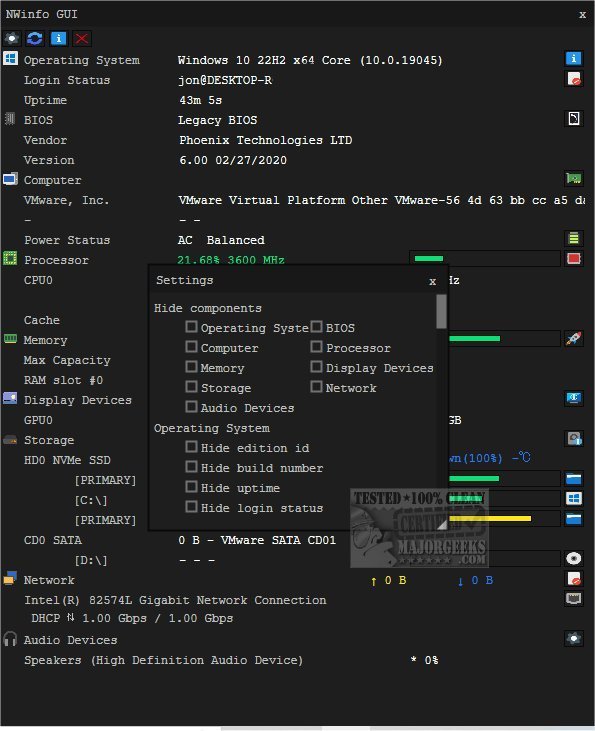
NWinfo version 1.6.0 has been officially released, enhancing its functionality as a robust tool for retrieving crucial system and hardware information. This versatile application is designed to help users gain insights into their systems, thereby optimizing performance and facilitating troubleshooting efforts. With NWinfo, users can easily access detailed information about their hardware and software configurations, ensuring seamless compatibility among components.
One of the standout features of NWinfo is its ability to provide detailed analysis of various system components. Users can access SMBIOS data for firmware and hardware insights, CPUID for processor-specific details, and S.M.A.R.T. information to monitor the health of storage devices and predict failures. Additionally, the tool offers PCI information for analyzing installed peripherals and EDID data for connected displays, which aids in configuration and compatibility.
NWinfo also offers flexible data export options, allowing users to save their findings in formats such as JSON, YAML, and LUA tables. This functionality promotes easy integration of the data into other applications or sharing with colleagues for collaborative analysis. Furthermore, NWinfo can be utilized via the Command Line, providing users with a comprehensive set of options available on the developer's website.
To extend its utility, NWinfo could benefit from additional features such as an automated report generation tool that summarizes the findings in a user-friendly format, or integration with cloud services for remote access and monitoring. Enhancements such as real-time system performance tracking and alerts for potential hardware issues could further empower users in maintaining optimal system performance. Overall, NWinfo serves as an invaluable resource for both casual users and IT professionals looking to maximize their system’s efficiency and reliability
One of the standout features of NWinfo is its ability to provide detailed analysis of various system components. Users can access SMBIOS data for firmware and hardware insights, CPUID for processor-specific details, and S.M.A.R.T. information to monitor the health of storage devices and predict failures. Additionally, the tool offers PCI information for analyzing installed peripherals and EDID data for connected displays, which aids in configuration and compatibility.
NWinfo also offers flexible data export options, allowing users to save their findings in formats such as JSON, YAML, and LUA tables. This functionality promotes easy integration of the data into other applications or sharing with colleagues for collaborative analysis. Furthermore, NWinfo can be utilized via the Command Line, providing users with a comprehensive set of options available on the developer's website.
To extend its utility, NWinfo could benefit from additional features such as an automated report generation tool that summarizes the findings in a user-friendly format, or integration with cloud services for remote access and monitoring. Enhancements such as real-time system performance tracking and alerts for potential hardware issues could further empower users in maintaining optimal system performance. Overall, NWinfo serves as an invaluable resource for both casual users and IT professionals looking to maximize their system’s efficiency and reliability
NWinfo 1.6.0 released
NWinfo is a comprehensive tool designed to help you retrieve essential system/hardware information and more.