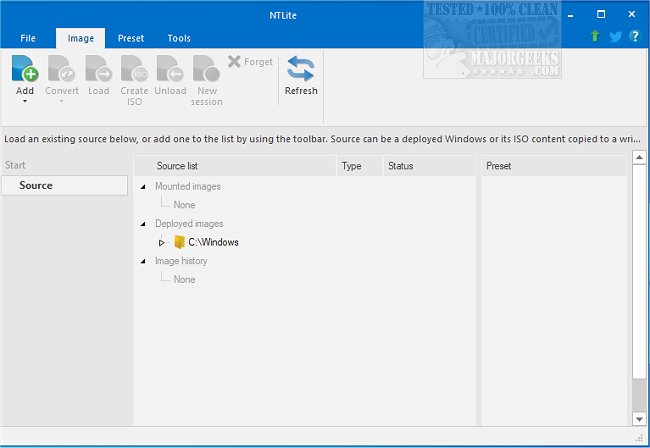
The latest version of NTLite, 2026.04.10935, has been released, continuing to solidify its position as a comprehensive tool for Windows customization. NTLite allows users to modify the standard Windows distribution by removing unnecessary components, optimizing the operating system, and adding missing drivers or updates. This tool not only facilitates the customization of new Windows installations but also enables modifications to existing systems effortlessly.
Key features of NTLite include a user-friendly interface with a dynamic toolbar, an image list overview, preset options, and a variety of functionalities that enhance productivity. It supports various image formats such as WIM, decrypted ESD, and SWM, offering capabilities for image conversions including ESD to WIM, SWM to WIM, and vice versa. Additionally, NTLite allows users to create bootable ISO files from images, provided the correct folder structure is maintained.
NTLite is versatile, enabling users to edit Windows images across different operating system versions, making it compatible with a wide range of host systems. Among its features are image conversion, basic component removal, hardware checklists, integration of updates, system tweaks, unattended setups, and post-setup automation.
In summary, NTLite is a powerful tool for both novice and advanced users looking to customize their Windows experience by streamlining installations and enhancing system performance. It stands out for its ease of use and extensive functionality, making it an essential resource for anyone looking to tailor their Windows operating system to their specific needs.
Future enhancements could include more automated processes for integration and customization, improved user support through tutorials and community engagement, and the introduction of additional features to further simplify the customization experience
Key features of NTLite include a user-friendly interface with a dynamic toolbar, an image list overview, preset options, and a variety of functionalities that enhance productivity. It supports various image formats such as WIM, decrypted ESD, and SWM, offering capabilities for image conversions including ESD to WIM, SWM to WIM, and vice versa. Additionally, NTLite allows users to create bootable ISO files from images, provided the correct folder structure is maintained.
NTLite is versatile, enabling users to edit Windows images across different operating system versions, making it compatible with a wide range of host systems. Among its features are image conversion, basic component removal, hardware checklists, integration of updates, system tweaks, unattended setups, and post-setup automation.
In summary, NTLite is a powerful tool for both novice and advanced users looking to customize their Windows experience by streamlining installations and enhancing system performance. It stands out for its ease of use and extensive functionality, making it an essential resource for anyone looking to tailor their Windows operating system to their specific needs.
Future enhancements could include more automated processes for integration and customization, improved user support through tutorials and community engagement, and the introduction of additional features to further simplify the customization experience
NTLite 2026.04.10935 released
NTLite is an all-in-one Windows customization tool that offers a robust set of options for modifying and removing unnecessary components from the standard distribution of Windows.