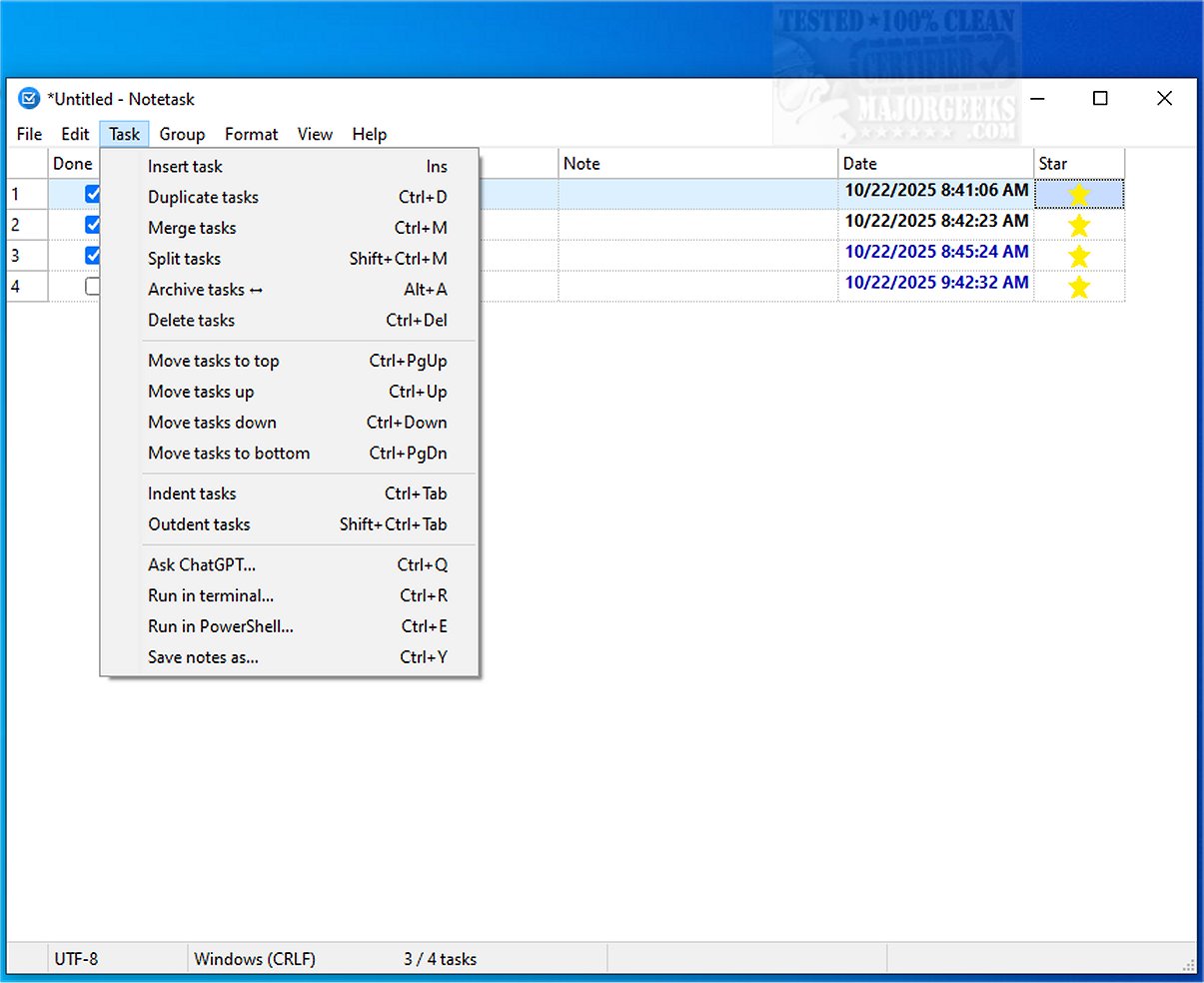
Notetask is an efficient cross-platform application designed to help users create and organize task lists seamlessly, providing a simple yet powerful alternative to traditional note-taking apps like Notepad. With a primary focus on functionality and user-friendliness, Notetask stands out in task management.
Key Features and Functionality
Notetask is built using Lazarus (Free Pascal) and supports both Windows and Linux operating systems. It utilizes plain text files for storing tasks and notes, with each line representing a distinct entry. Users can choose to encrypt their files for added security, ensuring that sensitive information remains on their devices. The application employs AES-256 encryption in CBC mode, using a key derived from the PBKDF2-HMAC-SHA256 method, and incorporates file compression through zlib to enhance storage efficiency.
Customizable and User-Friendly Interface
The interface of Notetask is highly customizable, allowing users to tailor their task management experience. Noteworthy features include:
- Automatic Task Numbering: Tasks are automatically numbered in the order they appear.
- Task Management: Users can move, merge, or split tasks as needed, with priority determined by their position in the list.
- Archiving and Highlighting: Archived tasks can be shown or hidden, with overdue tasks automatically highlighted for visibility.
- Tracking: Monitor duration and quantities for each task, and view summaries via a status bar.
- Markdown Support: Users can copy and paste tasks in Markdown format, enhancing compatibility with other applications.
Notetask also supports Unicode and is available in 14 languages, catering to a diverse user base.
Extended Capabilities and Use Cases
Notetask is not just limited to personal task management; it is an excellent tool for managing collaborative projects, bug tracking, and handling feature requests. Its ability to sort raw text into organized lists means users can quickly adapt it for various purposes, from personal reminders to professional project management.
Moreover, the option for encrypted file storage ensures that users can securely share task lists when necessary, making Notetask a versatile choice for both individual and team-based environments.
Conclusion: The Ideal Tool for Productivity
With its extensive features and ease of use, Notetask aims to be the ultimate solution for organizing daily tasks efficiently. Whether entering tasks directly or pasting from other sources, users can swiftly manage their workload, making it an indispensable tool for anyone looking to enhance their productivity and maintain focus on their goals. The recent update to version 1.1.3 enhances the already robust capabilities of Notetask, ensuring it remains at the forefront of task management solutions
Key Features and Functionality
Notetask is built using Lazarus (Free Pascal) and supports both Windows and Linux operating systems. It utilizes plain text files for storing tasks and notes, with each line representing a distinct entry. Users can choose to encrypt their files for added security, ensuring that sensitive information remains on their devices. The application employs AES-256 encryption in CBC mode, using a key derived from the PBKDF2-HMAC-SHA256 method, and incorporates file compression through zlib to enhance storage efficiency.
Customizable and User-Friendly Interface
The interface of Notetask is highly customizable, allowing users to tailor their task management experience. Noteworthy features include:
- Automatic Task Numbering: Tasks are automatically numbered in the order they appear.
- Task Management: Users can move, merge, or split tasks as needed, with priority determined by their position in the list.
- Archiving and Highlighting: Archived tasks can be shown or hidden, with overdue tasks automatically highlighted for visibility.
- Tracking: Monitor duration and quantities for each task, and view summaries via a status bar.
- Markdown Support: Users can copy and paste tasks in Markdown format, enhancing compatibility with other applications.
Notetask also supports Unicode and is available in 14 languages, catering to a diverse user base.
Extended Capabilities and Use Cases
Notetask is not just limited to personal task management; it is an excellent tool for managing collaborative projects, bug tracking, and handling feature requests. Its ability to sort raw text into organized lists means users can quickly adapt it for various purposes, from personal reminders to professional project management.
Moreover, the option for encrypted file storage ensures that users can securely share task lists when necessary, making Notetask a versatile choice for both individual and team-based environments.
Conclusion: The Ideal Tool for Productivity
With its extensive features and ease of use, Notetask aims to be the ultimate solution for organizing daily tasks efficiently. Whether entering tasks directly or pasting from other sources, users can swiftly manage their workload, making it an indispensable tool for anyone looking to enhance their productivity and maintain focus on their goals. The recent update to version 1.1.3 enhances the already robust capabilities of Notetask, ensuring it remains at the forefront of task management solutions
Notetask 1.1.3 released
Notetask provides a straightforward and efficient cross-platform solution for creating and organizing task lists. It includes essential features that facilitate efficient task management, much like Notepad, but with an emphasis on functionality and ease of use.