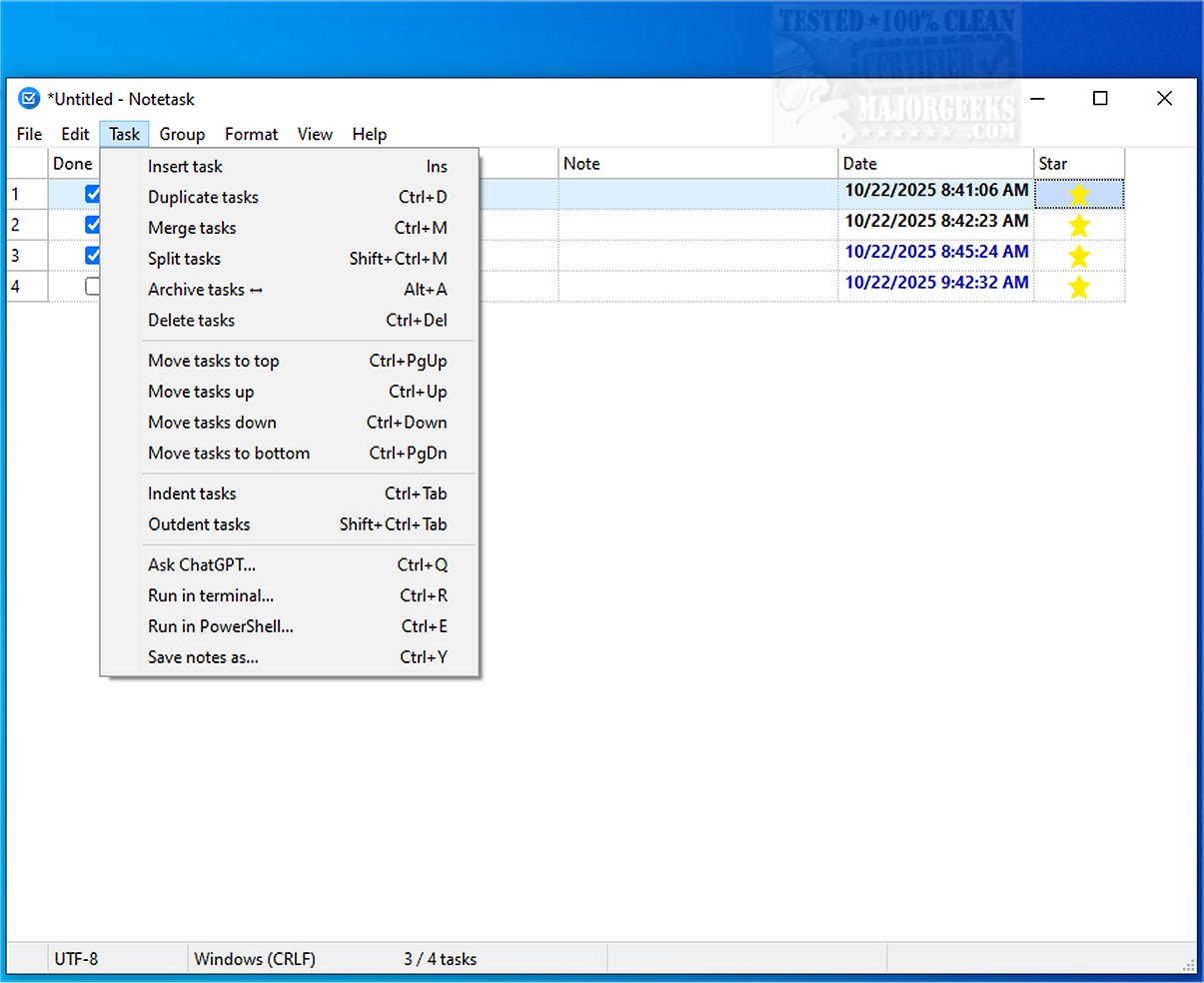
Notetask 1.1.1 has been released, offering a user-friendly and efficient cross-platform application for managing task lists. Designed for both Windows and Linux, this application stands out for its simplicity and functionality, much like Notepad, but with enhanced task management capabilities.
Key Features of Notetask:
- Task Management: Notetask utilizes plain text files to store tasks and notes, with each line representing a single task. This allows for easy organization and retrieval of information.
- Security: The application employs AES-256 encryption in CBC mode for file security, with optional password protection. This encryption includes a robust key derivation method, ensuring that sensitive data is well-protected.
- Customizability: Users can customize the interface to suit their preferences, benefiting from features like automatic task numbering, task grouping on separate pages, and the ability to track task duration and quantity.
- Productivity Enhancements: Notetask allows users to merge and split tasks, archive completed items, and use indentation for task hierarchies. It also supports Markdown for copying and pasting tasks, enhancing usability.
- Multi-language Support: The application is fully Unicode-enabled and available in 14 languages, catering to a diverse user base.
Why Choose Notetask?
Notetask is positioned as an ideal tool for organizing various small and routine tasks, whether you are managing project to-dos, tracking bugs, or handling feature requests. It empowers users to efficiently sort tasks, set durations or quantities, and maintain focus on their work.
Extended Features to Consider:
Future updates could consider implementing features such as:
- Integration with Calendar Apps: Synchronizing tasks with popular calendar applications could enhance planning and time management.
- Collaboration Tools: Allowing multiple users to collaborate on tasks in real time would increase productivity in team environments.
- Mobile Application: Developing a mobile version could help users manage tasks on-the-go, further increasing accessibility and convenience.
- AI-Powered Suggestions: Incorporating AI to suggest task prioritization or time estimates based on user behavior could improve efficiency.
Overall, Notetask aims to simplify task management while providing users with the tools they need to stay organized and productive
Key Features of Notetask:
- Task Management: Notetask utilizes plain text files to store tasks and notes, with each line representing a single task. This allows for easy organization and retrieval of information.
- Security: The application employs AES-256 encryption in CBC mode for file security, with optional password protection. This encryption includes a robust key derivation method, ensuring that sensitive data is well-protected.
- Customizability: Users can customize the interface to suit their preferences, benefiting from features like automatic task numbering, task grouping on separate pages, and the ability to track task duration and quantity.
- Productivity Enhancements: Notetask allows users to merge and split tasks, archive completed items, and use indentation for task hierarchies. It also supports Markdown for copying and pasting tasks, enhancing usability.
- Multi-language Support: The application is fully Unicode-enabled and available in 14 languages, catering to a diverse user base.
Why Choose Notetask?
Notetask is positioned as an ideal tool for organizing various small and routine tasks, whether you are managing project to-dos, tracking bugs, or handling feature requests. It empowers users to efficiently sort tasks, set durations or quantities, and maintain focus on their work.
Extended Features to Consider:
Future updates could consider implementing features such as:
- Integration with Calendar Apps: Synchronizing tasks with popular calendar applications could enhance planning and time management.
- Collaboration Tools: Allowing multiple users to collaborate on tasks in real time would increase productivity in team environments.
- Mobile Application: Developing a mobile version could help users manage tasks on-the-go, further increasing accessibility and convenience.
- AI-Powered Suggestions: Incorporating AI to suggest task prioritization or time estimates based on user behavior could improve efficiency.
Overall, Notetask aims to simplify task management while providing users with the tools they need to stay organized and productive
Notetask 1.1.1 released
Notetask provides a straightforward and efficient cross-platform solution for creating and organizing task lists. It includes essential features that facilitate efficient task management, much like Notepad, but with an emphasis on functionality and ease of use.