NetSpeedTray 1.2.5 has been released, offering users a robust tool for real-time monitoring of network speeds. This handy utility provides essential insights into internet performance, enabling users to stay updated on their connection status directly from their system tray.
Designed as a tray-based application, NetSpeedTray allows for quick access to network speed statistics without being intrusive. Unlike the built-in Task Manager, which can provide detailed network usage stats on a per-process basis but may feel cumbersome, NetSpeedTray prioritizes convenience and unobtrusiveness while still delivering vital information.
One of the key features of NetSpeedTray is its ability to monitor specific network interfaces, which enhances its functionality. However, an area for potential improvement could be the addition of tracking network usage for individual applications or processes, allowing for more granular insights into network performance.
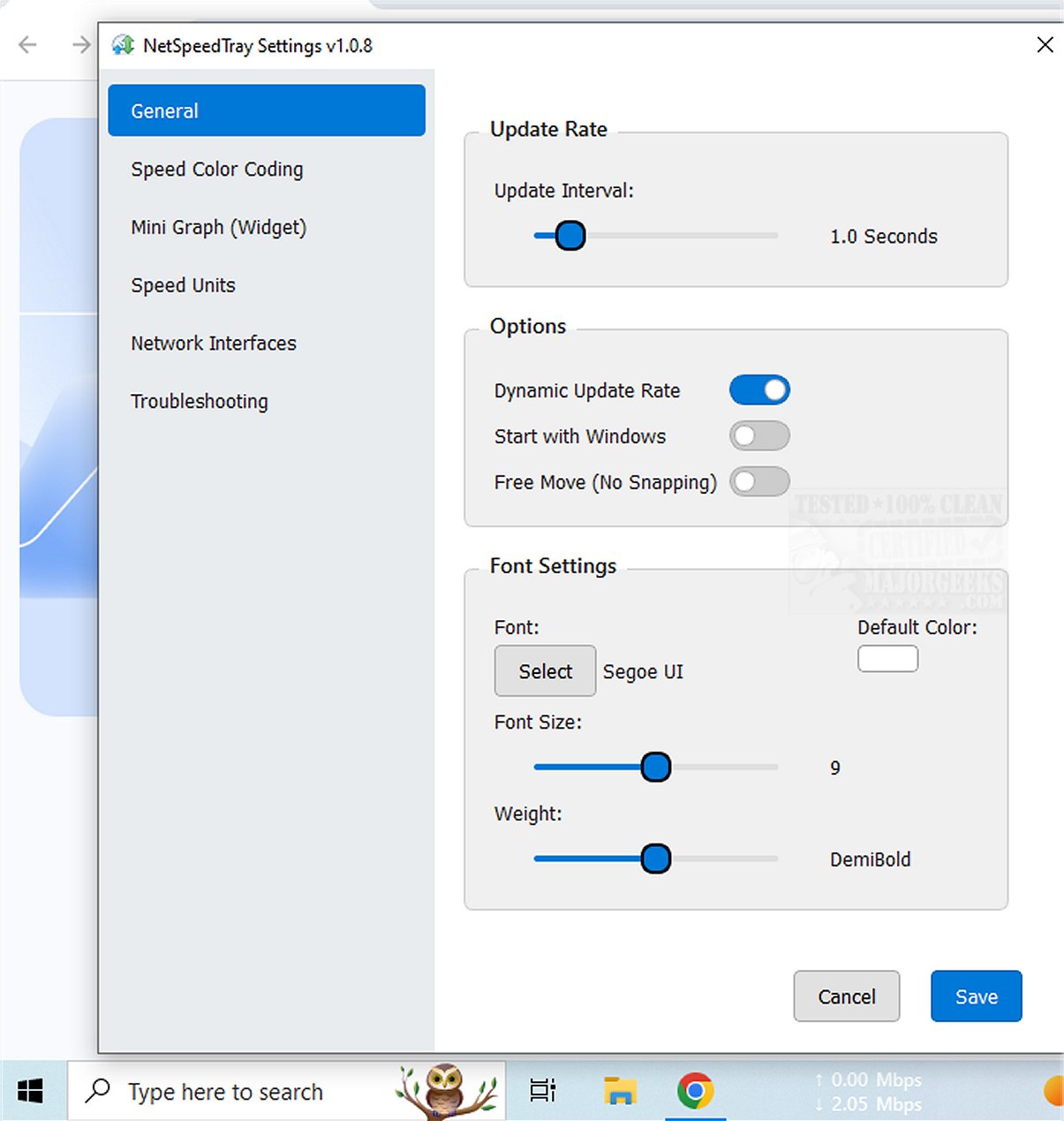
Customization is another highlight of NetSpeedTray, particularly through its Speed Color Coding feature. Users can personalize their experience by adjusting font settings, applying color codes to easily distinguish between download and upload speeds, and even enabling a mini graph widget for a visual representation of speed metrics.
In summary, NetSpeedTray is a sleek and user-friendly network speed monitor designed for Windows users. Its native integration with the Taskbar allows for effortless tracking of real-time upload and download speeds, making it both intuitive and visually pleasing.
Looking forward, future updates could enhance the tool by incorporating more detailed monitoring capabilities, such as individual program usage tracking, and additional customization options to further improve user experience. For users looking to optimize their internet connectivity, NetSpeedTray stands out as a valuable tool in managing and understanding network performance.
For those interested in improving their overall wireless network performance, NetSpeedTray complements resources on topics such as blocking unwanted Wi-Fi networks and resetting network settings in Windows 10 and 11
Designed as a tray-based application, NetSpeedTray allows for quick access to network speed statistics without being intrusive. Unlike the built-in Task Manager, which can provide detailed network usage stats on a per-process basis but may feel cumbersome, NetSpeedTray prioritizes convenience and unobtrusiveness while still delivering vital information.
One of the key features of NetSpeedTray is its ability to monitor specific network interfaces, which enhances its functionality. However, an area for potential improvement could be the addition of tracking network usage for individual applications or processes, allowing for more granular insights into network performance.
Customization is another highlight of NetSpeedTray, particularly through its Speed Color Coding feature. Users can personalize their experience by adjusting font settings, applying color codes to easily distinguish between download and upload speeds, and even enabling a mini graph widget for a visual representation of speed metrics.
In summary, NetSpeedTray is a sleek and user-friendly network speed monitor designed for Windows users. Its native integration with the Taskbar allows for effortless tracking of real-time upload and download speeds, making it both intuitive and visually pleasing.
Looking forward, future updates could enhance the tool by incorporating more detailed monitoring capabilities, such as individual program usage tracking, and additional customization options to further improve user experience. For users looking to optimize their internet connectivity, NetSpeedTray stands out as a valuable tool in managing and understanding network performance.
For those interested in improving their overall wireless network performance, NetSpeedTray complements resources on topics such as blocking unwanted Wi-Fi networks and resetting network settings in Windows 10 and 11
NetSpeedTray 1.2.5 released
NetSpeedTray allows you to monitor and assess your network speeds in real-time. This tool provides valuable insights into your internet performance, helping you stay informed about your connection status.