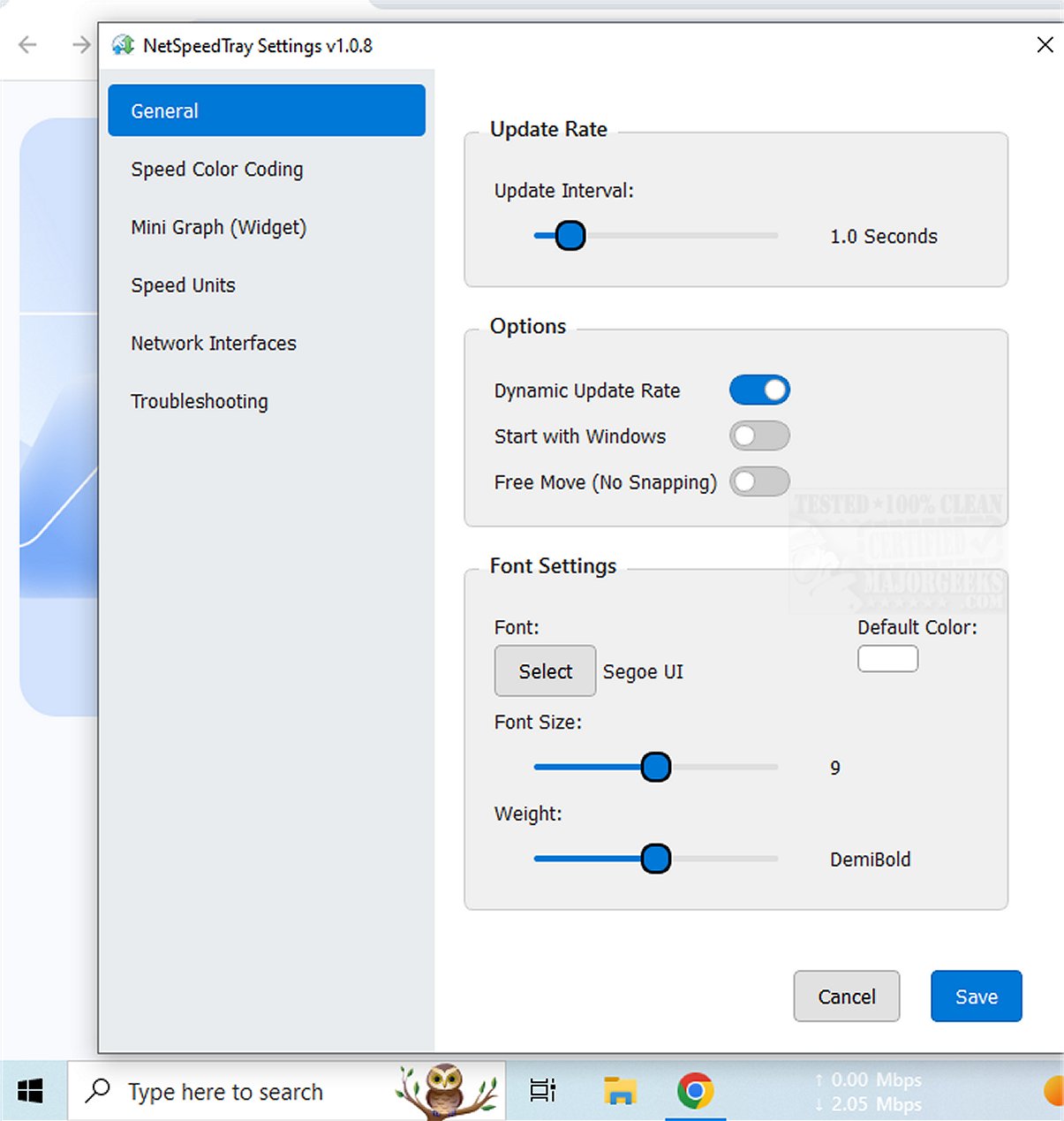
NetSpeedTray has just launched version 1.2.2, a user-friendly tool for real-time monitoring of network speeds. This utility provides essential insights into internet performance, keeping users informed about their connection status.
Key Features of NetSpeedTray:
- Systray Integration: The application resides in the system tray, making it easy to access and view network speed statistics without being intrusive. Users can quickly check their connection while engaged in other activities, like file transfers.
- Focused Monitoring: While the Task Manager offers detailed breakdowns of network usage per process, it can be overwhelming. NetSpeedTray simplifies this by providing a straightforward overview of network performance.
- Interface-Specific Monitoring: Users have the option to monitor specific network interfaces, which could be enhanced further with the ability to track individual program or process usage for more precise insights.
- Customization Options: The tool features mild customization capabilities, including a Speed Color Coding function that visually represents performance metrics. In the Settings menu, users can adjust font styles, apply color codes to differentiate between upload and download speeds, and enable a mini graph widget for a visual representation of speed metrics.
User Experience and Verdict:
NetSpeedTray is designed for Windows users seeking an effortless way to track their internet speeds. With its seamless integration into the Taskbar, it offers an intuitive and visually appealing experience. Users can enjoy the benefits of staying connected while utilizing a sleek tool that enhances their overall network monitoring experience.
Future Enhancements: To further improve this utility, developers might consider adding features such as:
- Detailed analytics for individual applications to help users identify bandwidth hogs.
- Alerts for speed drops or connectivity issues to proactively inform users of potential problems.
- Historical data tracking to allow users to analyze trends in their internet performance over time.
Related Topics: For those interested in optimizing their network performance, additional resources include guides on improving wireless network capabilities, managing neighbor's Wi-Fi networks, assessing network adapter speeds, and resetting network settings in Windows 10 and 11
Key Features of NetSpeedTray:
- Systray Integration: The application resides in the system tray, making it easy to access and view network speed statistics without being intrusive. Users can quickly check their connection while engaged in other activities, like file transfers.
- Focused Monitoring: While the Task Manager offers detailed breakdowns of network usage per process, it can be overwhelming. NetSpeedTray simplifies this by providing a straightforward overview of network performance.
- Interface-Specific Monitoring: Users have the option to monitor specific network interfaces, which could be enhanced further with the ability to track individual program or process usage for more precise insights.
- Customization Options: The tool features mild customization capabilities, including a Speed Color Coding function that visually represents performance metrics. In the Settings menu, users can adjust font styles, apply color codes to differentiate between upload and download speeds, and enable a mini graph widget for a visual representation of speed metrics.
User Experience and Verdict:
NetSpeedTray is designed for Windows users seeking an effortless way to track their internet speeds. With its seamless integration into the Taskbar, it offers an intuitive and visually appealing experience. Users can enjoy the benefits of staying connected while utilizing a sleek tool that enhances their overall network monitoring experience.
Future Enhancements: To further improve this utility, developers might consider adding features such as:
- Detailed analytics for individual applications to help users identify bandwidth hogs.
- Alerts for speed drops or connectivity issues to proactively inform users of potential problems.
- Historical data tracking to allow users to analyze trends in their internet performance over time.
Related Topics: For those interested in optimizing their network performance, additional resources include guides on improving wireless network capabilities, managing neighbor's Wi-Fi networks, assessing network adapter speeds, and resetting network settings in Windows 10 and 11
NetSpeedTray 1.2.2 released
NetSpeedTray allows you to monitor and assess your network speeds in real-time. This tool provides valuable insights into your internet performance, helping you stay informed about your connection status.