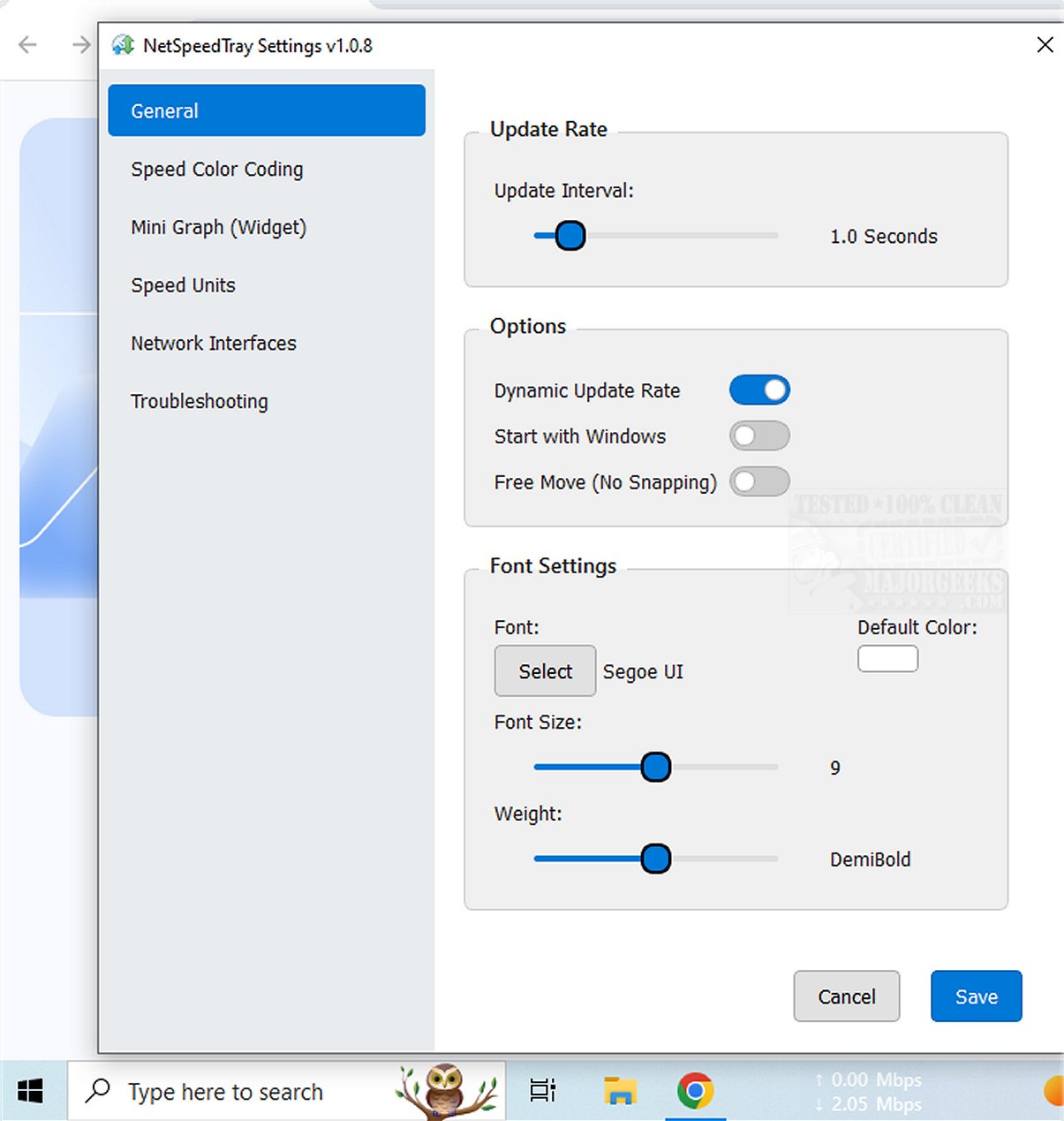
NetSpeedTray 1.1.8 has been released, offering a convenient way to monitor and evaluate network speeds in real-time. This utility provides crucial insights into internet performance, enabling users to remain aware of their connection status at all times.
As a tray-based application, NetSpeedTray resides in the system tray, allowing for quick access to network speed information. It is particularly useful when transferring files or when users suspect their internet speeds may be slower than usual. While traditional tools like the Task Manager provide detailed breakdowns of network usage per process, they can be intrusive. In contrast, NetSpeedTray prioritizes convenience, presenting essential information without interrupting the user experience.
One of the notable features is the ability to monitor a specific network interface, which enhances its functionality. A potential improvement could be the addition of tracking network usage for individual applications, providing users with even more detailed insights into their network performance.
Customization is another highlight of NetSpeedTray. Users can take advantage of features like Speed Color Coding, which offers visual cues regarding speed performance. The Settings menu allows for various adjustments, including font modifications, color coding to distinguish between download and upload speeds, and the option to enable a mini graph widget that visually represents speed metrics alongside numeric data.
Overall, NetSpeedTray stands out as an elegant network monitoring tool designed for Windows users. It integrates seamlessly with the Taskbar, displaying real-time upload and download speeds, which makes monitoring network performance both intuitive and visually appealing.
In addition to its core functionalities, users may explore related topics such as improving wireless network performance, managing neighboring Wi-Fi networks on Windows, checking network adapter speeds, and resetting network settings on Windows 10 and 11. With these capabilities, NetSpeedTray empowers users to stay connected with ease while enjoying a well-integrated tool for their network monitoring needs
As a tray-based application, NetSpeedTray resides in the system tray, allowing for quick access to network speed information. It is particularly useful when transferring files or when users suspect their internet speeds may be slower than usual. While traditional tools like the Task Manager provide detailed breakdowns of network usage per process, they can be intrusive. In contrast, NetSpeedTray prioritizes convenience, presenting essential information without interrupting the user experience.
One of the notable features is the ability to monitor a specific network interface, which enhances its functionality. A potential improvement could be the addition of tracking network usage for individual applications, providing users with even more detailed insights into their network performance.
Customization is another highlight of NetSpeedTray. Users can take advantage of features like Speed Color Coding, which offers visual cues regarding speed performance. The Settings menu allows for various adjustments, including font modifications, color coding to distinguish between download and upload speeds, and the option to enable a mini graph widget that visually represents speed metrics alongside numeric data.
Overall, NetSpeedTray stands out as an elegant network monitoring tool designed for Windows users. It integrates seamlessly with the Taskbar, displaying real-time upload and download speeds, which makes monitoring network performance both intuitive and visually appealing.
In addition to its core functionalities, users may explore related topics such as improving wireless network performance, managing neighboring Wi-Fi networks on Windows, checking network adapter speeds, and resetting network settings on Windows 10 and 11. With these capabilities, NetSpeedTray empowers users to stay connected with ease while enjoying a well-integrated tool for their network monitoring needs
NetSpeedTray 1.1.8 released
NetSpeedTray allows you to monitor and assess your network speeds in real-time. This tool provides valuable insights into your internet performance, helping you stay informed about your connection status.