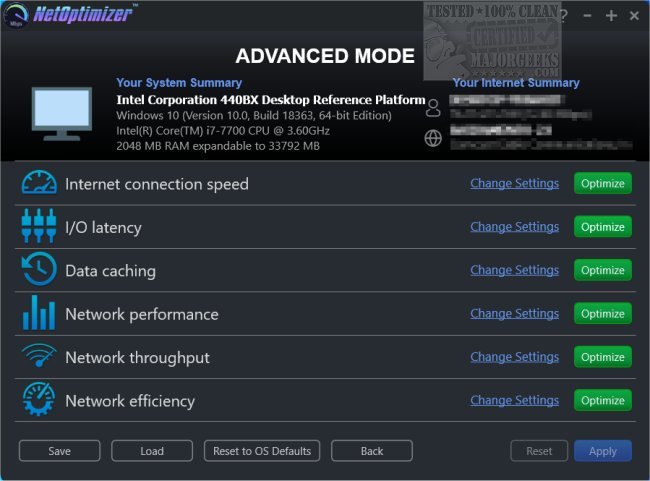
NetOptimizer 7.0.26.309 has been released, providing users with an effective tool to enhance and optimize their Internet connection. This application simplifies the process of adjusting Internet settings to help users achieve the fastest possible browsing speeds. Often, incorrect configurations within Windows can lead to slower Internet performance, but NetOptimizer addresses these issues by automatically correcting misconfigurations and optimizing settings for all installed browsers.
In addition to optimizing settings, NetOptimizer can also eliminate internet junk that may be hindering the browsing experience, further boosting speed. Its user-friendly design allows even those without technical expertise to benefit from its intelligent optimization features, as the app automates the process of applying the best settings available.
To utilize NetOptimizer, users need to download and run the optimization feature, which will automatically configure the Internet parameters for optimal performance. For those who prefer more control, manual configuration options are also available. After applying the changes, users are advised to restart their machines to ensure the new settings take effect.
For additional guidance on improving Internet performance, users can refer to related resources such as instructions on fixing slow Internet on Windows 10 and 11, enhancing wireless network performance, resetting network settings, flushing the Windows DNS cache, and resetting the TCP/IP settings.
In summary, NetOptimizer 7.0.26.309 is a powerful tool designed for users looking to enhance their Internet speed and overall browsing experience. With its automatic optimizations and additional cleaning features, it streamlines the process of achieving high-performance Internet connectivity, making it accessible to a wide range of users
In addition to optimizing settings, NetOptimizer can also eliminate internet junk that may be hindering the browsing experience, further boosting speed. Its user-friendly design allows even those without technical expertise to benefit from its intelligent optimization features, as the app automates the process of applying the best settings available.
To utilize NetOptimizer, users need to download and run the optimization feature, which will automatically configure the Internet parameters for optimal performance. For those who prefer more control, manual configuration options are also available. After applying the changes, users are advised to restart their machines to ensure the new settings take effect.
For additional guidance on improving Internet performance, users can refer to related resources such as instructions on fixing slow Internet on Windows 10 and 11, enhancing wireless network performance, resetting network settings, flushing the Windows DNS cache, and resetting the TCP/IP settings.
In summary, NetOptimizer 7.0.26.309 is a powerful tool designed for users looking to enhance their Internet speed and overall browsing experience. With its automatic optimizations and additional cleaning features, it streamlines the process of achieving high-performance Internet connectivity, making it accessible to a wide range of users
NetOptimizer 7.0.26.309 released
NetOptimizer can help to speed up and optimize the Internet connection on your machine.