MuMuPlayer 5.0.11 has been released, providing users with a comprehensive Android OS emulator that enables seamless operation of Android applications on PC. Designed for optimal performance, MuMuPlayer allows users to engage with demanding applications, including fully 3D video games, by effectively managing system resources for smooth gameplay and quick response times.
One of the standout features of MuMuPlayer is its flexibility, allowing users to choose between windowed and full-screen modes to enhance multitasking. This versatility makes it suitable for both gaming and productivity applications. With an intuitive interface and robust features, MuMuPlayer is tailored for PC gamers looking to immerse themselves in Android gaming while enjoying the benefits of their desktop setups.
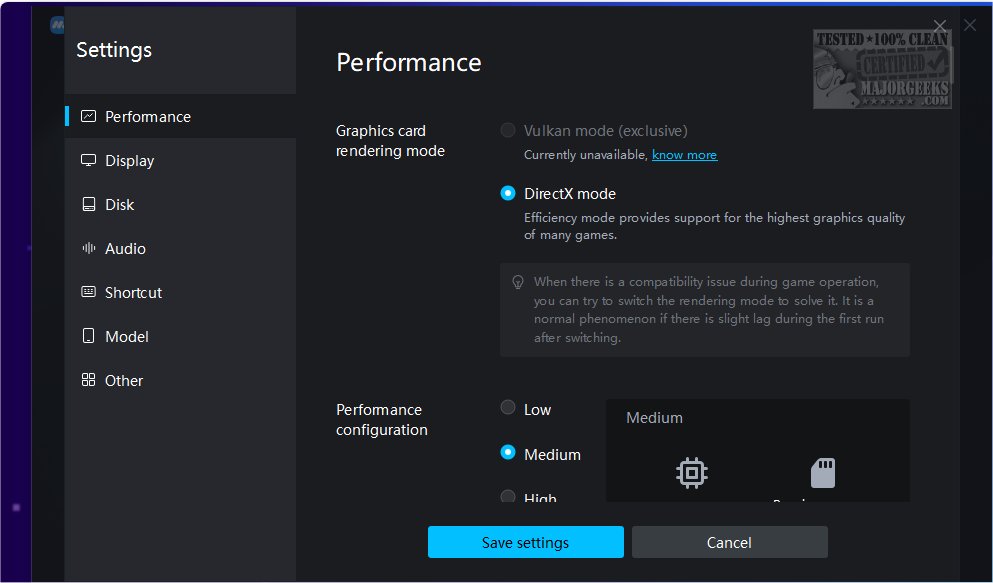
Setting up MuMuPlayer is straightforward, with a lightweight installer guiding users through the necessary steps for Android emulation. It defaults to tablet mode but also offers a portrait mode for certain games, along with enhanced keyboard and mouse usability. Users can customize controls, adjust resolution and RAM settings, and even use gamepads for a more immersive experience.
Moreover, MuMuPlayer comes pre-loaded with several games and allows users to access the built-in app store or the full Google Play Store for additional content. It supports APK execution and offers features like GPS functionality, a screenshot tool, and customizable resolution settings.
In conclusion, MuMuPlayer is an excellent choice for gamers seeking a high-performance emulator to enhance their mobile gaming experience on PC. With its user-friendly design and customizable options, MuMuPlayer stands out in the crowded emulator market, making it an ideal platform for both casual and dedicated gamers alike.
As mobile gaming continues to grow in popularity, MuMuPlayer could incorporate more features such as cloud gaming integration, enabling users to play games directly from the cloud without needing to download them locally. Additionally, future updates could include enhanced social features to connect players for multiplayer experiences, as well as improved graphics settings to optimize performance further.
Overall, MuMuPlayer is not just a gaming emulator; it has the potential to evolve into a comprehensive Android ecosystem on PC, catering to a variety of user needs beyond gaming
One of the standout features of MuMuPlayer is its flexibility, allowing users to choose between windowed and full-screen modes to enhance multitasking. This versatility makes it suitable for both gaming and productivity applications. With an intuitive interface and robust features, MuMuPlayer is tailored for PC gamers looking to immerse themselves in Android gaming while enjoying the benefits of their desktop setups.
Setting up MuMuPlayer is straightforward, with a lightweight installer guiding users through the necessary steps for Android emulation. It defaults to tablet mode but also offers a portrait mode for certain games, along with enhanced keyboard and mouse usability. Users can customize controls, adjust resolution and RAM settings, and even use gamepads for a more immersive experience.
Moreover, MuMuPlayer comes pre-loaded with several games and allows users to access the built-in app store or the full Google Play Store for additional content. It supports APK execution and offers features like GPS functionality, a screenshot tool, and customizable resolution settings.
In conclusion, MuMuPlayer is an excellent choice for gamers seeking a high-performance emulator to enhance their mobile gaming experience on PC. With its user-friendly design and customizable options, MuMuPlayer stands out in the crowded emulator market, making it an ideal platform for both casual and dedicated gamers alike.
Extension
In addition to its gaming capabilities, MuMuPlayer also positions itself as a useful tool for developers and testers who may wish to run Android applications on a larger screen or in a controlled environment. Its features can aid in the debugging process and allow developers to simulate various device settings. Furthermore, the emulator's ability to support a variety of Android versions means that it can cater to a broad audience, from casual users to tech enthusiasts.As mobile gaming continues to grow in popularity, MuMuPlayer could incorporate more features such as cloud gaming integration, enabling users to play games directly from the cloud without needing to download them locally. Additionally, future updates could include enhanced social features to connect players for multiplayer experiences, as well as improved graphics settings to optimize performance further.
Overall, MuMuPlayer is not just a gaming emulator; it has the potential to evolve into a comprehensive Android ecosystem on PC, catering to a variety of user needs beyond gaming
MuMuPlayer 5.0.11 released
MuMuPlayer is a full-featured Android OS emulator that provides a seamless experience of running Android applications on your computer.