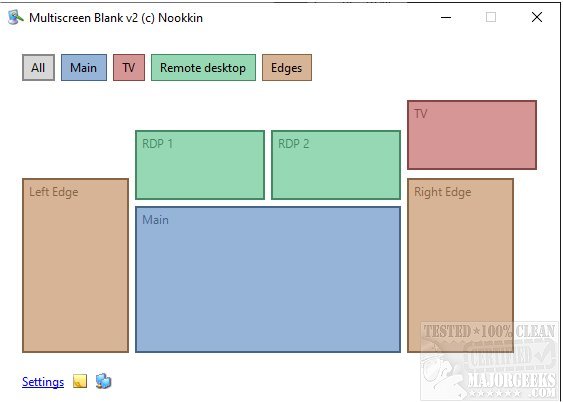
The latest version, Multiscreen Blank 2.15.0, is a versatile portable utility that allows users to dim or completely blank out their monitors independently. It offers additional features such as screen mirroring, making it suitable for various applications. For instance, during presentations, it can fade out a projector while changing slides, and for users with multiple monitors, it can blank out unused screens to reduce distractions. The utility also supports selective blanking of sections on commercial video walls.
Multiscreen Blank provides a sleek transition effect when fading monitors in and out, enhancing the professional appearance of presentations or displays. Additionally, it can be utilized to dim screens while still being used, which is particularly useful for preventing OLED burn-in from static bright images. Users can also pixelate parts of the screen and apply dark themes for aesthetic preferences. Furthermore, the utility allows for command line specifications directly from the app's tray icon or menu, enabling functionalities such as blanking all screens except the current one.
With its myriad of features, Multiscreen Blank is an invaluable tool for anyone looking to manage multiple displays effectively. Its potential applications span from professional settings to personal use, making it a great addition to any tech-savvy user's toolkit. As technology continues to advance, utilities like Multiscreen Blank will likely evolve further, incorporating even more features and enhancing user experience
Multiscreen Blank provides a sleek transition effect when fading monitors in and out, enhancing the professional appearance of presentations or displays. Additionally, it can be utilized to dim screens while still being used, which is particularly useful for preventing OLED burn-in from static bright images. Users can also pixelate parts of the screen and apply dark themes for aesthetic preferences. Furthermore, the utility allows for command line specifications directly from the app's tray icon or menu, enabling functionalities such as blanking all screens except the current one.
With its myriad of features, Multiscreen Blank is an invaluable tool for anyone looking to manage multiple displays effectively. Its potential applications span from professional settings to personal use, making it a great addition to any tech-savvy user's toolkit. As technology continues to advance, utilities like Multiscreen Blank will likely evolve further, incorporating even more features and enhancing user experience
Multiscreen Blank 2.15.0 released
Multiscreen Blank is a portable utility that permits you to dim or entirely blank out your monitor(s) independently as well as allowing for screen mirroring and more.