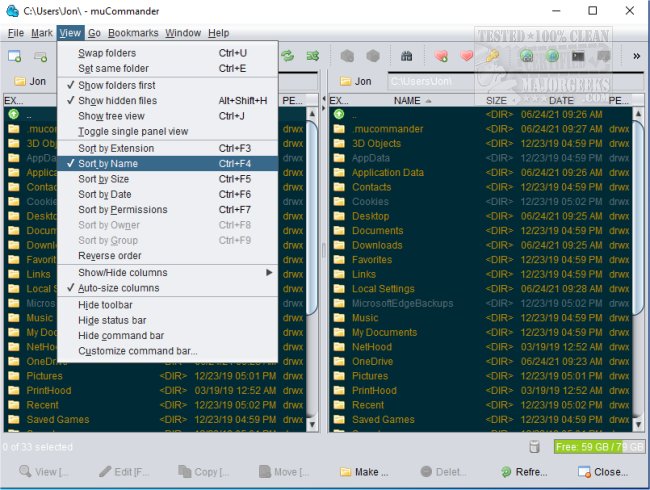
muCommander 1.6.0 has been released, enhancing its features as a versatile cross-platform file manager that utilizes a dual-pane interface. This application allows users to efficiently manage their files by enabling easy operations such as copying, moving, and batch renaming of files, as well as performing checksum calculations through a modern user interface. It offers functionalities like multiple tabs, universal bookmarks, and a credential manager, along with customizable keyboard shortcuts.
One of the standout features of muCommander is its access to a virtual filesystem that supports a variety of protocols, including local volumes, FTP, SFTP, SMB, NFS, HTTP, Amazon S3, Hadoop HDFS, and Bonjour. This makes it a suitable choice for users seeking a file manager that accommodates a wide range of file systems and archive formats.
Key features of muCommander include:
- Integration with cloud storage services such as Dropbox and Google Drive
- Support for various archive formats, including ZIP, RAR, 7z, TAR, GZip, BZip2, and ISO/NRG
- A fully customizable user interface with configurable toolbars and themes
- Availability in multiple languages, catering to a diverse user base
For those in search of a comprehensive file management solution that combines functionality with user-friendly design, muCommander stands out as an excellent option.
In addition to its features, users may find value in exploring related resources, such as a comprehensive list of keyboard shortcuts for file explorers, methods to restart File Explorer without rebooting, and tips for optimizing Windows File Explorer functionality. As file management needs continue to evolve, tools like muCommander offer essential capabilities for both casual users and professionals alike
One of the standout features of muCommander is its access to a virtual filesystem that supports a variety of protocols, including local volumes, FTP, SFTP, SMB, NFS, HTTP, Amazon S3, Hadoop HDFS, and Bonjour. This makes it a suitable choice for users seeking a file manager that accommodates a wide range of file systems and archive formats.
Key features of muCommander include:
- Integration with cloud storage services such as Dropbox and Google Drive
- Support for various archive formats, including ZIP, RAR, 7z, TAR, GZip, BZip2, and ISO/NRG
- A fully customizable user interface with configurable toolbars and themes
- Availability in multiple languages, catering to a diverse user base
For those in search of a comprehensive file management solution that combines functionality with user-friendly design, muCommander stands out as an excellent option.
In addition to its features, users may find value in exploring related resources, such as a comprehensive list of keyboard shortcuts for file explorers, methods to restart File Explorer without rebooting, and tips for optimizing Windows File Explorer functionality. As file management needs continue to evolve, tools like muCommander offer essential capabilities for both casual users and professionals alike
muCommander 1.6.0 released
muCommander is a cross-platform file manager with a dual-pane interface.