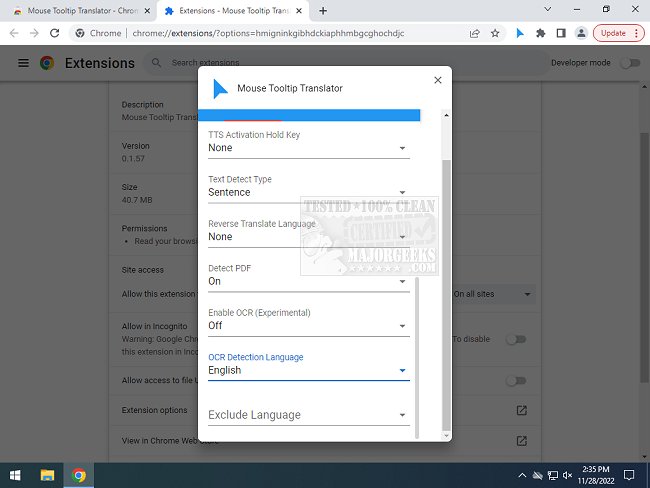
The Mouse Tooltip Translator for Chrome and Edge has been updated to version 0.1.212, introducing a user-friendly tool that translates text in foreign languages simply by hovering your mouse over it. This extension is particularly useful for individuals who encounter web pages in different languages but do not wish to translate the entire content, allowing for quick and seamless translations of selected text. The tool utilizes Google Translate for its translations, providing a convenient solution for users browsing the internet.
Key features of the Mouse Tooltip Translator include:
- The ability to hover over or highlight text for instant translation.
- A visual tooltip that appears on any web page, except for the Chrome Web Store.
- Support for both Google Translator and Bing Translator.
- An option to utilize Google Text-to-Speech (TTS) to listen to the translated text.
- Compatibility with PDF documents, displaying translated tooltips using PDF.js.
- A filter feature that prevents translations when the source and target languages are the same.
- Experimental features that include translating YouTube captions and using Optical Character Recognition (OCR) to translate text in comic bubbles.
This extension is particularly beneficial for travelers and multilingual users who need quick translations without the hassle of full-page conversion. Overall, it enhances the web browsing experience by making language barriers less daunting and more manageable.
In addition to the extension, users may find helpful guides related to language management in Windows and Google Chrome, including how to add or remove languages, and troubleshooting tips for common issues with the browser
Key features of the Mouse Tooltip Translator include:
- The ability to hover over or highlight text for instant translation.
- A visual tooltip that appears on any web page, except for the Chrome Web Store.
- Support for both Google Translator and Bing Translator.
- An option to utilize Google Text-to-Speech (TTS) to listen to the translated text.
- Compatibility with PDF documents, displaying translated tooltips using PDF.js.
- A filter feature that prevents translations when the source and target languages are the same.
- Experimental features that include translating YouTube captions and using Optical Character Recognition (OCR) to translate text in comic bubbles.
This extension is particularly beneficial for travelers and multilingual users who need quick translations without the hassle of full-page conversion. Overall, it enhances the web browsing experience by making language barriers less daunting and more manageable.
In addition to the extension, users may find helpful guides related to language management in Windows and Google Chrome, including how to add or remove languages, and troubleshooting tips for common issues with the browser
Mouse Tooltip Translator for Chrome and Edge 0.1.212 released
Mouse Tooltip Translator for Chrome and Edge extension that provides mouseover tooltip language translations.
Mouse Tooltip Translator for Chrome and Edge 0.1.212 released @ MajorGeeks