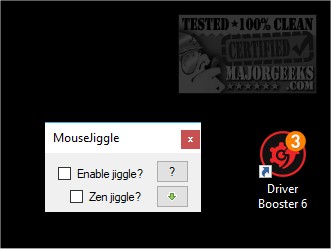
Mouse Jiggler version 3.0.0 has been released, offering a simplified solution for users needing to keep their computer awake by simulating mouse movement. This utility is designed to prevent screensavers and idle modes during long tasks such as installations, downloads, or presentations.
The software operates by subtly shifting the mouse cursor, tricking the operating system into believing that the user is actively engaged. Users can simply activate the program with a click to maintain their session without interruptions. For those who prefer a more discreet method, the Zen Jiggle mode allows for virtual movement that keeps the cursor stationary while still registering activity, although some applications with specific idle detection may still detect this tactic.
Mouse Jiggler is beneficial for its ease of use; there’s no need to adjust system settings or delve into complex configurations. It is ultra-lightweight, running in the background without consuming significant system resources.
In addition to its primary function, Mouse Jiggler can be especially useful in various scenarios:
- Preventing screensavers and sleep mode during critical tasks.
- Avoiding the hassle of changing power settings or registry modifications.
- Ensuring uninterrupted productivity during remote work or long downloads.
Overall, Mouse Jiggler stands out as a practical tool for maintaining workflow continuity and avoiding interruptions caused by idle timeouts.
Furthermore, it would be advantageous for users to explore additional features or alternatives that could enhance their productivity. For instance, users could consider integrating other productivity tools that complement Mouse Jiggler, such as task management applications or screen recording software for presentations. Additionally, staying informed about updates or user feedback on forums might provide insights into optimizing the use of Mouse Jiggler and discover new functionalities
The software operates by subtly shifting the mouse cursor, tricking the operating system into believing that the user is actively engaged. Users can simply activate the program with a click to maintain their session without interruptions. For those who prefer a more discreet method, the Zen Jiggle mode allows for virtual movement that keeps the cursor stationary while still registering activity, although some applications with specific idle detection may still detect this tactic.
Mouse Jiggler is beneficial for its ease of use; there’s no need to adjust system settings or delve into complex configurations. It is ultra-lightweight, running in the background without consuming significant system resources.
In addition to its primary function, Mouse Jiggler can be especially useful in various scenarios:
- Preventing screensavers and sleep mode during critical tasks.
- Avoiding the hassle of changing power settings or registry modifications.
- Ensuring uninterrupted productivity during remote work or long downloads.
Overall, Mouse Jiggler stands out as a practical tool for maintaining workflow continuity and avoiding interruptions caused by idle timeouts.
Furthermore, it would be advantageous for users to explore additional features or alternatives that could enhance their productivity. For instance, users could consider integrating other productivity tools that complement Mouse Jiggler, such as task management applications or screen recording software for presentations. Additionally, staying informed about updates or user feedback on forums might provide insights into optimizing the use of Mouse Jiggler and discover new functionalities
Mouse Jiggler 3.0.0 released
Mouse Jiggler is a straightforward piece of software whose sole function is to "fake" mouse input to Windows and jiggles the mouse pointer back and forth.