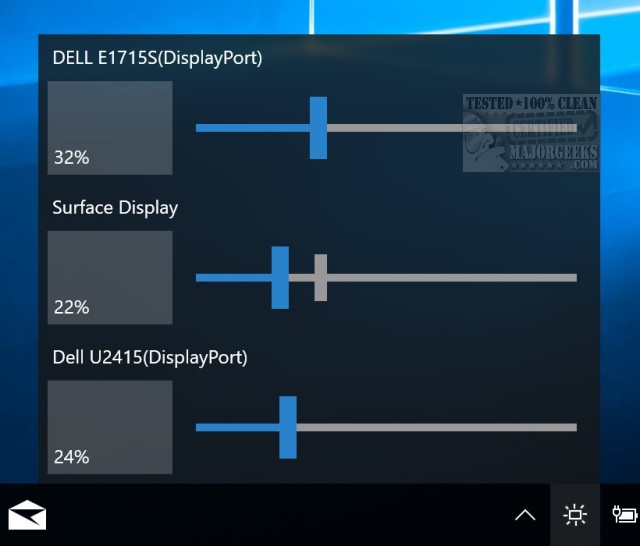
Monitorian version 4.14.0 has been released, enhancing its functionality for users with multiple monitors on Windows 7, 8, 10, and 11. This application provides a user-friendly interface that displays all connected monitors, featuring individual sliders that indicate and allow adjustments to each monitor's brightness percentage.
To customize monitor names within the app, users can simply press and hold the monitor's name, making it editable. Currently, Monitorian supports the display of up to four monitors simultaneously.
In addition to these features, users may also explore related topics such as enabling or disabling adaptive brightness settings in Windows 10 and 11, which can further enhance their multi-monitor experience.
As technology continues to evolve, future updates to Monitorian might include expanded support for more monitors, advanced calibration options, and customizable profiles for different usage scenarios, ensuring an even more tailored experience for users managing multiple displays
To customize monitor names within the app, users can simply press and hold the monitor's name, making it editable. Currently, Monitorian supports the display of up to four monitors simultaneously.
In addition to these features, users may also explore related topics such as enabling or disabling adaptive brightness settings in Windows 10 and 11, which can further enhance their multi-monitor experience.
As technology continues to evolve, future updates to Monitorian might include expanded support for more monitors, advanced calibration options, and customizable profiles for different usage scenarios, ensuring an even more tailored experience for users managing multiple displays
Monitorian 4.14.0 released
Monitorian is a Windows 7, 8, 10, and 11 application designed to simplify multiple monitors' brightness.