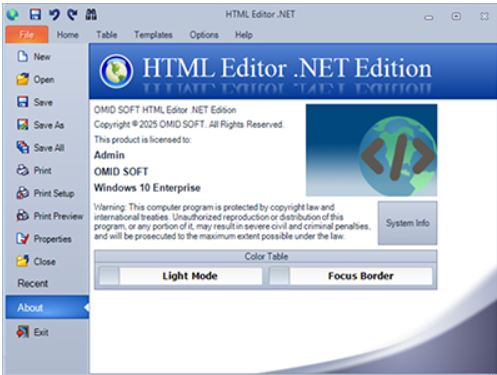
MHTML Editor .NET version 19.3 has been released, offering a robust WYSIWYG environment for editing HTML, CSS, JavaScript, and PHP on Windows. This application caters to both novice and experienced developers, facilitating the creation of responsive web pages and allowing for easy adjustments to existing code.
One of the standout features of MHTML Editor .NET is its live preview functionality, which updates in real-time as you type. This feature is complemented by built-in FTP capabilities, smart autocomplete, and CSS inspectors, which significantly enhance productivity. Users have found it particularly beneficial for making quick edits to WordPress themes and managing CSS classes effortlessly.
MHTML Editor .NET is the ideal choice for those who have outgrown basic text editors like Notepad and seek a more advanced solution without a hefty price tag. Its dual-pane live preview and syntax-aware features streamline the development and debugging process. Key features include:
- Live synchronized preview of HTML, CSS, and JavaScript using a built-in rendering engine.
- Syntax highlighting and auto-complete for various programming languages including HTML, XHTML, CSS, JavaScript, and PHP.
- FTP/SFTP upload capabilities and directory synchronization for live editing.
- CSS inspector, tag properties pane, and options for code formatting.
- Support for snippets and templates to enhance coding efficiency.
Pros of MHTML Editor .NET include its instant live preview, integrated FTP functionality, snippet support, a portable version, and visual tools for CSS and tags. However, it does have some limitations: it is only available for Windows, the free version has feature restrictions, and it lacks support for browser extensions or compatibility with Mac/Linux systems.
In conclusion, MHTML Editor .NET stands out as a lightweight yet powerful tool for web development, allowing for efficient updates to live sites and delivering a comprehensive all-in-one editing experience for HTML, CSS, and JavaScript. As the demand for user-friendly coding tools increases, MHTML Editor .NET continues to evolve, aiming to meet the needs of modern web developers. Future updates may include cross-platform support and enhanced collaborative features to appeal to a wider audience
One of the standout features of MHTML Editor .NET is its live preview functionality, which updates in real-time as you type. This feature is complemented by built-in FTP capabilities, smart autocomplete, and CSS inspectors, which significantly enhance productivity. Users have found it particularly beneficial for making quick edits to WordPress themes and managing CSS classes effortlessly.
MHTML Editor .NET is the ideal choice for those who have outgrown basic text editors like Notepad and seek a more advanced solution without a hefty price tag. Its dual-pane live preview and syntax-aware features streamline the development and debugging process. Key features include:
- Live synchronized preview of HTML, CSS, and JavaScript using a built-in rendering engine.
- Syntax highlighting and auto-complete for various programming languages including HTML, XHTML, CSS, JavaScript, and PHP.
- FTP/SFTP upload capabilities and directory synchronization for live editing.
- CSS inspector, tag properties pane, and options for code formatting.
- Support for snippets and templates to enhance coding efficiency.
Pros of MHTML Editor .NET include its instant live preview, integrated FTP functionality, snippet support, a portable version, and visual tools for CSS and tags. However, it does have some limitations: it is only available for Windows, the free version has feature restrictions, and it lacks support for browser extensions or compatibility with Mac/Linux systems.
In conclusion, MHTML Editor .NET stands out as a lightweight yet powerful tool for web development, allowing for efficient updates to live sites and delivering a comprehensive all-in-one editing experience for HTML, CSS, and JavaScript. As the demand for user-friendly coding tools increases, MHTML Editor .NET continues to evolve, aiming to meet the needs of modern web developers. Future updates may include cross-platform support and enhanced collaborative features to appeal to a wider audience
MHTML Editor .NET 19.3 released
MHTML Editor .NET is a Windows app that delivers a powerful, WYSIWYG HTML, CSS, JavaScript, and PHP editing environment.