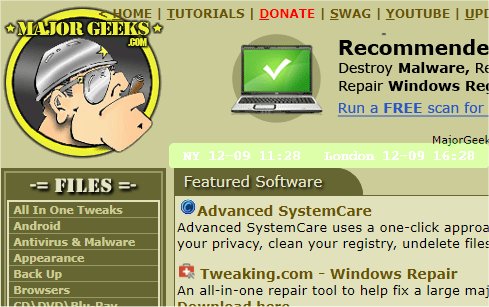
The recent release of mclocks version 0.2.40 introduces an open-source application designed to display multiple clocks for different time zones. This tool proves to be particularly useful for individuals who travel frequently or participate in international meetings, as it allows for easy access to various time zones at a glance.
Users can customize their clock display by editing a configuration file named config.json, which can be easily managed through a text editor like Notepad. The provided example of the config.json file illustrates how to set up multiple clocks for cities like New York and London, along with formatting options for date and time, color preferences, and more.
For example, the configuration allows users to specify the following parameters:
- Names and time zones for each clock
- Date and time formatting (e.g., MM-DD ddd HH:mm)
- Language locale
- Visual characteristics such as opacity, font color, font size, and background color
- Options for displaying text only or keeping the clock always on top of other windows
In addition to its primary function, users can find related resources on managing clocks in Windows, such as fixing incorrect time settings or customizing the taskbar clock display.
To further extend the capabilities of mclocks, future updates could include features such as:
- Integration with calendar applications to automatically adjust to local times for scheduled events
- A mobile version for users on the go
- Custom alerts and notifications for specific time zones, reminding users of meetings or significant time differences
- Enhanced user interface options for improved accessibility and personalization.
Overall, mclocks serves as a practical tool for managing time across different regions, making it a valuable application for anyone needing to keep track of multiple time zones simultaneously
Users can customize their clock display by editing a configuration file named config.json, which can be easily managed through a text editor like Notepad. The provided example of the config.json file illustrates how to set up multiple clocks for cities like New York and London, along with formatting options for date and time, color preferences, and more.
For example, the configuration allows users to specify the following parameters:
- Names and time zones for each clock
- Date and time formatting (e.g., MM-DD ddd HH:mm)
- Language locale
- Visual characteristics such as opacity, font color, font size, and background color
- Options for displaying text only or keeping the clock always on top of other windows
In addition to its primary function, users can find related resources on managing clocks in Windows, such as fixing incorrect time settings or customizing the taskbar clock display.
To further extend the capabilities of mclocks, future updates could include features such as:
- Integration with calendar applications to automatically adjust to local times for scheduled events
- A mobile version for users on the go
- Custom alerts and notifications for specific time zones, reminding users of meetings or significant time differences
- Enhanced user interface options for improved accessibility and personalization.
Overall, mclocks serves as a practical tool for managing time across different regions, making it a valuable application for anyone needing to keep track of multiple time zones simultaneously
mclocks 0.2.40 released
mclocks is an Open Source app that allows you to display multiple time zone clocks.