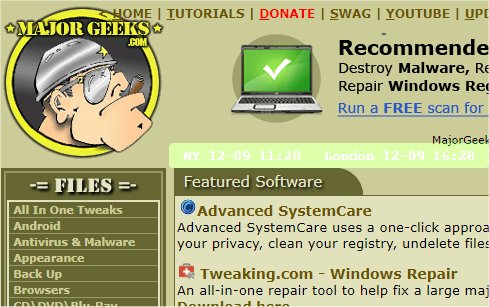
The latest release of mclocks, version 0.2.28, offers an enhanced Open Source application designed for displaying multiple clocks across different time zones. This feature is particularly useful for individuals who travel frequently or participate in international meetings, as it allows for easy monitoring of times in various locations.
Users can add new clocks by modifying the configuration file named config.json, which can be easily edited using Notepad. An example configuration is provided, which includes settings for different time zones, date and time formats, and aesthetic choices such as font color and background color.
Here’s a brief overview of the configuration format:
In addition to the release announcement, users may find related resources helpful, such as guides on displaying multiple clocks on Windows, fixing incorrect date or time settings, and managing the visibility of clocks on the Windows taskbar.
As an extension of this information, users can also explore the possibility of integrating mclocks with other productivity tools or automation software to further enhance their time management capabilities. Additionally, future updates may introduce features such as real-time synchronization with online time servers, advanced UI customization options, or support for additional time zones
Users can add new clocks by modifying the configuration file named config.json, which can be easily edited using Notepad. An example configuration is provided, which includes settings for different time zones, date and time formats, and aesthetic choices such as font color and background color.
Here’s a brief overview of the configuration format:
json{This configuration lets users customize their clock display according to personal preferences.
"clocks": [
{ "name": "NY", "timezone": "America/New_York" },
{ "name": "London", "timezone": "Europe/London" }
],
"formatDateTime": "MM-DD ddd HH:mm",
"localeDateTime": "en",
"opacity": 1,
"fontColor": "#fff",
"fontSize": 14,
"bgColor": "#151",
"onlyText": false,
"alwaysOnTop": false
}
In addition to the release announcement, users may find related resources helpful, such as guides on displaying multiple clocks on Windows, fixing incorrect date or time settings, and managing the visibility of clocks on the Windows taskbar.
As an extension of this information, users can also explore the possibility of integrating mclocks with other productivity tools or automation software to further enhance their time management capabilities. Additionally, future updates may introduce features such as real-time synchronization with online time servers, advanced UI customization options, or support for additional time zones
mclocks 0.2.28 released
mclocks is an Open Source app that allows you to display multiple time zone clocks.