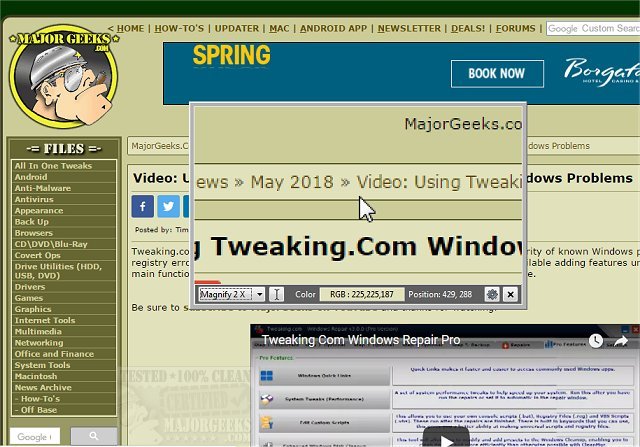
Magnifixer 15.0 has been released, enhancing screen magnification with a variety of user-friendly features. This utility allows users to direct the magnification to any part of their screen, adjusting the zoom level up to 40x to alleviate eye strain. Key functionalities include the ability to invert images, track caret positions, adjust window transparency, and copy magnified images directly to the clipboard. Users can also add crosshairs and choose between color displays in HTML or RGB mode.
Magnifixer is compatible with dual monitor setups and boasts a simple, intuitive interface for quick access. This makes it especially useful for reading specific text areas without needing to zoom out on the entire page, which is beneficial when working with detailed graphics.
In addition to its existing features, future updates could focus on increasing compatibility with various operating systems, offering more customization options for users, and integrating advanced image processing techniques to enhance clarity and reduce latency during magnification. Overall, Magnifixer continues to be a valuable tool for individuals who require precise visual assistance on their screens
Magnifixer is compatible with dual monitor setups and boasts a simple, intuitive interface for quick access. This makes it especially useful for reading specific text areas without needing to zoom out on the entire page, which is beneficial when working with detailed graphics.
In addition to its existing features, future updates could focus on increasing compatibility with various operating systems, offering more customization options for users, and integrating advanced image processing techniques to enhance clarity and reduce latency during magnification. Overall, Magnifixer continues to be a valuable tool for individuals who require precise visual assistance on their screens
Magnifixer 15.0 released
Magnifixer is a utility for screen magnification with some additional useful options.