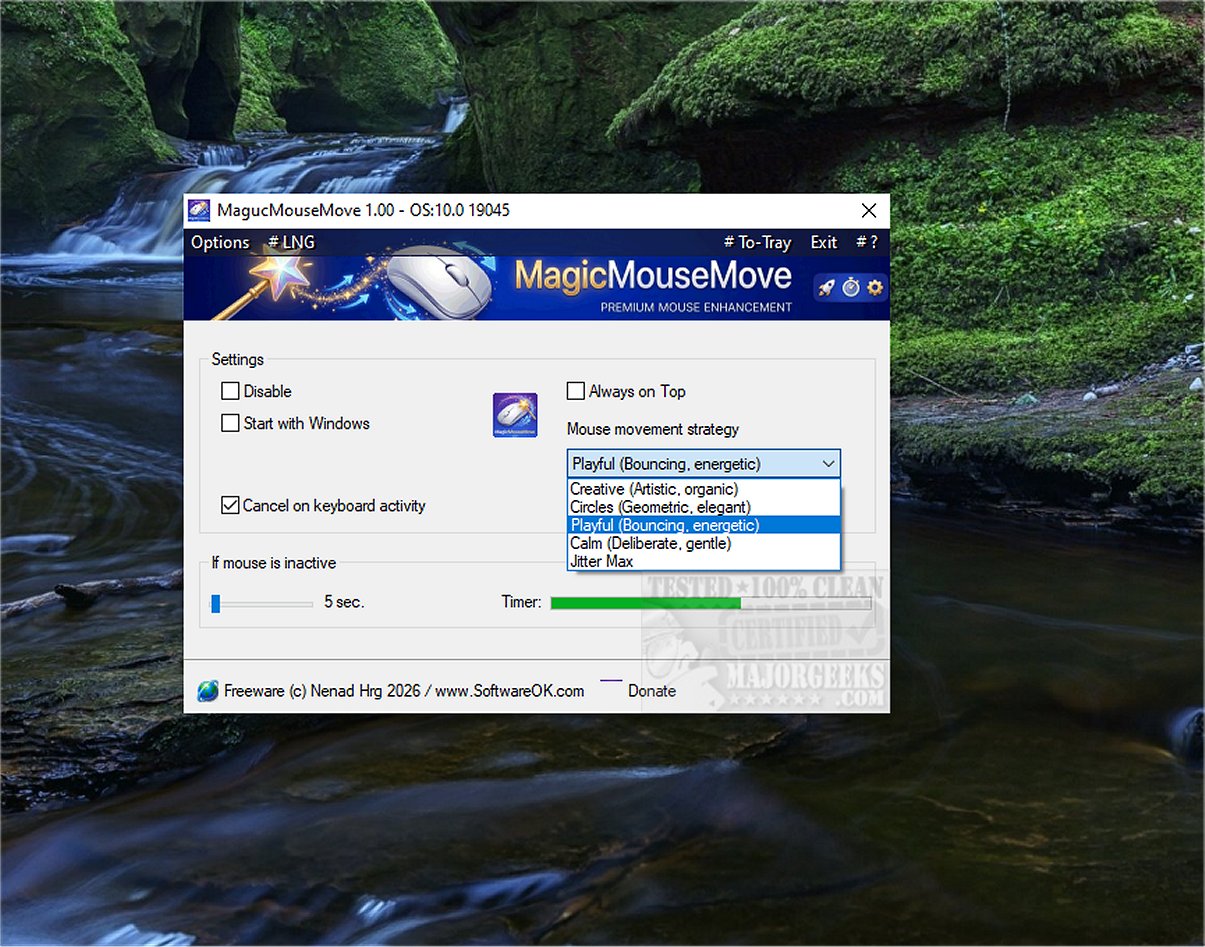
MagicMouseMove 1.00 has been released as a specialized tool for Windows users, designed to keep devices active by simulating natural mouse movements. This tool is particularly useful for those using game streaming services like GeForce Now, Xbox Cloud Gaming, and Steam, as it prevents connection drops that can occur during brief periods of inactivity. By maintaining an active status, MagicMouseMove ensures that remote desktop connections (such as RDP, TeamViewer, and AnyDesk) remain stable without the need for constant mouse interaction, effectively mitigating the frustrating issue of inactivity timeouts.
Key features of MagicMouseMove include adjustable automatic mouse movements after a set period of inactivity, five different movement types (micro, sweep, full screen, dance, jittermax), and intelligent inactivity detection that activates only when the user is truly absent. The tool also offers human-like, sinusoidal movement paths that make it difficult for systems to detect that a bot is being used, thereby avoiding unnecessary interruptions during tasks such as presentations or device monitoring.
MagicMouseMove is designed for user convenience, allowing individuals to take short breaks without worrying about losing their connections or interrupting their workflow. Its “set it and forget it” approach enables continuous system engagement, which is particularly beneficial for users who may need to step away for calls or other responsibilities. This feature significantly enhances productivity by ensuring that users can maintain access to their applications and documents without disruption.
In conclusion, MagicMouseMove provides a simple, effective solution for keeping devices active through realistic mouse movement simulation. This tool enhances the user experience by allowing for a more seamless workflow and reducing the risk of service interruptions, making it an essential application for anyone who relies on remote desktop services or cloud gaming.
Extended Features and Potential Applications:
Beyond its primary function, MagicMouseMove could be adapted for additional use cases, such as aiding in automated testing environments where consistent system engagement is required. Furthermore, it might be beneficial in educational settings, where teachers could use it to ensure that their presentation devices remain active during class discussions or breaks. As remote work becomes increasingly common, tools like MagicMouseMove could evolve to integrate with other productivity software, providing users with comprehensive solutions for managing their digital environments effectively
Key features of MagicMouseMove include adjustable automatic mouse movements after a set period of inactivity, five different movement types (micro, sweep, full screen, dance, jittermax), and intelligent inactivity detection that activates only when the user is truly absent. The tool also offers human-like, sinusoidal movement paths that make it difficult for systems to detect that a bot is being used, thereby avoiding unnecessary interruptions during tasks such as presentations or device monitoring.
MagicMouseMove is designed for user convenience, allowing individuals to take short breaks without worrying about losing their connections or interrupting their workflow. Its “set it and forget it” approach enables continuous system engagement, which is particularly beneficial for users who may need to step away for calls or other responsibilities. This feature significantly enhances productivity by ensuring that users can maintain access to their applications and documents without disruption.
In conclusion, MagicMouseMove provides a simple, effective solution for keeping devices active through realistic mouse movement simulation. This tool enhances the user experience by allowing for a more seamless workflow and reducing the risk of service interruptions, making it an essential application for anyone who relies on remote desktop services or cloud gaming.
Extended Features and Potential Applications:
Beyond its primary function, MagicMouseMove could be adapted for additional use cases, such as aiding in automated testing environments where consistent system engagement is required. Furthermore, it might be beneficial in educational settings, where teachers could use it to ensure that their presentation devices remain active during class discussions or breaks. As remote work becomes increasingly common, tools like MagicMouseMove could evolve to integrate with other productivity software, providing users with comprehensive solutions for managing their digital environments effectively
MagicMouseMove 1.00 released
MagicMouseMove is a specialized Windows tool that helps maintain an active device status by simulating subtle, natural mouse movements.