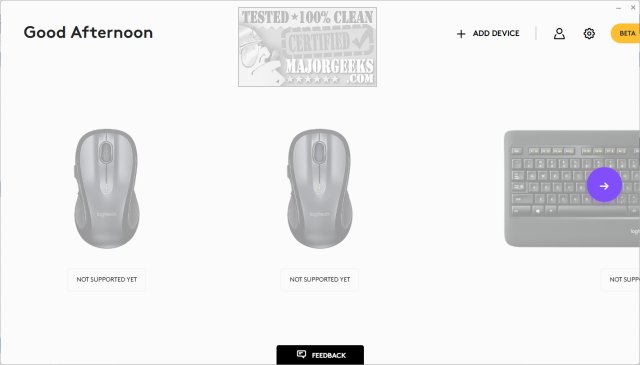
Logi Options+ version 2.0.840907 has been released, introducing an advanced application designed for managing and customizing supported Logitech mice and keyboards. This new iteration merges the best features of the previous Logitech Options software with a more intuitive user interface, making it easier for users to enhance their daily workflows.
The app aims to streamline everyday tasks, allowing users to navigate their routines efficiently, regardless of the applications in use. It comes with predefined settings optimized for popular software such as Google Chrome, Microsoft Office Suite (Word, PowerPoint, Excel), Photoshop, Premiere Pro, Final Cut Pro, and Zoom. Additionally, mouse gestures facilitate smooth desktop navigation, and the Options+ Flow feature enables users to work effortlessly across multiple computers.
Users have the ability to personalize their devices by configuring buttons and keys to facilitate common tasks, adjusting scrolling behavior, and fine-tuning cursor speed. The app also features a battery status monitor and notifications to prevent issues such as low battery warnings or accidental Caps Lock activation.
To further enhance productivity, Logi Options+ encourages users to explore time-saving keyboard shortcuts and provides troubleshooting guides for common mouse issues like slow response or lagging.
In summary, Logi Options+ is a powerful tool for users seeking to optimize their Logitech peripherals, offering customization, seamless multi-device functionality, and features that ensure efficient operation throughout the day. As technology evolves, users can expect continued updates and enhancements to improve their overall experience further
The app aims to streamline everyday tasks, allowing users to navigate their routines efficiently, regardless of the applications in use. It comes with predefined settings optimized for popular software such as Google Chrome, Microsoft Office Suite (Word, PowerPoint, Excel), Photoshop, Premiere Pro, Final Cut Pro, and Zoom. Additionally, mouse gestures facilitate smooth desktop navigation, and the Options+ Flow feature enables users to work effortlessly across multiple computers.
Users have the ability to personalize their devices by configuring buttons and keys to facilitate common tasks, adjusting scrolling behavior, and fine-tuning cursor speed. The app also features a battery status monitor and notifications to prevent issues such as low battery warnings or accidental Caps Lock activation.
To further enhance productivity, Logi Options+ encourages users to explore time-saving keyboard shortcuts and provides troubleshooting guides for common mouse issues like slow response or lagging.
In summary, Logi Options+ is a powerful tool for users seeking to optimize their Logitech peripherals, offering customization, seamless multi-device functionality, and features that ensure efficient operation throughout the day. As technology evolves, users can expect continued updates and enhancements to improve their overall experience further
Logi Options+ 2.0.840907 released
Logi Options+ is a next-gen app that lets you manage and customize your supported mice and keyboards. It combines the best features of Logitech Options with a brand new easy-to-use interface. Options+ is designed to transform your daily tasks.