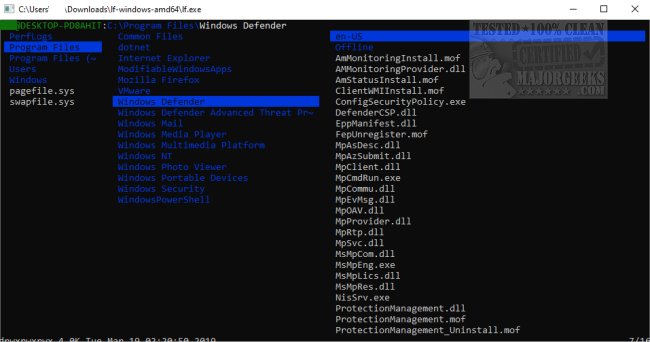
LF Terminal File Manager has released its version 41, offering users a portable, open-source, cross-platform dual-pane file management solution. This file manager is designed for keyboard navigation, eliminating the need for mouse usage, and features a color-coded console for easy file and folder access. It distinguishes itself by streamlining functionalities that are better handled by external tools, thus maintaining a lightweight and efficient performance.
After installation, users can launch the LF application in the current directory using the "lf" command. For additional command-line options, users can run "lf -help," while "lf -doc" provides access to the documentation. The application also allows integration with other shell tools, with an example configuration file located in the etc directory.
Key features of LF Terminal File Manager include:
- A single binary with no runtime dependencies, aside from the terminfo database.
- Quick startup and minimal memory usage due to its native code and static binaries.
- A server/client architecture for sharing file selections across multiple instances.
- Shell command configuration and customizable keybindings, defaulting to vi and readline styles.
- Preview filtering capabilities for various file types, including source highlights, archives, and PDFs/images as text.
LF Terminal File Manager serves as an excellent alternative for users seeking efficient file management while keeping system resources in check. The manager's streamlined design and focus on functionality make it an attractive choice for those looking for a robust terminal-based option.
For further customization, users are encouraged to explore related resources, such as adjusting fonts, colors, and window sizes in PowerShell or Command Prompt, as well as adding useful context menu options for enhanced workflow
After installation, users can launch the LF application in the current directory using the "lf" command. For additional command-line options, users can run "lf -help," while "lf -doc" provides access to the documentation. The application also allows integration with other shell tools, with an example configuration file located in the etc directory.
Key features of LF Terminal File Manager include:
- A single binary with no runtime dependencies, aside from the terminfo database.
- Quick startup and minimal memory usage due to its native code and static binaries.
- A server/client architecture for sharing file selections across multiple instances.
- Shell command configuration and customizable keybindings, defaulting to vi and readline styles.
- Preview filtering capabilities for various file types, including source highlights, archives, and PDFs/images as text.
LF Terminal File Manager serves as an excellent alternative for users seeking efficient file management while keeping system resources in check. The manager's streamlined design and focus on functionality make it an attractive choice for those looking for a robust terminal-based option.
For further customization, users are encouraged to explore related resources, such as adjusting fonts, colors, and window sizes in PowerShell or Command Prompt, as well as adding useful context menu options for enhanced workflow
LF Terminal File Manager r41 released
LF Terminal File Manager is a portable, Open Source, cross-platform dual-pane file manager.