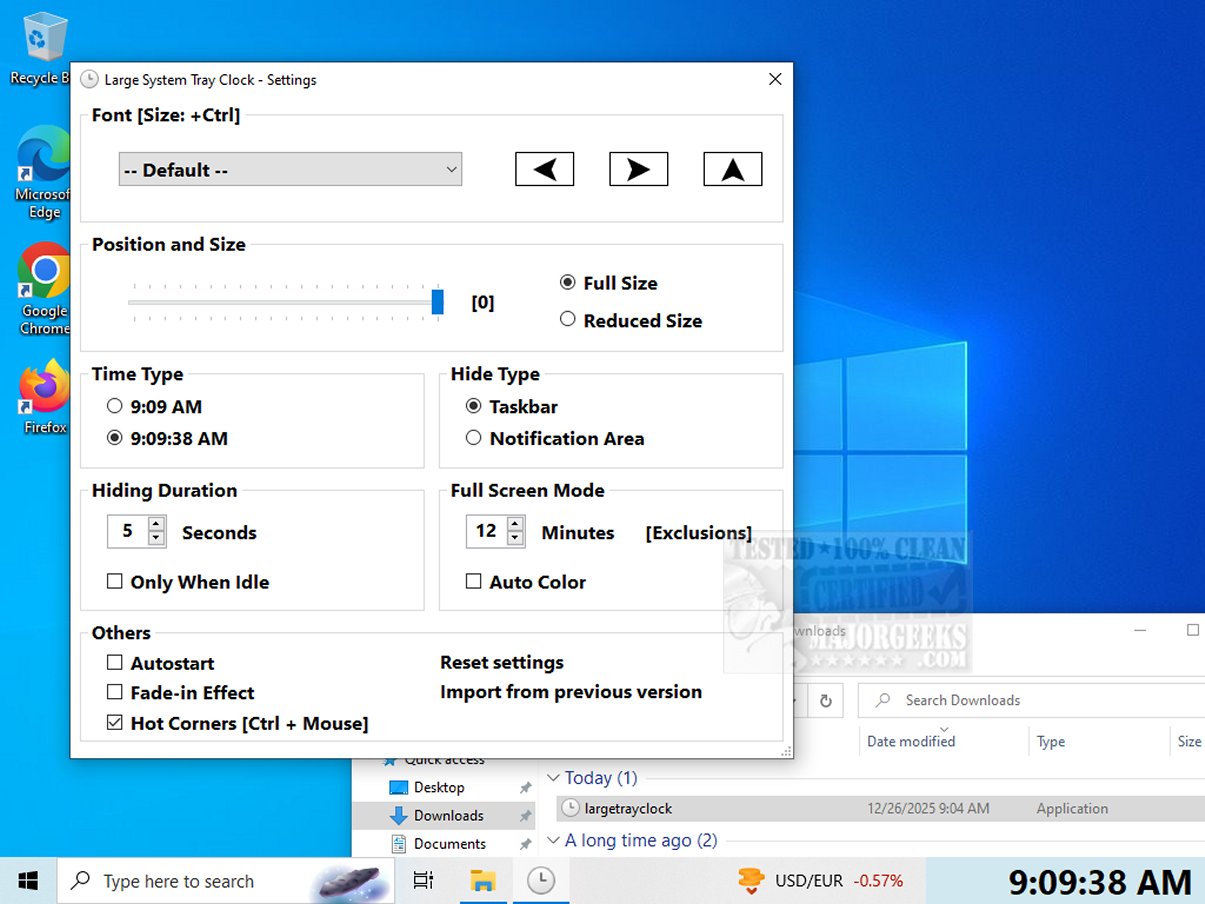
Large System Tray Clock version 1.1.1.13 has been released as a utility aimed at enhancing the visibility of the clock in the system tray for Windows 10 and 11 users. This application addresses the lack of customization options and accessibility features found in Microsoft's default clock.
Key Features:
- Enhanced Visibility: The application provides a larger time display, making it especially beneficial for visually impaired users or those who prefer a clearer view of the time.
- Customization Options: Users can personalize the clock's font style, position, and size, as well as choose to display the time with or without seconds. The application can also be set to launch automatically with Windows for added convenience.
- Full-Screen Mode: A standout feature is the full-screen mode, which can be activated after a specified period of inactivity. This allows users to check the time easily even if they are not directly in front of their monitor.
- User-Friendly Design: The interface is designed to be straightforward, with options to display the clock in the screen corners or in full-screen mode. It maintains accessibility to taskbar functions, which are hidden during full-screen use but reappear after a defined delay.
Conclusion:
Large System Tray Clock is an essential tool for anyone needing improved time visibility. Its thoughtful design prioritizes accessibility and user experience, ensuring that users, especially those with visual impairments, can easily keep track of time. The application is a simple, installation-free utility that significantly enhances the functionality of the standard system tray clock.
Extended Features Consideration:
Future updates could include additional themes, sound alerts for time reminders, and integration with calendar applications for a comprehensive time management solution. Furthermore, a mobile version could be developed to extend its usefulness to smartphones, ensuring that users have access to a large, customizable clock wherever they go
Key Features:
- Enhanced Visibility: The application provides a larger time display, making it especially beneficial for visually impaired users or those who prefer a clearer view of the time.
- Customization Options: Users can personalize the clock's font style, position, and size, as well as choose to display the time with or without seconds. The application can also be set to launch automatically with Windows for added convenience.
- Full-Screen Mode: A standout feature is the full-screen mode, which can be activated after a specified period of inactivity. This allows users to check the time easily even if they are not directly in front of their monitor.
- User-Friendly Design: The interface is designed to be straightforward, with options to display the clock in the screen corners or in full-screen mode. It maintains accessibility to taskbar functions, which are hidden during full-screen use but reappear after a defined delay.
Conclusion:
Large System Tray Clock is an essential tool for anyone needing improved time visibility. Its thoughtful design prioritizes accessibility and user experience, ensuring that users, especially those with visual impairments, can easily keep track of time. The application is a simple, installation-free utility that significantly enhances the functionality of the standard system tray clock.
Extended Features Consideration:
Future updates could include additional themes, sound alerts for time reminders, and integration with calendar applications for a comprehensive time management solution. Furthermore, a mobile version could be developed to extend its usefulness to smartphones, ensuring that users have access to a large, customizable clock wherever they go
Large System Tray Clock 1.1.1.13 released
Large System Tray Clock is a utility designed to improve the visibility of the clock in the Windows 10 and 11 systray. It aims to address the limited customization and accessibility features of Microsoft's default system tray clock.