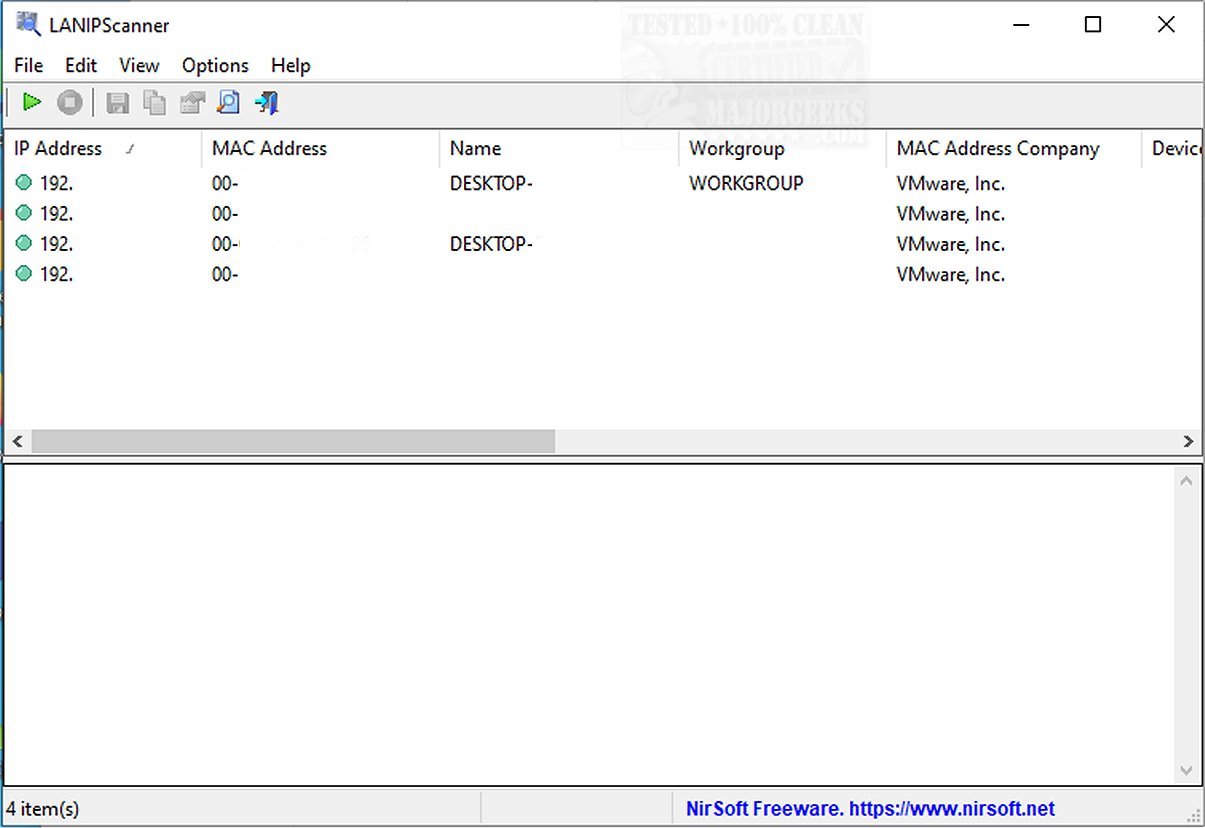
LANIPScanner is a user-friendly networking application tailored for Windows that allows users to effectively scan their local networks. The latest version, 1.05, enhances the tool's capability to provide a detailed overview of all devices and computers connected to the network.
Key Features and Functionality
LANIPScanner employs a variety of network protocols, including ICMP (ping), ARP, NBNS, SSDP, mDNS, and DNS, to conduct thorough scans. For each detected device, it compiles a wealth of information, such as the IP Address, MAC Address, MAC Address Company, Device Name, Workgroup, Device String, Protocol List, Ping Time, Ping TTL, Device Type, IPv6 Address, and IPv6 Link-Local Address.
A standout feature of LANIPScanner is its ability to display detailed raw data from devices that respond via SSDP or mDNS protocols, accessible in a lower pane when the device is selected from the upper pane. This functionality aids users in better monitoring and managing their networks.
Ideal for Troubleshooting
The tool is particularly beneficial for network administrators who need to monitor and troubleshoot network devices. With its focus on identifying potential bottlenecks, LANIPScanner plays a crucial role in minimizing network downtime, ensuring that any issues are addressed promptly.
Speed and Efficiency
While LANIPScanner may lack some advanced features offered by competitors, it excels in performing quick network scans. This rapid data gathering provides essential insights into connected devices, IP addresses, and overall network status. Such information is vital for IT professionals, enabling them to maintain smooth network connectivity and resolve problems before they worsen.
Conclusion
In summary, LANIPScanner stands out as a reliable tool for efficient network management. It merges simplicity with high performance, making it an excellent choice for individuals looking to enhance their network monitoring capabilities. With its intuitive interface and robust functionality, LANIPScanner is poised to serve as an indispensable asset for both casual users and IT professionals alike.
Future Enhancements
Looking ahead, future updates to LANIPScanner could include additional advanced features, such as automated alerts for network issues, integration with network management systems, and enhanced reporting capabilities. As networks continue to evolve, tools like LANIPScanner will need to adapt to meet the growing demands of users and IT professionals alike
Key Features and Functionality
LANIPScanner employs a variety of network protocols, including ICMP (ping), ARP, NBNS, SSDP, mDNS, and DNS, to conduct thorough scans. For each detected device, it compiles a wealth of information, such as the IP Address, MAC Address, MAC Address Company, Device Name, Workgroup, Device String, Protocol List, Ping Time, Ping TTL, Device Type, IPv6 Address, and IPv6 Link-Local Address.
A standout feature of LANIPScanner is its ability to display detailed raw data from devices that respond via SSDP or mDNS protocols, accessible in a lower pane when the device is selected from the upper pane. This functionality aids users in better monitoring and managing their networks.
Ideal for Troubleshooting
The tool is particularly beneficial for network administrators who need to monitor and troubleshoot network devices. With its focus on identifying potential bottlenecks, LANIPScanner plays a crucial role in minimizing network downtime, ensuring that any issues are addressed promptly.
Speed and Efficiency
While LANIPScanner may lack some advanced features offered by competitors, it excels in performing quick network scans. This rapid data gathering provides essential insights into connected devices, IP addresses, and overall network status. Such information is vital for IT professionals, enabling them to maintain smooth network connectivity and resolve problems before they worsen.
Conclusion
In summary, LANIPScanner stands out as a reliable tool for efficient network management. It merges simplicity with high performance, making it an excellent choice for individuals looking to enhance their network monitoring capabilities. With its intuitive interface and robust functionality, LANIPScanner is poised to serve as an indispensable asset for both casual users and IT professionals alike.
Future Enhancements
Looking ahead, future updates to LANIPScanner could include additional advanced features, such as automated alerts for network issues, integration with network management systems, and enhanced reporting capabilities. As networks continue to evolve, tools like LANIPScanner will need to adapt to meet the growing demands of users and IT professionals alike
LANIPScanner 1.05 released
LANIPScanner gives you an easy-to-use networking tool designed for Windows that enables you to scan your local network and provides a comprehensive list of all connected computers and devices.