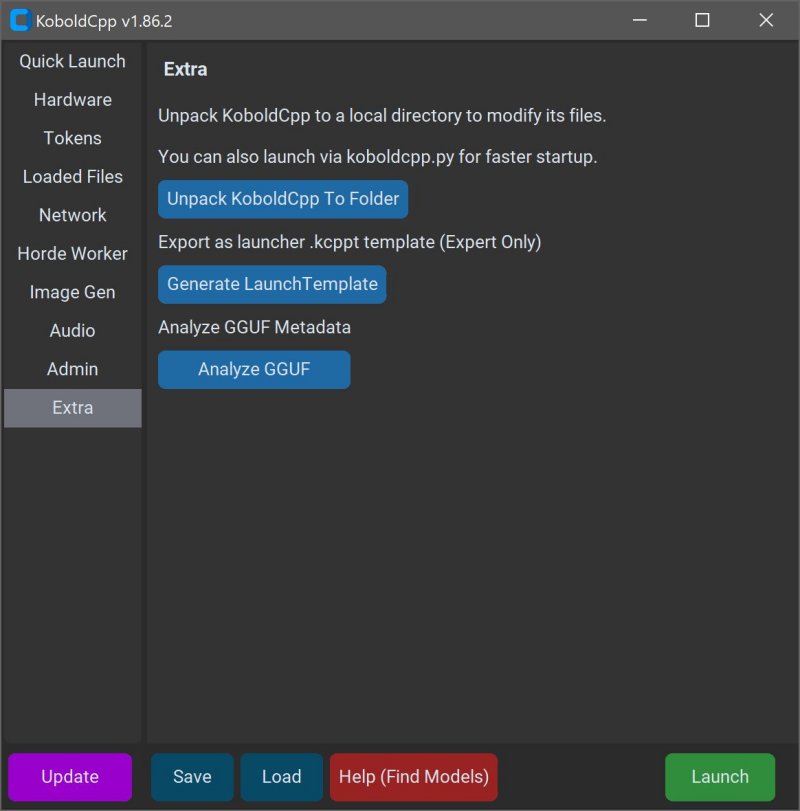
KoboldCPP 1.110 has been released, providing users with a powerful tool for running AI models locally on their computers without the need for accounts, internet access, subscriptions, or sacrificing privacy. It is an ideal solution for individuals working on private projects, such as writing stories, developing game lore, or experimenting with AI in a secure environment. The software is designed to be user-friendly, allowing users to set it up with minimal effort.
What Is KoboldCPP?
KoboldCPP is a lightweight, open-source application that operates GGUF-format AI language models on local systems. It functions as a backend for the KoboldAI web interface, allowing users to engage in conversations in a chat window similar to ChatGPT, but without any online dependencies. Users can download model files, launch KoboldCPP, and begin chatting. The application supports both CPU and GPU acceleration, catering to various hardware setups.
Understanding GGUF Format
GGUF stands for GPT-Generated Unified Format, aimed specifically for local use. It is efficient, lightweight, and compatible with quantized models, making it suitable for mid-range PCs. Users can find many popular open-source models in GGUF format on platforms like Hugging Face. However, KoboldCPP does not support GPTQ, Safetensors, or proprietary OpenAI models, so users must ensure that their chosen models are compatible.
Target Audience
KoboldCPP is perfect for anyone interested in AI but hesitant to use cloud services due to privacy concerns or costs. It is particularly well-suited for writers looking for assistance in storytelling, RPG creators wanting AI-driven NPCs, developers experimenting with local AI configurations, or casual users seeking a private alternative to online chatbots. It serves those in low-connectivity areas or those tired of subscription fees.
Key Features of KoboldCPP
- Local LLM execution with GGUF/LLAMA-based models
- Offline functionality for complete privacy
- Fast performance via Intel oneAPI and NVIDIA CUDA acceleration
- Simple setup process with no complex installations
- Compatibility with KoboldAI Web UI, offering features like memory and character cards
- Customization options, including LoRA adapters and context size adjustments
Obtaining AI Models for KoboldCPP
KoboldCPP does not come preloaded with AI models, so users must download them separately, with Hugging Face being a trusted source. Users should focus on 4-bit or 8-bit GGUF models for optimal performance on mid-range PCs.
Using KoboldCPP
To use a model, the process is straightforward:
1. Launch KoboldCPP.exe
2. Select the downloaded .gguf model file
3. Choose the desired backend (CPU, CUDA, or oneAPI)
4. Adjust settings as needed
5. Click Start to open a local web chat interface
System Requirements
KoboldCPP runs effectively on Windows or Linux systems with a minimum of 8GB RAM (16GB recommended), a modern CPU, and an optional NVIDIA or Intel GPU for enhanced performance.
Considerations
Initially, users may find the setup process slightly technical, but it becomes seamless once completed. Users should start with smaller models to accommodate RAM limitations and ensure sufficient hard drive space for larger models.
Versions Available
Different versions of KoboldCPP cater to specific hardware capabilities:
- Standard Version: For most users with NVIDIA GPUs and modern CPUs
- No CUDA Version: A compact build for non-NVIDIA users
- Old CPU Version: For older systems without advanced instruction sets
- CUDA 12 Version: Optimized for newer NVIDIA GPUs
Conclusion
KoboldCPP offers users complete control over their AI experience without any internet reliance, personal data leaks, or recurring costs. It's an accessible entry point for those seeking a private AI assistant, making it an excellent choice for writers, developers, and anyone who prefers to keep their AI interactions offline. The strong open-source community also provides support for users looking to customize their setup or choose their first model
What Is KoboldCPP?
KoboldCPP is a lightweight, open-source application that operates GGUF-format AI language models on local systems. It functions as a backend for the KoboldAI web interface, allowing users to engage in conversations in a chat window similar to ChatGPT, but without any online dependencies. Users can download model files, launch KoboldCPP, and begin chatting. The application supports both CPU and GPU acceleration, catering to various hardware setups.
Understanding GGUF Format
GGUF stands for GPT-Generated Unified Format, aimed specifically for local use. It is efficient, lightweight, and compatible with quantized models, making it suitable for mid-range PCs. Users can find many popular open-source models in GGUF format on platforms like Hugging Face. However, KoboldCPP does not support GPTQ, Safetensors, or proprietary OpenAI models, so users must ensure that their chosen models are compatible.
Target Audience
KoboldCPP is perfect for anyone interested in AI but hesitant to use cloud services due to privacy concerns or costs. It is particularly well-suited for writers looking for assistance in storytelling, RPG creators wanting AI-driven NPCs, developers experimenting with local AI configurations, or casual users seeking a private alternative to online chatbots. It serves those in low-connectivity areas or those tired of subscription fees.
Key Features of KoboldCPP
- Local LLM execution with GGUF/LLAMA-based models
- Offline functionality for complete privacy
- Fast performance via Intel oneAPI and NVIDIA CUDA acceleration
- Simple setup process with no complex installations
- Compatibility with KoboldAI Web UI, offering features like memory and character cards
- Customization options, including LoRA adapters and context size adjustments
Obtaining AI Models for KoboldCPP
KoboldCPP does not come preloaded with AI models, so users must download them separately, with Hugging Face being a trusted source. Users should focus on 4-bit or 8-bit GGUF models for optimal performance on mid-range PCs.
Using KoboldCPP
To use a model, the process is straightforward:
1. Launch KoboldCPP.exe
2. Select the downloaded .gguf model file
3. Choose the desired backend (CPU, CUDA, or oneAPI)
4. Adjust settings as needed
5. Click Start to open a local web chat interface
System Requirements
KoboldCPP runs effectively on Windows or Linux systems with a minimum of 8GB RAM (16GB recommended), a modern CPU, and an optional NVIDIA or Intel GPU for enhanced performance.
Considerations
Initially, users may find the setup process slightly technical, but it becomes seamless once completed. Users should start with smaller models to accommodate RAM limitations and ensure sufficient hard drive space for larger models.
Versions Available
Different versions of KoboldCPP cater to specific hardware capabilities:
- Standard Version: For most users with NVIDIA GPUs and modern CPUs
- No CUDA Version: A compact build for non-NVIDIA users
- Old CPU Version: For older systems without advanced instruction sets
- CUDA 12 Version: Optimized for newer NVIDIA GPUs
Conclusion
KoboldCPP offers users complete control over their AI experience without any internet reliance, personal data leaks, or recurring costs. It's an accessible entry point for those seeking a private AI assistant, making it an excellent choice for writers, developers, and anyone who prefers to keep their AI interactions offline. The strong open-source community also provides support for users looking to customize their setup or choose their first model
KoboldCPP 1.110 released
KoboldCPP is a great choice for running powerful AI models on your computer with no accounts, internet, subscriptions, or privacy trade-offs.