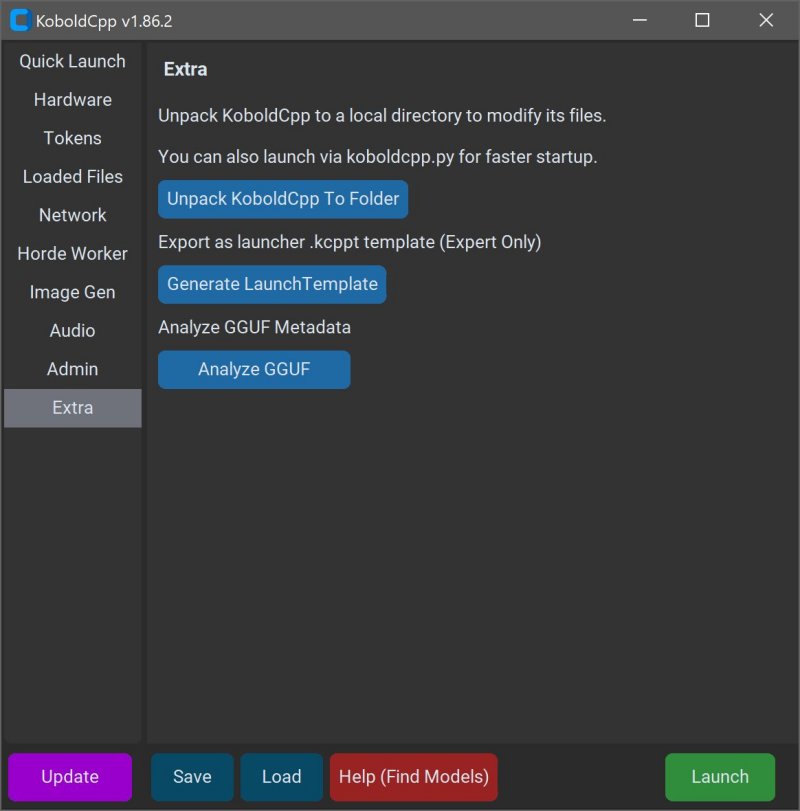
KoboldCPP is a powerful tool that enables users to run advanced AI models directly on their computers without the need for accounts, internet access, subscriptions, or sacrificing privacy. This makes it an excellent option for individuals and businesses looking to engage with AI in a secure, offline environment. Whether you are a writer crafting stories, a game developer working on lore, or simply an AI enthusiast, KoboldCPP allows for experimentation and creativity without the complexities associated with cloud-based solutions.
KoboldCPP is an open-source, lightweight application that supports running GGUF-format AI language models on local systems. It acts as a backend for the KoboldAI web interface, creating a user-friendly chat environment reminiscent of ChatGPT. Users can easily download a model file, launch the application, and begin interacting with their AI models. The tool is optimized for both CPU and GPU acceleration, allowing flexibility based on different hardware capabilities.
GGUF stands for GPT-Generated Unified Format, a modern format crafted for local AI usage. It is designed to be fast and lightweight, especially suited for quantized models (4-bit or 8-bit), which can run efficiently on mid-range PCs. Users should note that KoboldCPP does not support models in GPTQ, Safetensors, or any proprietary formats from OpenAI, so it's essential to ensure the models are compatible before downloading.
KoboldCPP caters to a diverse audience, including:
- Writers looking to co-create narratives or generate dialogue.
- Game developers interested in enhancing NPC interactions with AI.
- Developers experimenting with local AI configurations.
- General users seeking a private alternative to online AI services.
It is particularly advantageous for those in low-connectivity environments or those frustrated with the limitations of cloud services.
- Local LLMs: Runs GGUF/LLAMA-based models directly on your computer.
- Offline Mode: Ensures complete privacy without reliance on the internet.
- Fast Performance: Utilizes Intel oneAPI and NVIDIA CUDA for enhanced processing speed.
- Simple Setup: Easy to install with minimal technical requirements.
- KoboldAI Web UI Compatibility: Access to features like memory and character cards.
- Customizable: Options to load LoRA adapters and adjust settings for a personalized experience.
KoboldCPP does not come bundled with AI models, requiring users to download them separately. Hugging Face is a popular source for these models, but users should verify the credibility of the source and prefer 4-bit or 8-bit GGUF versions for smooth functionality on mid-range systems.
Using KoboldCPP is straightforward:
1. Launch the KoboldCPP application.
2. Select your downloaded .gguf model file.
3. Choose a processing backend (CPU, CUDA for NVIDIA, or oneAPI for Intel).
4. Adjust desired settings (context size, memory usage).
5. Click "Start" to open a local chat interface in your browser.
6. Engage with the AI as you would with any online chatbot.
While KoboldCPP does not demand high-end hardware, the following specifications are recommended for optimal performance:
- Operating System: Windows or Linux.
- RAM: 8GB minimum, with 16GB or more preferred.
- CPU: Modern Intel or AMD with AVX2 support.
- GPU: Optional, but beneficial for speed enhancements.
Initial setup may seem a bit technical, but the process becomes seamless once completed. Begin with smaller models to gauge system performance, ensuring adequate storage space for larger models. Various versions of KoboldCPP are available, optimized for different hardware configurations to ensure compatibility and efficiency.
KoboldCPP provides an unparalleled opportunity for users to control their AI experiences without the drawbacks of internet reliance or data privacy concerns. It's an excellent solution for writers, gamers, and anyone looking to leverage AI capabilities directly from their desktops. If you need assistance selecting your model or customizing your setup, help is readily available.
In an era where privacy and control over technology are paramount, KoboldCPP stands out as an accessible and effective tool, making AI more personal and integrated into everyday tasks
What is KoboldCPP?
KoboldCPP is an open-source, lightweight application that supports running GGUF-format AI language models on local systems. It acts as a backend for the KoboldAI web interface, creating a user-friendly chat environment reminiscent of ChatGPT. Users can easily download a model file, launch the application, and begin interacting with their AI models. The tool is optimized for both CPU and GPU acceleration, allowing flexibility based on different hardware capabilities.
Understanding GGUF
GGUF stands for GPT-Generated Unified Format, a modern format crafted for local AI usage. It is designed to be fast and lightweight, especially suited for quantized models (4-bit or 8-bit), which can run efficiently on mid-range PCs. Users should note that KoboldCPP does not support models in GPTQ, Safetensors, or any proprietary formats from OpenAI, so it's essential to ensure the models are compatible before downloading.
Who Can Benefit from KoboldCPP?
KoboldCPP caters to a diverse audience, including:
- Writers looking to co-create narratives or generate dialogue.
- Game developers interested in enhancing NPC interactions with AI.
- Developers experimenting with local AI configurations.
- General users seeking a private alternative to online AI services.
It is particularly advantageous for those in low-connectivity environments or those frustrated with the limitations of cloud services.
Key Features of KoboldCPP
- Local LLMs: Runs GGUF/LLAMA-based models directly on your computer.
- Offline Mode: Ensures complete privacy without reliance on the internet.
- Fast Performance: Utilizes Intel oneAPI and NVIDIA CUDA for enhanced processing speed.
- Simple Setup: Easy to install with minimal technical requirements.
- KoboldAI Web UI Compatibility: Access to features like memory and character cards.
- Customizable: Options to load LoRA adapters and adjust settings for a personalized experience.
Obtaining AI Models
KoboldCPP does not come bundled with AI models, requiring users to download them separately. Hugging Face is a popular source for these models, but users should verify the credibility of the source and prefer 4-bit or 8-bit GGUF versions for smooth functionality on mid-range systems.
How to Use KoboldCPP
Using KoboldCPP is straightforward:
1. Launch the KoboldCPP application.
2. Select your downloaded .gguf model file.
3. Choose a processing backend (CPU, CUDA for NVIDIA, or oneAPI for Intel).
4. Adjust desired settings (context size, memory usage).
5. Click "Start" to open a local chat interface in your browser.
6. Engage with the AI as you would with any online chatbot.
System Requirements
While KoboldCPP does not demand high-end hardware, the following specifications are recommended for optimal performance:
- Operating System: Windows or Linux.
- RAM: 8GB minimum, with 16GB or more preferred.
- CPU: Modern Intel or AMD with AVX2 support.
- GPU: Optional, but beneficial for speed enhancements.
Important Considerations
Initial setup may seem a bit technical, but the process becomes seamless once completed. Begin with smaller models to gauge system performance, ensuring adequate storage space for larger models. Various versions of KoboldCPP are available, optimized for different hardware configurations to ensure compatibility and efficiency.
Conclusion
KoboldCPP provides an unparalleled opportunity for users to control their AI experiences without the drawbacks of internet reliance or data privacy concerns. It's an excellent solution for writers, gamers, and anyone looking to leverage AI capabilities directly from their desktops. If you need assistance selecting your model or customizing your setup, help is readily available.
In an era where privacy and control over technology are paramount, KoboldCPP stands out as an accessible and effective tool, making AI more personal and integrated into everyday tasks
KoboldCPP 1.109.2 released
KoboldCPP is a great choice for running powerful AI models on your computer with no accounts, internet, subscriptions, or privacy trade-offs.