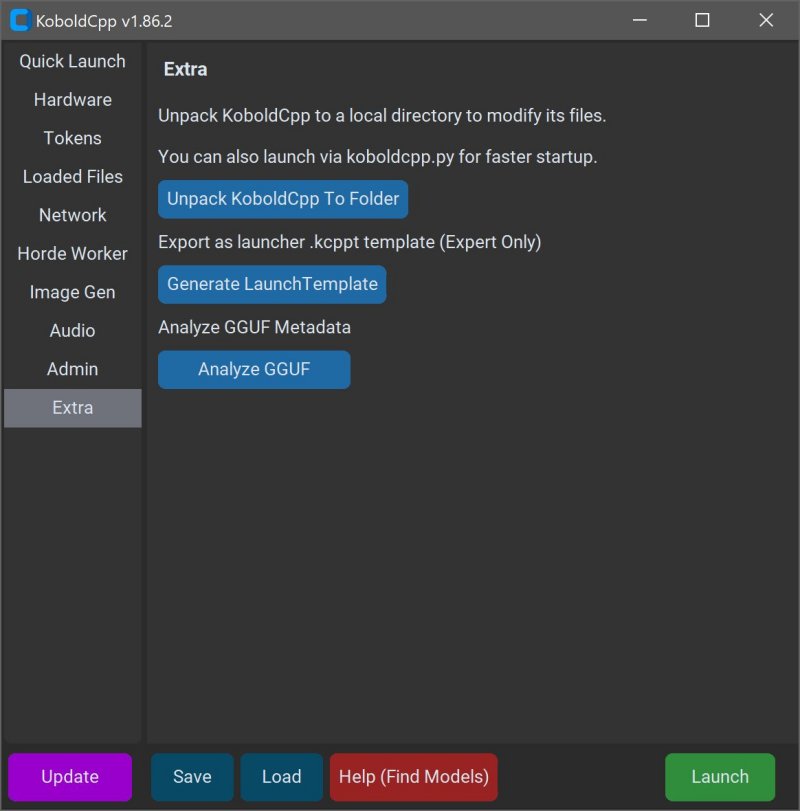
KoboldCPP is a lightweight, open-source tool designed to run powerful AI models directly on your computer, providing a private and secure alternative to cloud-based services. With no need for accounts, internet access, subscriptions, or privacy compromises, KoboldCPP is ideal for users who want to work on private business projects, write stories, create game lore, or simply experiment with AI in a more personal environment.
What is KoboldCPP?
KoboldCPP serves as a backend for the KoboldAI web interface, allowing users to engage in chat-like interactions with local large language models (LLMs) that run on their systems. It supports GGUF (GPT-Generated Unified Format) models, which are optimized for local use and perform well even on mid-range PCs. Users can easily download model files, launch the software, and start chatting in a familiar interface, akin to using ChatGPT, but entirely offline.
Compatibility and Features
KoboldCPP is compatible with various hardware configurations, including both CPU and GPU acceleration, making it versatile across different setups. Notably, it supports models in GGUF format and excludes proprietary models like GPTQ or Safetensors. Users can select from a range of models available on repositories like Hugging Face, ensuring they choose those suited for their hardware capabilities.
Target Audience
KoboldCPP appeals to a diverse user base, including writers looking to generate dialogue, RPG creators seeking AI-driven NPCs, developers experimenting with local AI setups, and anyone disillusioned with cloud services. It's particularly beneficial for those in low-connectivity scenarios or who are frustrated by the limitations of subscription-based AI solutions.
Key Features
- Local LLM Execution: Run GGUF/LLAMA-based models directly on your PC.
- Offline Functionality: No internet or cloud server is required.
- High Performance: Supports Intel oneAPI and NVIDIA CUDA for optimized speed.
- Simple Installation: Straightforward setup without the need for extensive coding.
- Comprehensive UI: Integrates with popular KoboldAI features, including memory and character cards.
- Customizable Options: Users can tweak context sizes, memory settings, and load additional adapters.
Usage Instructions
To utilize KoboldCPP, users must follow these steps:
1. Launch the application.
2. Select the downloaded GGUF model file.
3. Choose the appropriate backend (CPU, CUDA, or oneAPI).
4. Adjust relevant settings.
5. Start the local web chat.
System Requirements
KoboldCPP runs efficiently on modern systems, with minimum requirements of 8GB RAM and a compatible CPU. For enhanced performance, a GPU is optional but recommended. Users should also ensure they have sufficient storage for the larger models.
Considerations
First-time users may find the initial setup somewhat technical, but once configured, the software runs smoothly. Users are encouraged to start with smaller 4-bit models and gradually explore larger options as their hardware allows. Various versions of KoboldCPP are available to cater to different system specifications, ensuring broad accessibility.
Conclusion
KoboldCPP is an excellent solution for those seeking a private AI assistant without the constraints of cloud dependency or data privacy concerns. The user-friendly interface, combined with a strong open-source foundation, positions KoboldCPP as a top choice for writers, gamers, and AI enthusiasts looking to harness the power of AI directly on their desktops. For assistance in model selection or setup customization, users are encouraged to seek guidance from the community
What is KoboldCPP?
KoboldCPP serves as a backend for the KoboldAI web interface, allowing users to engage in chat-like interactions with local large language models (LLMs) that run on their systems. It supports GGUF (GPT-Generated Unified Format) models, which are optimized for local use and perform well even on mid-range PCs. Users can easily download model files, launch the software, and start chatting in a familiar interface, akin to using ChatGPT, but entirely offline.
Compatibility and Features
KoboldCPP is compatible with various hardware configurations, including both CPU and GPU acceleration, making it versatile across different setups. Notably, it supports models in GGUF format and excludes proprietary models like GPTQ or Safetensors. Users can select from a range of models available on repositories like Hugging Face, ensuring they choose those suited for their hardware capabilities.
Target Audience
KoboldCPP appeals to a diverse user base, including writers looking to generate dialogue, RPG creators seeking AI-driven NPCs, developers experimenting with local AI setups, and anyone disillusioned with cloud services. It's particularly beneficial for those in low-connectivity scenarios or who are frustrated by the limitations of subscription-based AI solutions.
Key Features
- Local LLM Execution: Run GGUF/LLAMA-based models directly on your PC.
- Offline Functionality: No internet or cloud server is required.
- High Performance: Supports Intel oneAPI and NVIDIA CUDA for optimized speed.
- Simple Installation: Straightforward setup without the need for extensive coding.
- Comprehensive UI: Integrates with popular KoboldAI features, including memory and character cards.
- Customizable Options: Users can tweak context sizes, memory settings, and load additional adapters.
Usage Instructions
To utilize KoboldCPP, users must follow these steps:
1. Launch the application.
2. Select the downloaded GGUF model file.
3. Choose the appropriate backend (CPU, CUDA, or oneAPI).
4. Adjust relevant settings.
5. Start the local web chat.
System Requirements
KoboldCPP runs efficiently on modern systems, with minimum requirements of 8GB RAM and a compatible CPU. For enhanced performance, a GPU is optional but recommended. Users should also ensure they have sufficient storage for the larger models.
Considerations
First-time users may find the initial setup somewhat technical, but once configured, the software runs smoothly. Users are encouraged to start with smaller 4-bit models and gradually explore larger options as their hardware allows. Various versions of KoboldCPP are available to cater to different system specifications, ensuring broad accessibility.
Conclusion
KoboldCPP is an excellent solution for those seeking a private AI assistant without the constraints of cloud dependency or data privacy concerns. The user-friendly interface, combined with a strong open-source foundation, positions KoboldCPP as a top choice for writers, gamers, and AI enthusiasts looking to harness the power of AI directly on their desktops. For assistance in model selection or setup customization, users are encouraged to seek guidance from the community
KoboldCPP 1.101 released
KoboldCPP is a great choice for running powerful AI models on your computer with no accounts, internet, subscriptions, or privacy trade-offs.