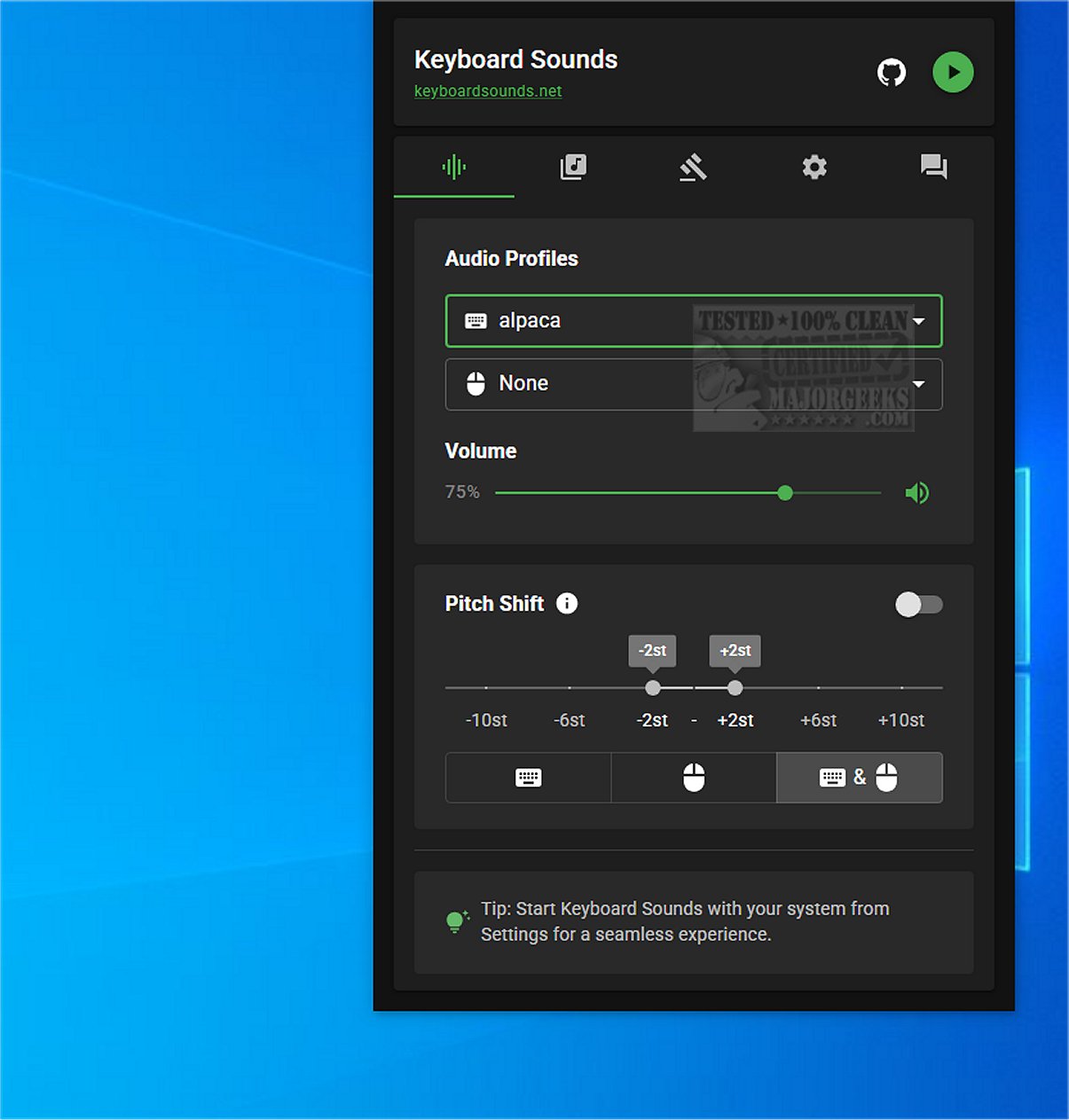
The latest version of Keyboard Sounds, 2.4.3, has been launched, aimed at enhancing the auditory experience of any keyboard by mimicking the iconic sounds of mechanical keyboards. This software offers a host of features designed for customization, making it an ideal choice for users seeking a personalized keyboard experience.
Purpose and Features of Keyboard Sounds
Keyboard Sounds is specifically designed to elevate your keyboard's auditory feedback by emulating the distinct sounds associated with mechanical keyboards. It includes 16 pre-configured profiles that cater to different preferences, alongside a customizable profile editor that allows users to create their own sound profiles. Additionally, the application supports application-specific rules, enabling tailored auditory experiences depending on the software in use.
Setup Requirements
While the installation process for Keyboard Sounds is generally straightforward, it does have specific prerequisites. Users must install Python and may need to make various adjustments to ensure smooth operation. To assist with the installation, the developer provides a detailed tutorial, complete with a video guide, available in their repository.
User-Friendly Design
After installation, Keyboard Sounds conveniently minimizes to the system tray (systray), allowing easy access to its features without cluttering the desktop. This design promotes a streamlined user experience, enabling quick adjustments to sound settings from the tray icon.
Extensive Customization Options
The application offers a wide array of functionalities, including profile management, rule-setting, and key mapping capabilities. Users can define, save, and edit different sound profiles and rules, thus crafting a unique sound profile tailored to their preferences. The inclusion of an on-screen keyboard for key mapping further enhances the customization process.
Conclusion: Ideal for Customization Enthusiasts
In summary, Keyboard Sounds 2.4.3 is an excellent tool for anyone looking to replicate the satisfying sounds of mechanical keyboards or modify their existing keyboard setup. With its extensive customization features and user-friendly interface, it caters to a wide range of users, from casual typists to hardcore customization enthusiasts. This software is a versatile solution for those eager to explore various keyboard sounds and behaviors, creating a unique typing experience tailored to individual tastes.
Future Enhancements and Community Engagement
Looking ahead, the developers could further enhance Keyboard Sounds by introducing more sound profiles, integrating community suggestions for sound preferences, or even providing options for users to upload their own sound recordings. Engaging with the user community for feedback could lead to continual improvements and innovations, ensuring that Keyboard Sounds remains a top choice for keyboard enthusiasts
Purpose and Features of Keyboard Sounds
Keyboard Sounds is specifically designed to elevate your keyboard's auditory feedback by emulating the distinct sounds associated with mechanical keyboards. It includes 16 pre-configured profiles that cater to different preferences, alongside a customizable profile editor that allows users to create their own sound profiles. Additionally, the application supports application-specific rules, enabling tailored auditory experiences depending on the software in use.
Setup Requirements
While the installation process for Keyboard Sounds is generally straightforward, it does have specific prerequisites. Users must install Python and may need to make various adjustments to ensure smooth operation. To assist with the installation, the developer provides a detailed tutorial, complete with a video guide, available in their repository.
User-Friendly Design
After installation, Keyboard Sounds conveniently minimizes to the system tray (systray), allowing easy access to its features without cluttering the desktop. This design promotes a streamlined user experience, enabling quick adjustments to sound settings from the tray icon.
Extensive Customization Options
The application offers a wide array of functionalities, including profile management, rule-setting, and key mapping capabilities. Users can define, save, and edit different sound profiles and rules, thus crafting a unique sound profile tailored to their preferences. The inclusion of an on-screen keyboard for key mapping further enhances the customization process.
Conclusion: Ideal for Customization Enthusiasts
In summary, Keyboard Sounds 2.4.3 is an excellent tool for anyone looking to replicate the satisfying sounds of mechanical keyboards or modify their existing keyboard setup. With its extensive customization features and user-friendly interface, it caters to a wide range of users, from casual typists to hardcore customization enthusiasts. This software is a versatile solution for those eager to explore various keyboard sounds and behaviors, creating a unique typing experience tailored to individual tastes.
Future Enhancements and Community Engagement
Looking ahead, the developers could further enhance Keyboard Sounds by introducing more sound profiles, integrating community suggestions for sound preferences, or even providing options for users to upload their own sound recordings. Engaging with the user community for feedback could lead to continual improvements and innovations, ensuring that Keyboard Sounds remains a top choice for keyboard enthusiasts
Keyboard Sounds 2.4.3 released
Keyboard Sounds enhances the auditory experience of any keyboard by emulating the sounds of a mechanical keyboard.