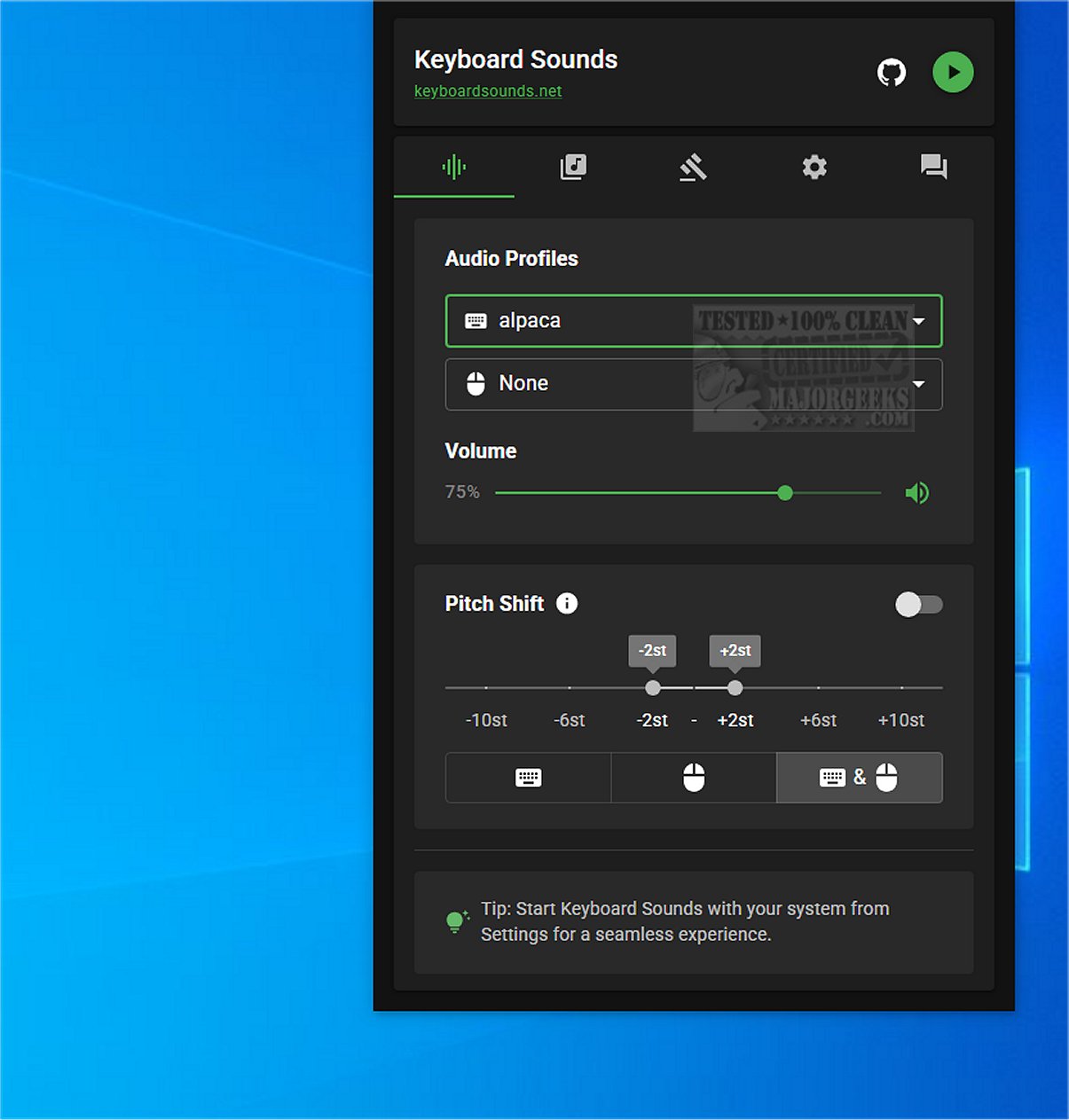
The latest release of Keyboard Sounds, version 2.4.2, elevates the auditory experience of any keyboard by simulating the distinctive sounds of a mechanical keyboard. This innovative software is designed to provide users with a customizable sound environment, bringing an engaging auditory layer to typing.
Key Features and Functionalities
Keyboard Sounds comes equipped with 16 pre-configured profiles, alongside a customizable profile editor that allows users to fine-tune their sound preferences. The application also features application-specific rules, enabling tailored sound experiences across various programs. With its profile manager, users can easily create, save, and edit their sound profiles, ensuring a personalized auditory experience.
Setup Requirements
While the installation of Keyboard Sounds is relatively straightforward, it does come with a few prerequisites. Users will need to install Python and make necessary adjustments during the setup process to ensure seamless functionality. A detailed tutorial, complete with a video guide, is available on the developer's repository, which can assist users through the installation steps.
User-Friendly Interface
Once installed, Keyboard Sounds minimizes to the system tray, providing easy access to its features through a convenient icon. This design choice enhances user experience by allowing quick control over settings while keeping the desktop uncluttered.
Customizable Options
The application offers a wealth of options for managing profiles, setting rules, and key mapping. This flexibility allows users to create a truly personalized sound experience, catering to individual preferences. The inclusion of an on-screen keyboard for sound source mapping further enriches the customization process, making it easier to define and store various sound rules.
The Verdict
Keyboard Sounds is an excellent choice for anyone seeking to replicate the auditory experience of a mechanical keyboard or modify the sounds and behaviors of their existing keyboard. Its versatility and extensive customization options make it a standout solution for users looking to enhance their typing experience. With Keyboard Sounds, you can create a unique auditory environment that reflects your personal style, making each keystroke more enjoyable.
Future Enhancements
Looking ahead, the developers may consider incorporating additional sound profiles, improving compatibility with more applications, or introducing advanced customization features, such as sound layering or ambient noise integration. These enhancements could further enrich the user experience and broaden the appeal of Keyboard Sounds among diverse user groups
Key Features and Functionalities
Keyboard Sounds comes equipped with 16 pre-configured profiles, alongside a customizable profile editor that allows users to fine-tune their sound preferences. The application also features application-specific rules, enabling tailored sound experiences across various programs. With its profile manager, users can easily create, save, and edit their sound profiles, ensuring a personalized auditory experience.
Setup Requirements
While the installation of Keyboard Sounds is relatively straightforward, it does come with a few prerequisites. Users will need to install Python and make necessary adjustments during the setup process to ensure seamless functionality. A detailed tutorial, complete with a video guide, is available on the developer's repository, which can assist users through the installation steps.
User-Friendly Interface
Once installed, Keyboard Sounds minimizes to the system tray, providing easy access to its features through a convenient icon. This design choice enhances user experience by allowing quick control over settings while keeping the desktop uncluttered.
Customizable Options
The application offers a wealth of options for managing profiles, setting rules, and key mapping. This flexibility allows users to create a truly personalized sound experience, catering to individual preferences. The inclusion of an on-screen keyboard for sound source mapping further enriches the customization process, making it easier to define and store various sound rules.
The Verdict
Keyboard Sounds is an excellent choice for anyone seeking to replicate the auditory experience of a mechanical keyboard or modify the sounds and behaviors of their existing keyboard. Its versatility and extensive customization options make it a standout solution for users looking to enhance their typing experience. With Keyboard Sounds, you can create a unique auditory environment that reflects your personal style, making each keystroke more enjoyable.
Future Enhancements
Looking ahead, the developers may consider incorporating additional sound profiles, improving compatibility with more applications, or introducing advanced customization features, such as sound layering or ambient noise integration. These enhancements could further enrich the user experience and broaden the appeal of Keyboard Sounds among diverse user groups
Keyboard Sounds 2.4.2 released
Keyboard Sounds enhances the auditory experience of any keyboard by emulating the sounds of a mechanical keyboard.