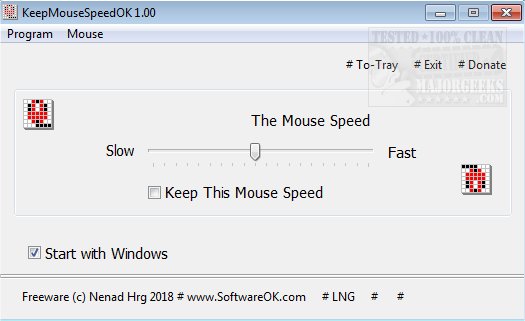
KeepMouseSpeedOK version 3.51 has been released, offering users a free utility designed to manage and stabilize mouse pointer speed. This application is particularly beneficial for Windows users who experience erratic changes in mouse speed, as it allows for easy adjustments and the ability to lock preferred settings to prevent accidental modifications.
The app is user-friendly, catering to both novice and experienced users, with a straightforward interface that resembles the mouse settings found in Windows itself. Users can quickly access mouse properties from the application, enabling them to make additional changes as needed. It resides in the system tray, allowing for rapid adjustments without disrupting workflow.
KeepMouseSpeedOK is a valuable tool from SoftwareOK, addressing a common frustration among users who frequently need to alter their mouse speed. In addition to its core functionality, the app complements various related tasks, such as changing mouse pointer size, style, color, enabling mouse pointer trails, and addressing issues with slow or lagging mice.
This release not only enhances the user experience but also contributes to a more efficient and personalized computing environment, making it an essential tool for anyone looking to optimize their mouse settings. The ongoing development and updates to KeepMouseSpeedOK reflect SoftwareOK's commitment to providing useful solutions for everyday computing challenges
The app is user-friendly, catering to both novice and experienced users, with a straightforward interface that resembles the mouse settings found in Windows itself. Users can quickly access mouse properties from the application, enabling them to make additional changes as needed. It resides in the system tray, allowing for rapid adjustments without disrupting workflow.
KeepMouseSpeedOK is a valuable tool from SoftwareOK, addressing a common frustration among users who frequently need to alter their mouse speed. In addition to its core functionality, the app complements various related tasks, such as changing mouse pointer size, style, color, enabling mouse pointer trails, and addressing issues with slow or lagging mice.
This release not only enhances the user experience but also contributes to a more efficient and personalized computing environment, making it an essential tool for anyone looking to optimize their mouse settings. The ongoing development and updates to KeepMouseSpeedOK reflect SoftwareOK's commitment to providing useful solutions for everyday computing challenges
KeepMouseSpeedOK 3.51 released
KeepMouseSpeedOK is a free app that allows you to control your mouse's pointer speed and lock it to prevent unwanted changes.