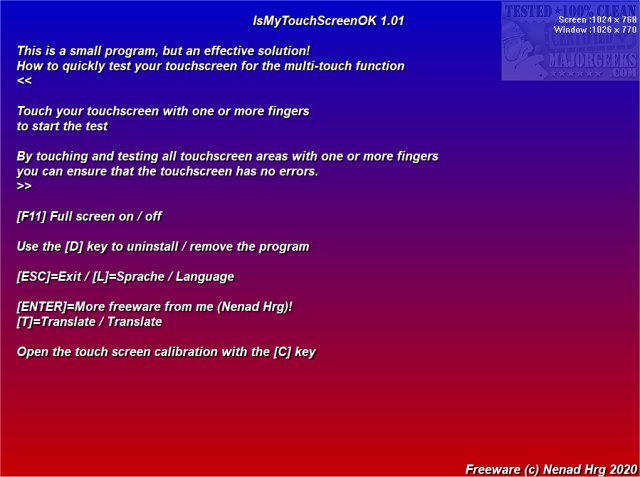
The latest version of IsMyTouchScreenOK, 3.11, has been released, enhancing its functionality as a portable application designed to assess the performance of LCD and plasma monitors regarding multi-touch capabilities. This user-friendly tool enables users to quickly identify any non-functioning contact points on their touchscreens.
The testing process is straightforward: users simply touch the screen with their fingers, and the application conducts a series of tests to verify that all touchpoints are operational. This functionality is especially useful for consumers looking to evaluate a new touchscreen prior to purchase or for those wanting to test their existing touch monitors while still under warranty. If any defects are detected, users can report these issues to the manufacturer and potentially receive a replacement unit.
In addition to its core features, IsMyTouchScreenOK could serve as a handy resource for troubleshooting touchscreen issues in various devices, making it a valuable tool for both casual users and IT professionals. The app’s portability ensures it can be used on-the-go, without the need for installation, making it accessible for quick checks whenever necessary.
Furthermore, IsMyTouchScreenOK aligns with similar resources available for Windows 10, such as guides on managing the touch keyboard icon and adjusting DPI scaling levels, showcasing its relevance in the broader context of user interface optimization.
In summary, IsMyTouchScreenOK 3.11 is an essential application for anyone needing to ensure their touchscreen devices are functioning correctly, providing peace of mind and facilitating warranty claims if needed
The testing process is straightforward: users simply touch the screen with their fingers, and the application conducts a series of tests to verify that all touchpoints are operational. This functionality is especially useful for consumers looking to evaluate a new touchscreen prior to purchase or for those wanting to test their existing touch monitors while still under warranty. If any defects are detected, users can report these issues to the manufacturer and potentially receive a replacement unit.
In addition to its core features, IsMyTouchScreenOK could serve as a handy resource for troubleshooting touchscreen issues in various devices, making it a valuable tool for both casual users and IT professionals. The app’s portability ensures it can be used on-the-go, without the need for installation, making it accessible for quick checks whenever necessary.
Furthermore, IsMyTouchScreenOK aligns with similar resources available for Windows 10, such as guides on managing the touch keyboard icon and adjusting DPI scaling levels, showcasing its relevance in the broader context of user interface optimization.
In summary, IsMyTouchScreenOK 3.11 is an essential application for anyone needing to ensure their touchscreen devices are functioning correctly, providing peace of mind and facilitating warranty claims if needed
IsMyTouchScreenOK 3.11 released
IsMyTouchScreenOK is a portable app that allows you to check your LCD or plasma monitor for properly functioning multi-touch.