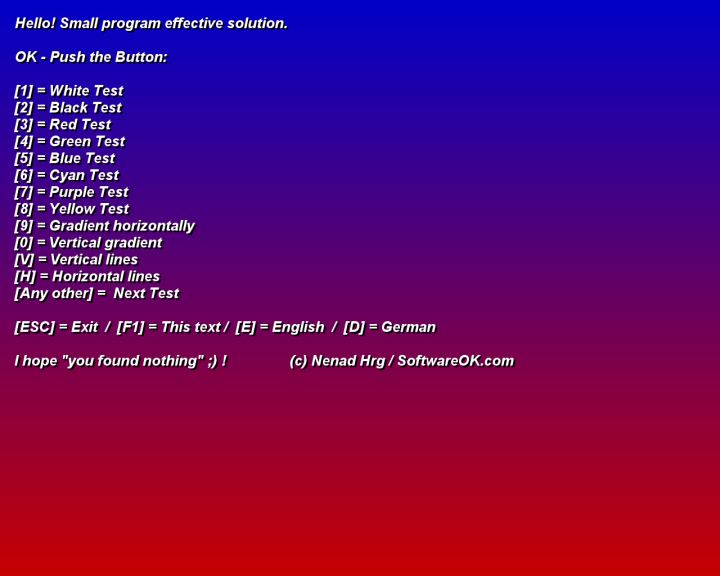
IsMyLcdOK version 6.17 has been released, providing users with a quick and efficient way to check LCD monitors for dead, paralyzed, or stuck pixels. While most manufacturers have a solid dead pixel policy in place, it's still possible to encounter such issues. This tool simplifies the testing process by allowing users to conduct a series of tests featuring various colors and gradients, all easily activated with designated hotkeys. One of the key advantages of IsMyLcdOK is its portability; it requires no installation and can be run directly from the desktop or a USB drive.
In addition to its primary function, users may also benefit from exploring related guides on how to find and repair stuck or dead pixels on their LCD monitors. This can further enhance their viewing experience and ensure their monitors are functioning at peak performance.
As technology advances and monitor displays become ever more intricate, tools like IsMyLcdOK will continue to play an essential role in maintaining screen quality. Future updates may include enhanced testing features, integration with high-definition resolutions, and improved user interfaces to streamline the process even further
In addition to its primary function, users may also benefit from exploring related guides on how to find and repair stuck or dead pixels on their LCD monitors. This can further enhance their viewing experience and ensure their monitors are functioning at peak performance.
As technology advances and monitor displays become ever more intricate, tools like IsMyLcdOK will continue to play an essential role in maintaining screen quality. Future updates may include enhanced testing features, integration with high-definition resolutions, and improved user interfaces to streamline the process even further
IsMyLcdOK 6.17 released
IsMyLcdOK quickly checks LCD monitors for dead, paralyzed, or stuck pixels.