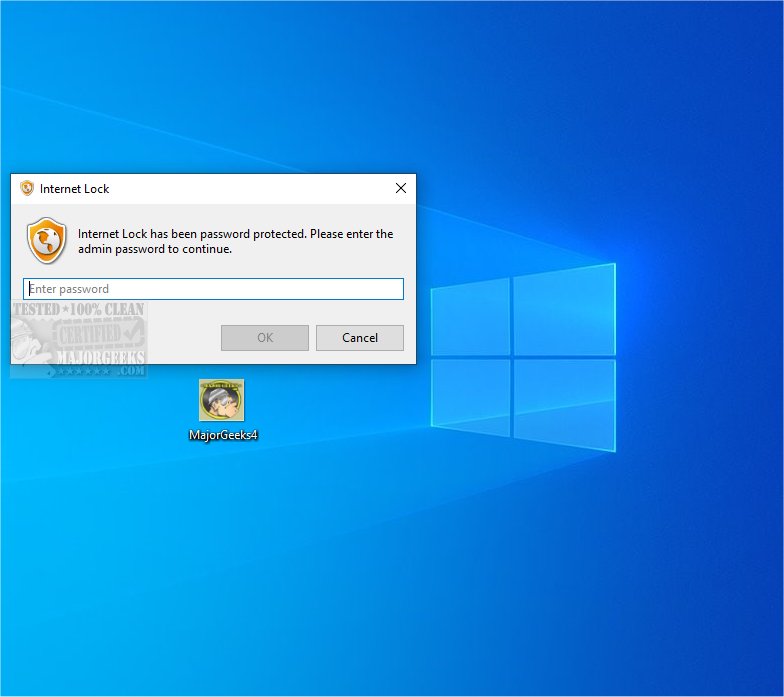
The latest release of Internet Lock 7.0.1 enhances the ability to manage and secure internet access on your computer. This software allows users to impose restrictions on internet connectivity, providing password protection for specific programs. This feature is essential for enhancing both security and privacy, as it ensures that sensitive applications can only be accessed with the correct password.
Internet Lock offers comprehensive management capabilities for internet connections, making it ideal for various use cases such as minimizing distractions, protecting sensitive information, or monitoring internet usage for children and employees. Users can customize restrictions based on their specific needs, allowing for a tailored approach to internet security.
One of the standout features of Internet Lock is its password-protected access mechanism. When a protected program attempts to connect to the internet, users are prompted to enter a password. If the password is incorrect, the connection is blocked, providing an additional layer of protection against unauthorized access. This means that users must remember their passwords to access the internet through these protected programs.
Key features of Internet Lock include the ability to restrict or password-protect internet access for individual programs or entirely, schedule specific times for internet use, and establish IP address restrictions to prevent unauthorized connections.
In summary, Internet Lock 7.0.1 is an all-in-one solution for effectively managing and safeguarding online activities. With its robust features, users gain enhanced security and greater control over their digital environments, allowing them to navigate the complexities of the online world with confidence and peace of mind.
As the demand for internet security grows, Internet Lock continues to evolve, providing users with the tools they need to protect their online experiences. Future updates may further enhance its capabilities, potentially incorporating advanced features like AI-driven monitoring and real-time threat analysis to adapt to emerging security challenges
Internet Lock offers comprehensive management capabilities for internet connections, making it ideal for various use cases such as minimizing distractions, protecting sensitive information, or monitoring internet usage for children and employees. Users can customize restrictions based on their specific needs, allowing for a tailored approach to internet security.
One of the standout features of Internet Lock is its password-protected access mechanism. When a protected program attempts to connect to the internet, users are prompted to enter a password. If the password is incorrect, the connection is blocked, providing an additional layer of protection against unauthorized access. This means that users must remember their passwords to access the internet through these protected programs.
Key features of Internet Lock include the ability to restrict or password-protect internet access for individual programs or entirely, schedule specific times for internet use, and establish IP address restrictions to prevent unauthorized connections.
In summary, Internet Lock 7.0.1 is an all-in-one solution for effectively managing and safeguarding online activities. With its robust features, users gain enhanced security and greater control over their digital environments, allowing them to navigate the complexities of the online world with confidence and peace of mind.
As the demand for internet security grows, Internet Lock continues to evolve, providing users with the tools they need to protect their online experiences. Future updates may further enhance its capabilities, potentially incorporating advanced features like AI-driven monitoring and real-time threat analysis to adapt to emerging security challenges
Internet Lock 7.0.1 released
Internet Lock allows you to enforce restrictions on internet connectivity, ensuring that specific programs can only be accessed with a password, enhancing both security and privacy.