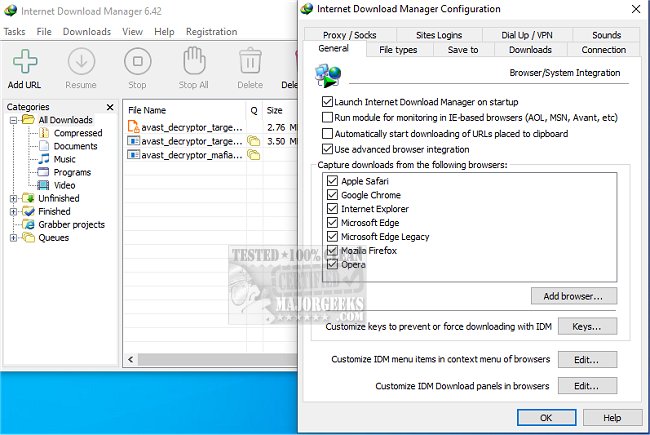
Internet Download Manager (IDM) has recently released version 6.42 Build 60, enhancing its capabilities as a powerful tool for accelerating download speeds and managing downloads efficiently. With IDM, users can dramatically increase their download speeds—up to five times—using innovative file-segmentation technology that allows for simultaneous downloads through multiple segments. This method effectively maximizes bandwidth usage and minimizes the impact of server speed limits, resulting in a smoother and faster downloading experience.
One of IDM's standout features is its ability to resume and recover broken downloads. If an internet interruption or system crash occurs, IDM remembers the point where the download stopped, allowing users to pick up right where they left off without starting over. Additionally, IDM integrates seamlessly with popular browsers like Chrome, Firefox, and Edge, automatically detecting downloadable content on web pages and providing a convenient "Download" button for quick access.
For those looking to save streaming videos and audio from sites like YouTube and Dailymotion, IDM simplifies the process, ensuring that users can store their favorite content for offline viewing. The software also organizes downloads into categories such as documents, music, and videos, making it easy to keep track of files.
IDM is customizable to cater to power users, allowing adjustments to settings such as download limits and scheduling for off-peak hours. It also includes security features that work in tandem with antivirus software to scan downloads for potential threats, providing peace of mind.
Despite its powerful features, some users have noted that the interface could benefit from an update. However, the overall efficiency and functionality of IDM make it a worthwhile investment for anyone who frequently downloads files, whether for work, media, or software updates.
In summary, Internet Download Manager is an essential tool for enhancing the downloading experience. With its latest update, users can expect even more robust features that streamline downloads, improve efficiency, and ensure security, making it a must-try for anyone frustrated with traditional download methods.
As online content continues to grow, tools like IDM will play a crucial role in helping users manage their digital lives effectively, leading to more productive and enjoyable browsing experiences. If you frequently download large files or multimedia content, consider giving IDM a try to revolutionize the way you download
One of IDM's standout features is its ability to resume and recover broken downloads. If an internet interruption or system crash occurs, IDM remembers the point where the download stopped, allowing users to pick up right where they left off without starting over. Additionally, IDM integrates seamlessly with popular browsers like Chrome, Firefox, and Edge, automatically detecting downloadable content on web pages and providing a convenient "Download" button for quick access.
For those looking to save streaming videos and audio from sites like YouTube and Dailymotion, IDM simplifies the process, ensuring that users can store their favorite content for offline viewing. The software also organizes downloads into categories such as documents, music, and videos, making it easy to keep track of files.
IDM is customizable to cater to power users, allowing adjustments to settings such as download limits and scheduling for off-peak hours. It also includes security features that work in tandem with antivirus software to scan downloads for potential threats, providing peace of mind.
Despite its powerful features, some users have noted that the interface could benefit from an update. However, the overall efficiency and functionality of IDM make it a worthwhile investment for anyone who frequently downloads files, whether for work, media, or software updates.
In summary, Internet Download Manager is an essential tool for enhancing the downloading experience. With its latest update, users can expect even more robust features that streamline downloads, improve efficiency, and ensure security, making it a must-try for anyone frustrated with traditional download methods.
As online content continues to grow, tools like IDM will play a crucial role in helping users manage their digital lives effectively, leading to more productive and enjoyable browsing experiences. If you frequently download large files or multimedia content, consider giving IDM a try to revolutionize the way you download
Internet Download Manager 6.42 Build 60 released
Internet Download Manager is a tool for drastically increasing your download speeds and resuming/scheduling downloads, including the capability to download any streaming video.
Internet Download Manager 6.42 Build 60 released @ MajorGeeks