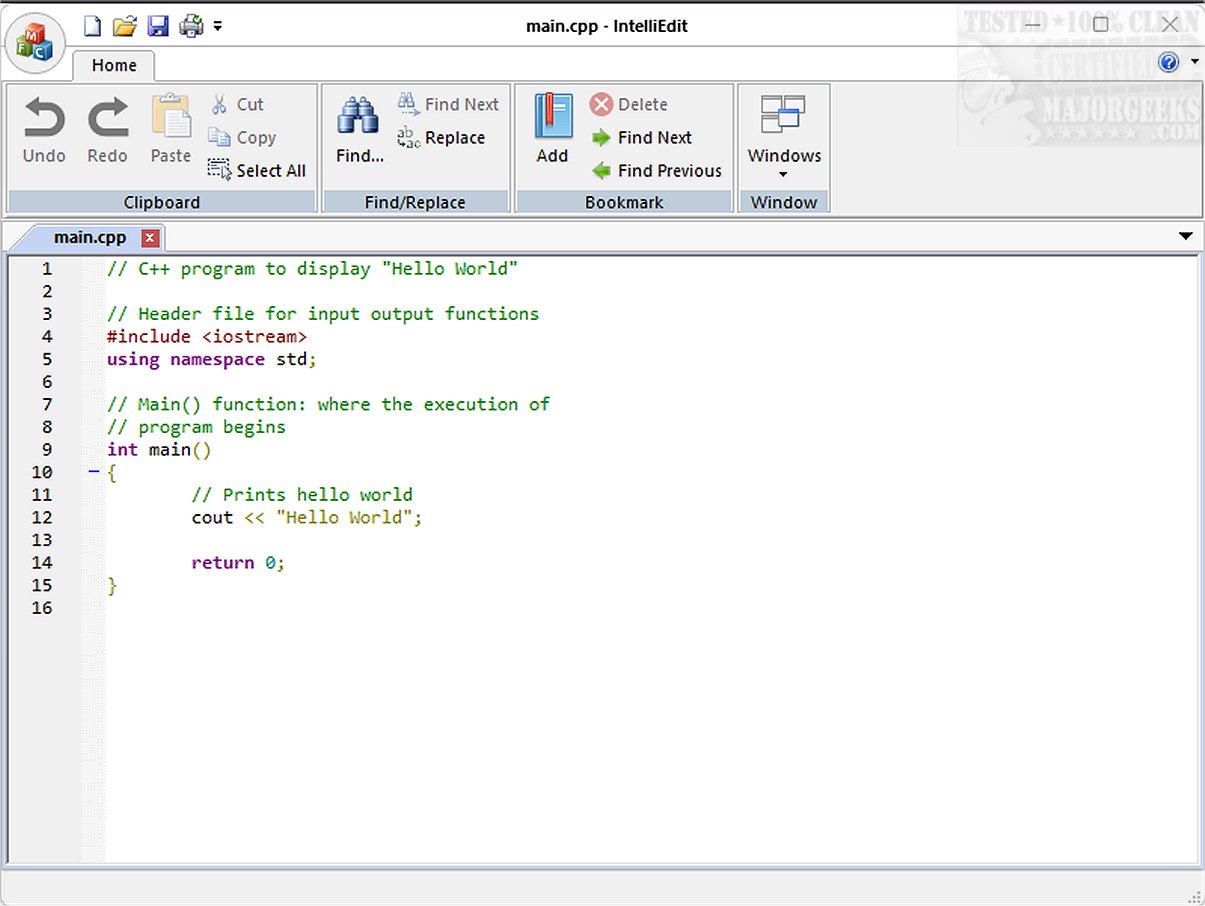
IntelliEdit 1.14 has been released, marking an upgrade to this versatile text editor that serves as a superior alternative to the basic Notepad. It boasts a robust editing engine, allowing users to work with a diverse range of programming languages effortlessly, making it suitable for both plain text and code writing.
One of the key highlights of IntelliEdit is its extensive functionality, which includes features such as syntax highlighting, advanced search-and-replace using regular expressions, and the ability to manage multiple files through a convenient tabbed interface. Despite its somewhat outdated appearance, the user interface is tailored for those who value functionality over aesthetics, focusing on practical tools that enhance the editing experience.
IntelliEdit's tabbed interface is particularly beneficial, allowing users to easily navigate between several open files without the hassle of managing multiple windows. Its advanced search-and-replace capabilities allow for efficient text manipulation, including pattern-based searches, while the bookmark feature enables users to mark and swiftly navigate to specific lines in lengthy documents, making it a practical choice for both coding and general text editing tasks.
The editor utilizes the Scintilla engine, which enhances its coding capabilities significantly compared to standard Notepad. It supports syntax highlighting for various programming languages such as CMake, C/C++, JavaScript, PHP, Markdown, MATLAB, HTML, and R on Windows, making it a powerful tool for developers.
For those interested in exploring IntelliEdit further, the developer's GitHub repository offers valuable resources to get started.
In summary, IntelliEdit is an ideal solution for users who prioritize utility and efficiency over modern design. Its practical features and extensive range of editing tools make it a formidable ally for anyone looking to enhance their text editing and coding workflows. As IntelliEdit continues to evolve, users can expect further improvements and features to solidify its position as a leading text editing solution
One of the key highlights of IntelliEdit is its extensive functionality, which includes features such as syntax highlighting, advanced search-and-replace using regular expressions, and the ability to manage multiple files through a convenient tabbed interface. Despite its somewhat outdated appearance, the user interface is tailored for those who value functionality over aesthetics, focusing on practical tools that enhance the editing experience.
IntelliEdit's tabbed interface is particularly beneficial, allowing users to easily navigate between several open files without the hassle of managing multiple windows. Its advanced search-and-replace capabilities allow for efficient text manipulation, including pattern-based searches, while the bookmark feature enables users to mark and swiftly navigate to specific lines in lengthy documents, making it a practical choice for both coding and general text editing tasks.
The editor utilizes the Scintilla engine, which enhances its coding capabilities significantly compared to standard Notepad. It supports syntax highlighting for various programming languages such as CMake, C/C++, JavaScript, PHP, Markdown, MATLAB, HTML, and R on Windows, making it a powerful tool for developers.
For those interested in exploring IntelliEdit further, the developer's GitHub repository offers valuable resources to get started.
In summary, IntelliEdit is an ideal solution for users who prioritize utility and efficiency over modern design. Its practical features and extensive range of editing tools make it a formidable ally for anyone looking to enhance their text editing and coding workflows. As IntelliEdit continues to evolve, users can expect further improvements and features to solidify its position as a leading text editing solution
IntelliEdit 1.14 released
IntelliEdit is a versatile text editor that serves as an enhanced alternative to the standard Notepad. It features a fast-editing engine and supports a wide array of programming languages right out of the box, allowing users to write both plain text and code.