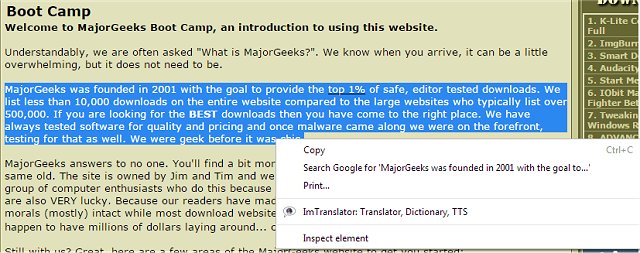
ImTranslator has released an updated version (17.17) for Chrome, Firefox, and Opera, providing advanced translation capabilities for users. This extension allows translation of up to 10,000 characters across text, words, web pages, and phrases in 91 languages using multiple translation engines, including Google and Microsoft.
The toolset includes four primary translation features: ImTranslator, Pop-up Bubble Translator, Inline Translator, and Webpage Translation. Additionally, it offers several useful language tools such as Text-to-Speech, Translation History, and a Dictionary.
One of the standout features is the Translation History, which enables users to easily revisit previously translated phrases without needing to retranslate them. Users can also set their preferred target language in advance for faster translations.
Key features include:
- Translation capabilities across more than 90 languages
- Support for multiple translation providers
- A standalone translator with distinct Translator and Dictionary modes
- Pop-up window translations through the Pop-up Bubble Translator
- Inline translations embedded directly into web pages
- Full webpage translations with a mouseover option
- Text-to-speech functionality in numerous languages
- A comprehensive dictionary accessible through the various tools
- Automatic language detection and back translation options
- Customizable shortcut keys and interface localization in 22 languages
- Complete customization options for each translation tool, with the option to disable automatic language detection
This update also aligns with the ongoing improvements in multilingual internet usage, catering to a diverse audience and enhancing communication across language barriers.
In conclusion, ImTranslator 17.17 not only simplifies the translation process but also enhances user experience through its robust features and customizability, making it a valuable tool for both casual and professional users needing translation assistance
The toolset includes four primary translation features: ImTranslator, Pop-up Bubble Translator, Inline Translator, and Webpage Translation. Additionally, it offers several useful language tools such as Text-to-Speech, Translation History, and a Dictionary.
One of the standout features is the Translation History, which enables users to easily revisit previously translated phrases without needing to retranslate them. Users can also set their preferred target language in advance for faster translations.
Key features include:
- Translation capabilities across more than 90 languages
- Support for multiple translation providers
- A standalone translator with distinct Translator and Dictionary modes
- Pop-up window translations through the Pop-up Bubble Translator
- Inline translations embedded directly into web pages
- Full webpage translations with a mouseover option
- Text-to-speech functionality in numerous languages
- A comprehensive dictionary accessible through the various tools
- Automatic language detection and back translation options
- Customizable shortcut keys and interface localization in 22 languages
- Complete customization options for each translation tool, with the option to disable automatic language detection
This update also aligns with the ongoing improvements in multilingual internet usage, catering to a diverse audience and enhancing communication across language barriers.
In conclusion, ImTranslator 17.17 not only simplifies the translation process but also enhances user experience through its robust features and customizability, making it a valuable tool for both casual and professional users needing translation assistance
ImTranslator for Chrome, Firefox, and Opera 17.17 released
ImTranslator for Chrome, Firefox, and Opera can assist you in translating up to 10,000 characters of text, words, web pages, and phrases from 91 languages via Google, Microsoft, and others.
ImTranslator for Chrome, Firefox, and Opera 17.17 released @ MajorGeeks