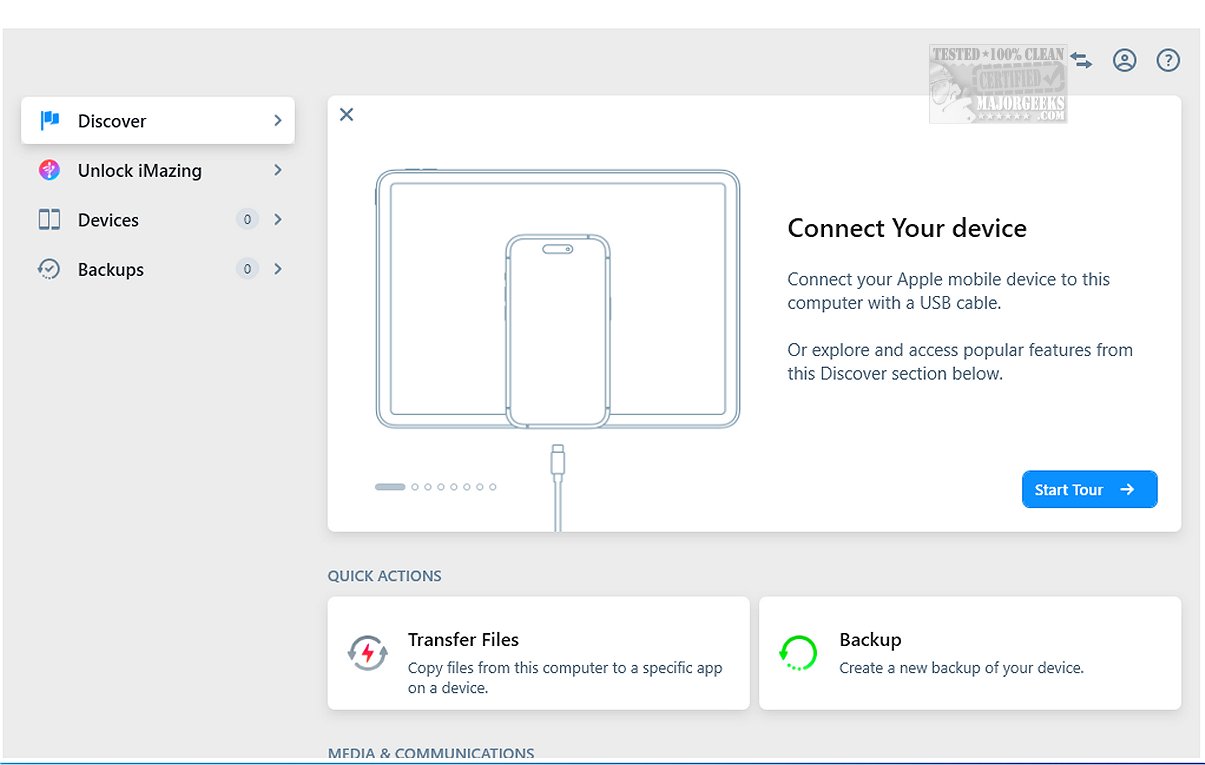
iMazing has recently released version 3.4.0.9, enhancing its suite of tools for file transfer, app management, and backup and restore processes, positioning it as a robust alternative to iTunes. This software includes features such as incremental backups, which only save changes made since the last backup, allowing for more efficient storage management. Users can also choose their preferred backup locations and schedule Wi-Fi backups for added convenience.
When connected via USB, iMazing allows iPhones, iPod touches, and iPads to operate as external storage devices. It is known for its reliability in transferring and preserving data, including messages, music, and files, across Mac and PC systems. The program supports a wide array of device models and checks for operating system updates.
iMazing provides an intuitive interface that simplifies data management. Users can create immediate backups or browse their device's contents with ease. The software not only allows backup creation and restoration but also enables exporting backups as folders, repairing or deleting existing backups, and analyzing files within old backups.
Another notable feature is the data preview function, which lets users view various types of content—such as images, videos, and messages—before transferring them to their computers. A right-click action facilitates the transfer of selected items, streamlining the entire process. Additionally, iMazing supports the export of WhatsApp messages and attachments, making it easier to transfer this information to new devices. It also allows for saving and transferring Safari bookmarks without relying on iCloud.
In conclusion, iMazing is a powerful yet user-friendly tool that simplifies file and application management on iOS devices. Its seamless features enable effortless backups, file transfers, and content previews, making it accessible for users of all skill levels. Whether you are a tech novice or a seasoned expert, iMazing ensures that your essential data is organized and easily retrievable, providing a stress-free experience in device management.
As iMazing continues to evolve, users can expect further enhancements that will streamline their digital interactions with Apple devices. The ongoing development may lead to even more robust backup options, enhanced file management capabilities, and broader compatibility with various iOS applications, ensuring that iMazing remains a top choice for users seeking efficient and reliable solutions for their device management needs
When connected via USB, iMazing allows iPhones, iPod touches, and iPads to operate as external storage devices. It is known for its reliability in transferring and preserving data, including messages, music, and files, across Mac and PC systems. The program supports a wide array of device models and checks for operating system updates.
iMazing provides an intuitive interface that simplifies data management. Users can create immediate backups or browse their device's contents with ease. The software not only allows backup creation and restoration but also enables exporting backups as folders, repairing or deleting existing backups, and analyzing files within old backups.
Another notable feature is the data preview function, which lets users view various types of content—such as images, videos, and messages—before transferring them to their computers. A right-click action facilitates the transfer of selected items, streamlining the entire process. Additionally, iMazing supports the export of WhatsApp messages and attachments, making it easier to transfer this information to new devices. It also allows for saving and transferring Safari bookmarks without relying on iCloud.
In conclusion, iMazing is a powerful yet user-friendly tool that simplifies file and application management on iOS devices. Its seamless features enable effortless backups, file transfers, and content previews, making it accessible for users of all skill levels. Whether you are a tech novice or a seasoned expert, iMazing ensures that your essential data is organized and easily retrievable, providing a stress-free experience in device management.
As iMazing continues to evolve, users can expect further enhancements that will streamline their digital interactions with Apple devices. The ongoing development may lead to even more robust backup options, enhanced file management capabilities, and broader compatibility with various iOS applications, ensuring that iMazing remains a top choice for users seeking efficient and reliable solutions for their device management needs
iMazing 3.4.0.9 released
iMazing offers a diverse range of tools for file transfer, app management, and backup and restore processes, making it a strong alternative to iTunes. Key features of iMazing include incremental backups, which allow you to back up only the changes made since the last backup, as well as flexibility in selecting backup locations.