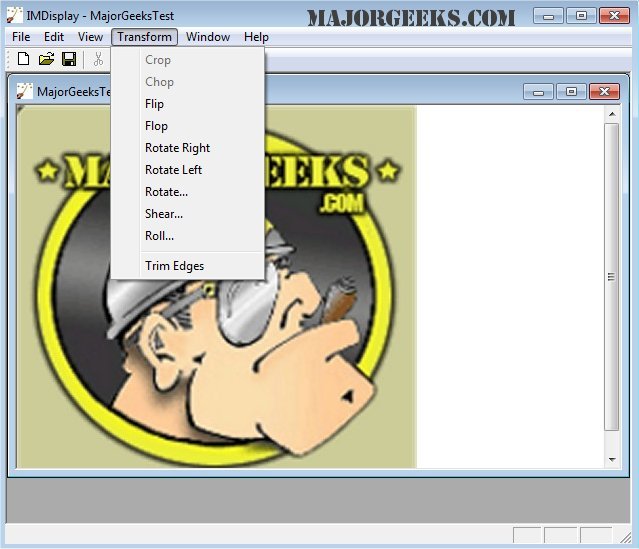
ImageMagick has recently released version 7.1.2-18, which is a comprehensive, free graphics software suite available for Windows, Linux, and Mac users. This powerful tool allows users to create, edit, compose, and convert images across more than 100 different formats, including popular types like DPX, GIF, JPEG, PDF, PNG, and TIFF.
The capabilities of ImageMagick extend well beyond basic image handling. Users can perform a variety of manipulations such as resizing, rotating, and cropping images, as well as adjusting colors and applying special effects. It supports advanced features like drawing shapes and text, creating animations, and even performing complex image calculations and transformations.
Key features of ImageMagick include:
- Format Conversion: Easily switch between various image formats (e.g., from PNG to JPEG).
- Image Manipulation: Resize, rotate, flip, and crop images effortlessly.
- Transparency and Composite: Render parts of an image invisible or layer one image over another.
- Drawing and Decoration: Add text, shapes, borders, and frames to images.
- Special Effects: Apply blurring, sharpening, and other visual effects.
- Animation Creation: Compile a sequence of images into a GIF animation.
- Image Identification and Analysis: Get detailed information about image formats and attributes.
- High Dynamic Range Support: Manage images with a wide intensity range accurately.
- Advanced Processing: Utilize features like discrete Fourier transform and color management for precise image editing.
- Distributed Processing: Enhance performance through multi-threading and OpenCL-enabled algorithms.
Additionally, ImageMagick supports large image sizes and offers functionality for mobile platforms, allowing users to edit images directly on iOS devices like iPhones and iPads.
In summary, ImageMagick stands out as a versatile and powerful tool for anyone involved in image editing and manipulation, providing a wide array of features suitable for both casual users and professionals in the field. As it continues to evolve, users can expect ongoing improvements and new features that enhance its capabilities
The capabilities of ImageMagick extend well beyond basic image handling. Users can perform a variety of manipulations such as resizing, rotating, and cropping images, as well as adjusting colors and applying special effects. It supports advanced features like drawing shapes and text, creating animations, and even performing complex image calculations and transformations.
Key features of ImageMagick include:
- Format Conversion: Easily switch between various image formats (e.g., from PNG to JPEG).
- Image Manipulation: Resize, rotate, flip, and crop images effortlessly.
- Transparency and Composite: Render parts of an image invisible or layer one image over another.
- Drawing and Decoration: Add text, shapes, borders, and frames to images.
- Special Effects: Apply blurring, sharpening, and other visual effects.
- Animation Creation: Compile a sequence of images into a GIF animation.
- Image Identification and Analysis: Get detailed information about image formats and attributes.
- High Dynamic Range Support: Manage images with a wide intensity range accurately.
- Advanced Processing: Utilize features like discrete Fourier transform and color management for precise image editing.
- Distributed Processing: Enhance performance through multi-threading and OpenCL-enabled algorithms.
Additionally, ImageMagick supports large image sizes and offers functionality for mobile platforms, allowing users to edit images directly on iOS devices like iPhones and iPads.
In summary, ImageMagick stands out as a versatile and powerful tool for anyone involved in image editing and manipulation, providing a wide array of features suitable for both casual users and professionals in the field. As it continues to evolve, users can expect ongoing improvements and new features that enhance its capabilities
ImageMagick 7.1.2-18 released
ImageMagick is an all-in-one freeware graphics software suite for creating, editing, composing, or converting images in Windows, Linux, and Mac.